Step 1: Change your password immediately
Open PayPal directly in your browser. In your account, click on the cog icon in the top right-hand corner, then select “Security” and “Password.” Change your password straight away to a new, secure one containing at least 16 characters, including upper- and lower-case letters, numbers, and special characters. Only use this password for PayPal.
Tip: If you haven’t yet started managing your passwords with a password manager, now is a good time to do so.
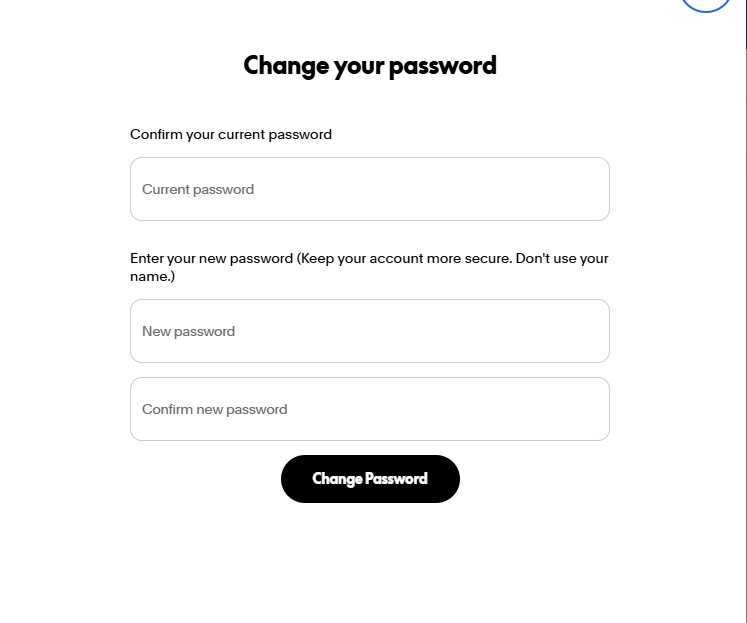
If you can still access your account: Change your password immediately (to one that you use exclusively for PayPal).
Foundry
Step 2: End all active sessions
Click on the cog icon, then on “Security,” and next to “Manage logins,” click on “Manage.” Here you’ll see all active logins, along with the device, location, and timestamp. Remove any entries you don’t recognize.
Step 3: Check linked payment methods
In the top navigation bar, open “Wallet,” check all saved bank accounts and credit cards, and remove anything you didn’t add yourself. Next, check which merchants are authorized to make recurring direct debits from your account: Click on the cog icon, then on “Payments,” and a little further down, open “Direct Debit Payments.”
If an unknown entry appears there, click on it, select “Cancel,” and confirm by clicking “Cancel direct debit payments.” You should also inform your bank if your credit card or current account is linked to the compromised account.
Step 4: Report unauthorized transactions
You can dispute any payment that you did not initiate yourself via the Resolution Center. Click on “Help” in the top navigation bar, then on “Resolution Center” further down the page. There, select the transaction you wish to dispute and click “Continue.” Then select “I want to report unauthorized account access” and follow the instructions.