
JR Raphael, Foundry
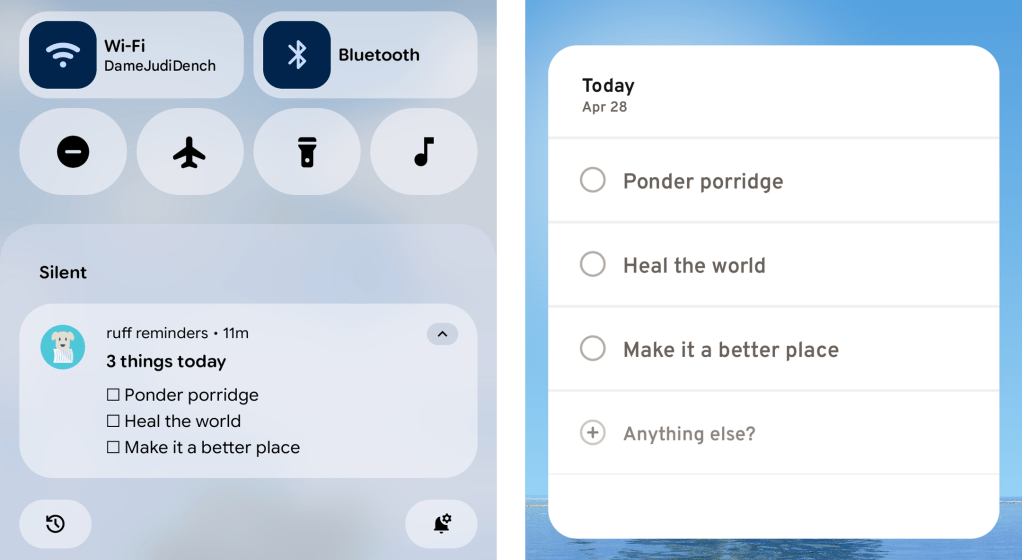
What else? Let’s see — for any items you set as “ongoing,” Ruff will create a persistent notification so you can easily see what’s lingering on your list. And as you’d expect for any serious Android productivity app, Ruff Reminders has a widget that lets you look at all your tasks for the current day and add new tasks right then and there, on your home screen, without ever having to open anything up.
JR Raphael, Foundry
For the true productivity-obsessed power-user nerds among us, Ruff Reminders also has a whole host of step-saving gestures built into its interface. Like all of the app’s more advanced options, you absolutely don’t have to mess with ’em if you don’t want to — but if you’re the type of person who likes learning shortcuts and flying around your phone with taps and swipes, you’ll be delighted by all the possibilities this unlocks.
The more you use it, the more thoughtful and useful little touches you keep discovering — again, if and only if you want to explore those types of options.