How to browse privately with Apple’s Safari
Chrome may get far more attention for its Incognito than any other browser — no surprise, since it’s by far the most popular browser on the planet — but Apple’s Safari was actually the first to introduce private browsing. The term private browsing was first bandied in 2005 to describe early Safari features that limited what was saved by the browser.
Side note: Early in private browsing, the label porn mode was often used as a synonym to describe what many writers and reporters assumed was the primary application of the feature. The term has fallen out of favor.
To open what Safari calls a Private Window on a Mac, users can do a three-key combination of Command-Shift-N, the same shortcut Chrome adopted. Otherwise, a window can be called up by selecting the File menu and clicking on New Private Window.
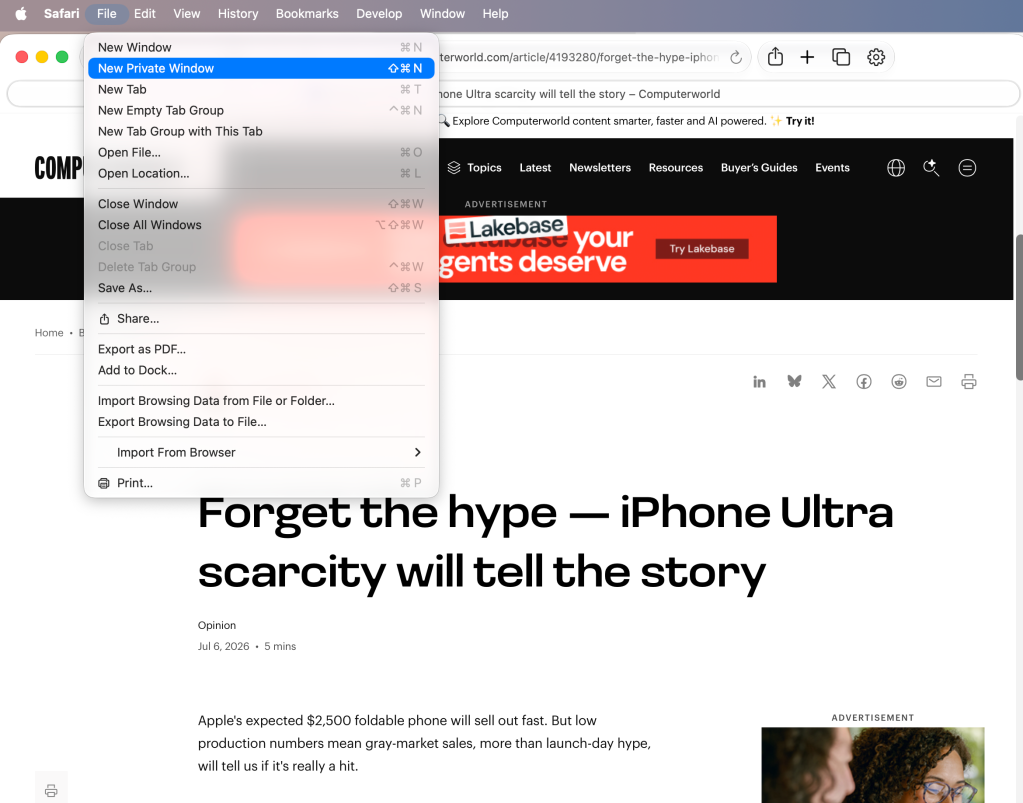
From the File menu in Safari, selecting New Private Window gets you started.
Apple
Safari tags each Private Window by darkening the address bar. It also issues a reminder of what it does — or more accurately — what it doesn’t do. “Safari will keep your browsing history private for all tabs of this window. After you close this window, Safari won’t remember the pages you visited, your search history or your AutoFill information,” the top-of-the-page note reads. The warning is more terse than those of other browsers and omits cautions about still-visible online activity.
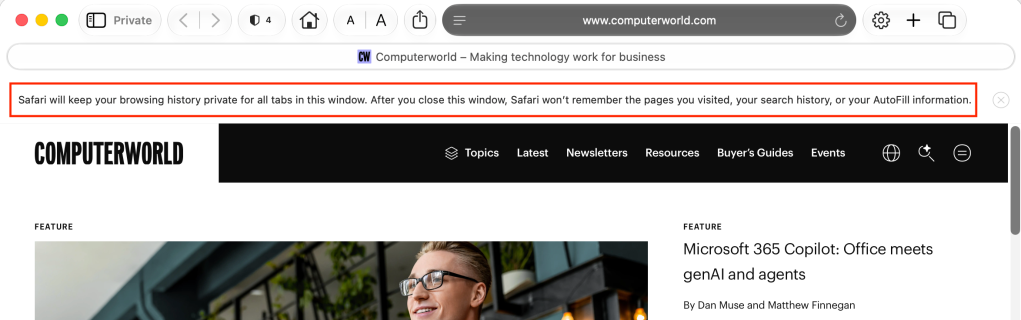
The darkened address bar at the top — and the Private button in the left window corner — signal that this Safari window is for private browsing.
Apple
Like Firefox, Safari automatically engages additional privacy technologies, whether the user browses in standard or private mode. Safari’s Intelligent Tracking Protection (ITP), which has been around for nearly a decade and repeatedly upgraded, now blocks all third-party cookies, among other components advertisers and services use to track people as they bounce from one site to another. ITP is controlled by a single on-off switch — on is the default — found in Preferences under the Privacy icon. If the Website tracking: box is checked to mark Prevent cross-site tracking, ITP is on.
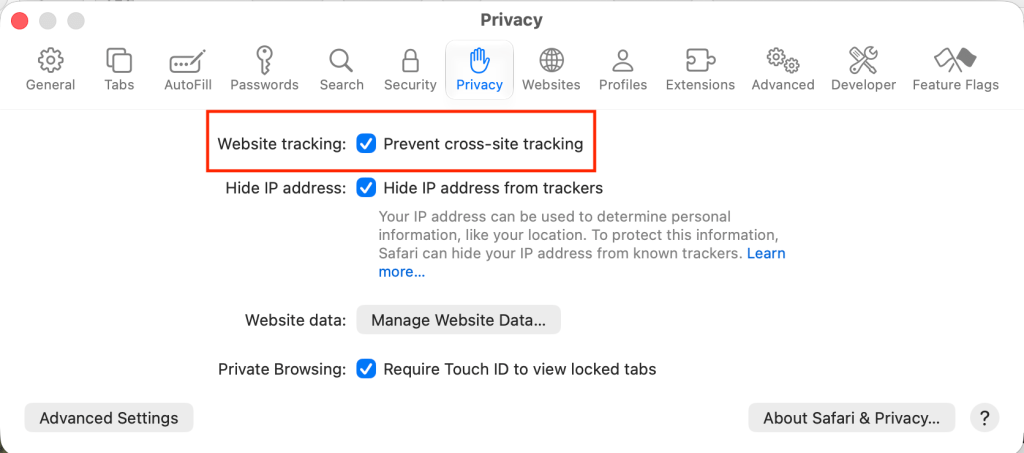
Switching on cross-site tracking enables Safari’s Intelligent Tracking Protection, which blocks a wide variety of bits advertisers try to use to follow you around the web while you’re using a Private Window.
Apple
A link can be opened directly to a Private Window by right-clicking, then selecting Open Link in New Private Window. Close a Private Window just as any Safari window, by clicking the red dot in the upper left corner of the browser frame.
Pro tip: Once in a Safari Private Window, opening a new tab — either by clicking the + icon at the upper right or by using the Command-T key combo — omits the Private Browsing Enabled notice. (The darkened address bar remains as the sole indicator of a private browsing session.) Other browsers, such as Firefox, repeat their cautionary messages each time a tab is opened in an incognito session.
Related reading: