At a glance
Expert’s Rating
Pros
- Spacious keyboard with respectable key feel for the price
- Large 1920×1200 display with 16:10 aspect ratio
- Good selection of USB-C and USB-A connectivity
- Solid ChromeOS performance from Core i3 chip
Cons
- Design is as dull as can be
- Display could be brighter and lacks contrast
- Modest battery life
Our Verdict
The Acer Chromebook Plus 516 isn’t much to look at, but it benefits from an Intel Core i3 chip with solid performance and, at times, low sale pricing.
Price When Reviewed
This value will show the geolocated pricing text for product undefined
Best Pricing Today
Price When Reviewed
$399.99
Best Prices Today: Acer Chromebook Plus 516

$439
Chromebooks are often inexpensive, but that doesn’t mean they can’t go big… right?
Acer’s Chromebook Plus 516 seems to think so. Though it’s relatively affordable at $399.99, it packs a 16-inch 1920×1200 display with a 16:10 aspect ratio. While some large-screen Chromebooks have released over the years, they remain a slim minority, and the Chromebook Plus 516 is among the largest.
So, does bigger mean better? In this case it does, though the laptop does still suffer a few flaws.
Acer Chromebook Plus 516: Specs and features as-tested
16-inch IPS display aside, the Chromebook Plus 516’s more important specification is undoubtedly the processor. In this case it’s the Intel Core i3-1315U, a six-core processor with two performance cores and four efficient cores. It’s flanked by 8GB of memory and 128GB of flash storage.
- Model number: CB516-1H-31UE
- CPU: Intel Core i3-1315U
- Memory: 8GB LPDDR5-5200
- Graphics/GPU: Intel UHD
- NPU: None
- Display: 16-inch IPS 1920×1200 non-touch screen
- Storage: 128GB flash storage
- Webcam and microphone: 1080p webcam with privacy shutter, dual array microphone
- Connectivity: 2x USB-C 3.2 Gen 2, 2x USB-A 3.2 Gen 1, HDMI 1.4, 3.5mm combo audio
- Networking: Wi-Fi 6E, Bluetooth 5.3
- Biometrics: None
- Audio: Integrated speakers
- Battery capacity: 53-watt-hours
- Dimensions: 14.13 x 9.96 x 0.76 inches
- Weight: 3.75 pounds
- Operating System: ChromeOS
- Price: $399.99 MSRP
Acer asks $399.99 for the Chromebook Plus 516 at MSRP, but you probably won’t have to pay that much. The laptop is available for $329.99 at Best Buy and refurbished models are available on Amazon for as little as $269.99.
With that said, I noticed some third-party sellers on Amazon are trying to move the laptop at prices that at times exceed the MSRP. This, I suspect, is a side effect of the increase in laptop pricing shoppers are facing in 2026. Be sure to steer clear of above-MSRP offers.
Acer Chromebook Plus 516: Design and build quality
Foundry / Matthew Smith
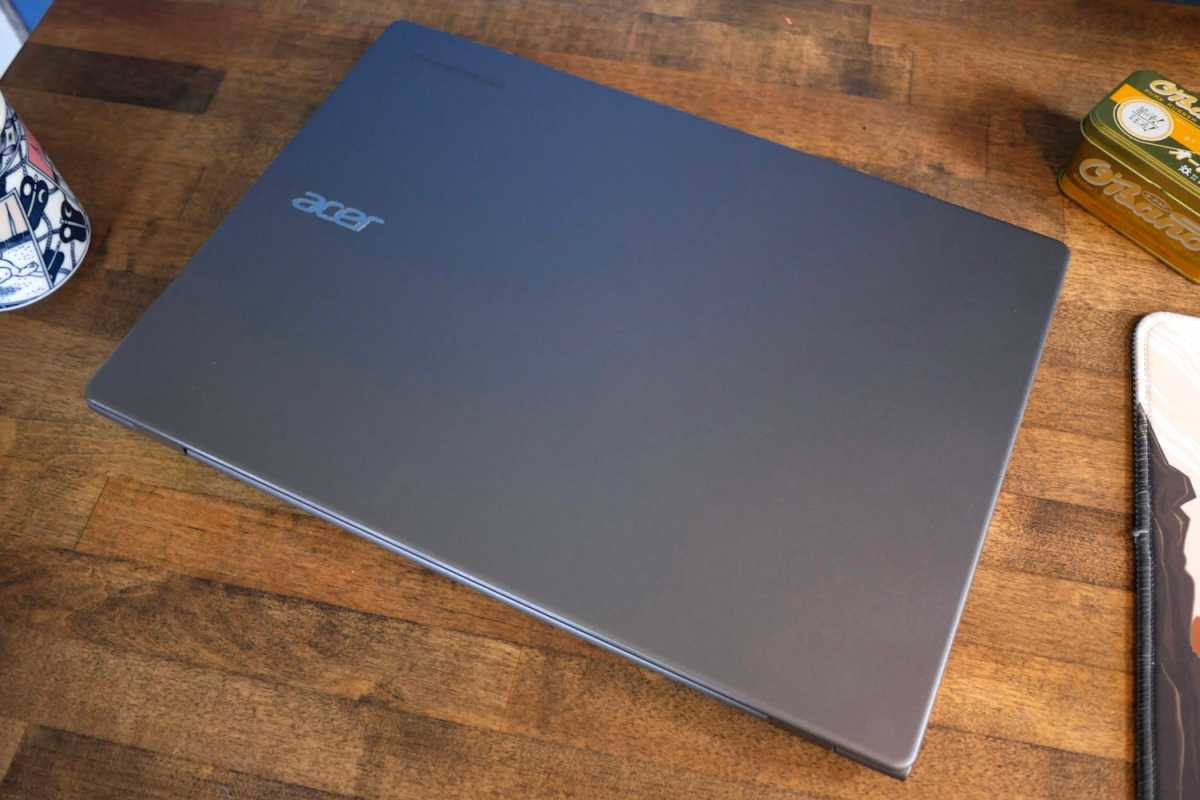
Unboxing the Acer Chromebook Plus 516 reveals a generic laptop design. The dark silver exterior is constructed from plastic, and while it provides a bit of faux-metallic luster, it otherwise lacks any adornment aside from a small, chrome Acer logo. It’s a good thing it’s there, because it would otherwise be impossible to discern which company produced the laptop.
While the design is unimpressive, the Chromebook Plus 516’s build quality is respectable. Plastic is the order of the day but the laptop feels reasonably rigid and the display lid doesn’t flex much when opened. Some flex can be found in the keyboard, but that’s typical at this price point.
The display hinge is tight and keeps the display firmly closed while the laptop is stored, though this also makes the laptop impossible to open with one hand. On the plus side, the hinge allows up to 180 degrees of rotation. That’s great to see, as it makes the laptop usable in more situations, and it’s uncommon even among more expensive laptops.
Acer Chromebook Plus 516: Keyboard, touchpad
Foundry / Matthew Smith
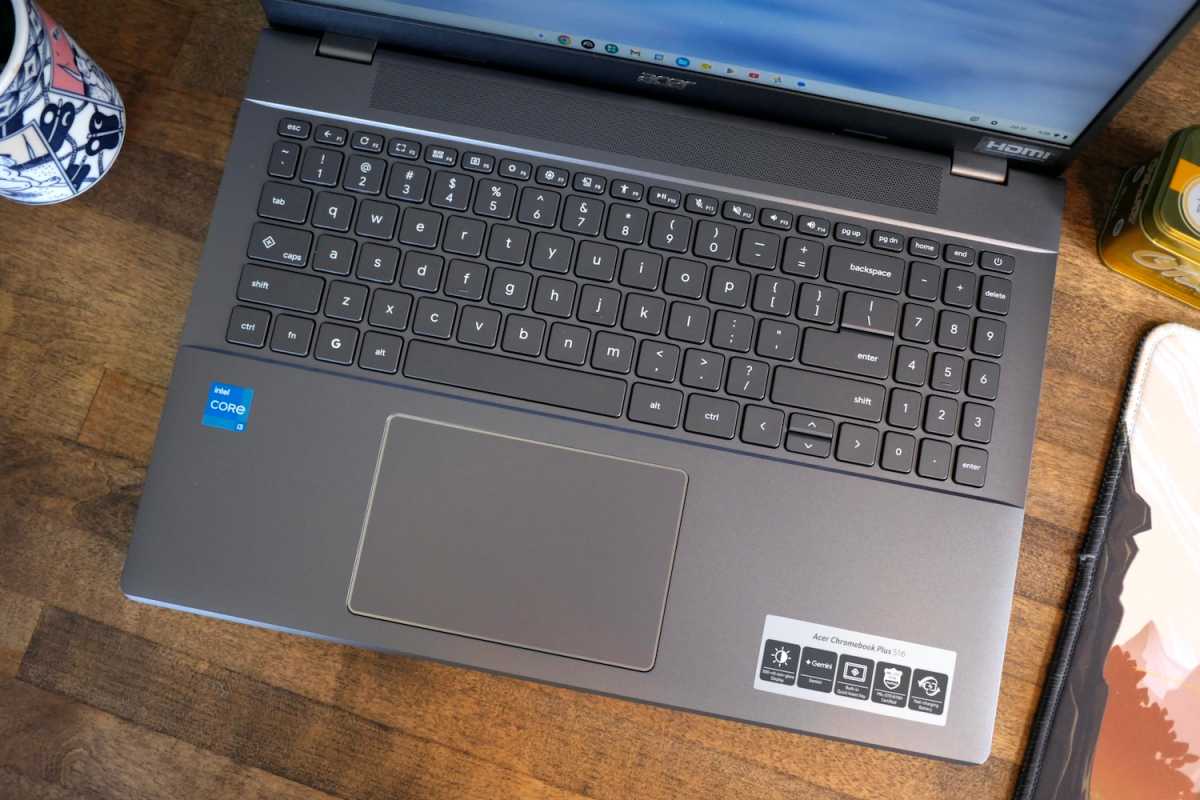
The Acer Chromebook Plus 516 has plenty of space for a keyboard, but the way that space is used has both advantages and disadvantages.
Acer managed to cram in a numpad, which some users will like. Most keys are large and there’s ample space between keys, which makes touch typing easy. However, the numpad keys are rather small and some particular keys are oddly undersized. The left-side Tab, Caps, and Control keys all feel undersized for a 16-inch laptop’s keyboard.
Key feel is good, though, with ample key travel and a firm bottoming action. The main downside is keyboard flex, which can make for a bouncy feel if you really go ham on the keys. Still, the overall typing experience is solid for the price.
A keyboard backlight is sadly absent. It’s not included or available as an option. This is common for an inexpensive to mid-range Chromebook, but still important to note.
The touchpad is roughly five inches wide and a little more than three inches deep. It’s not small and provides adequate room for ChromeOS multi-touch gestures. However, a touchpad of this size isn’t large for a 16-inch laptop and plainly reveals the laptop’s budget price. It’s fine, but it’s nothing special.
Acer Chromebook Plus 516: Display and audio
Foundry / Matthew Smith
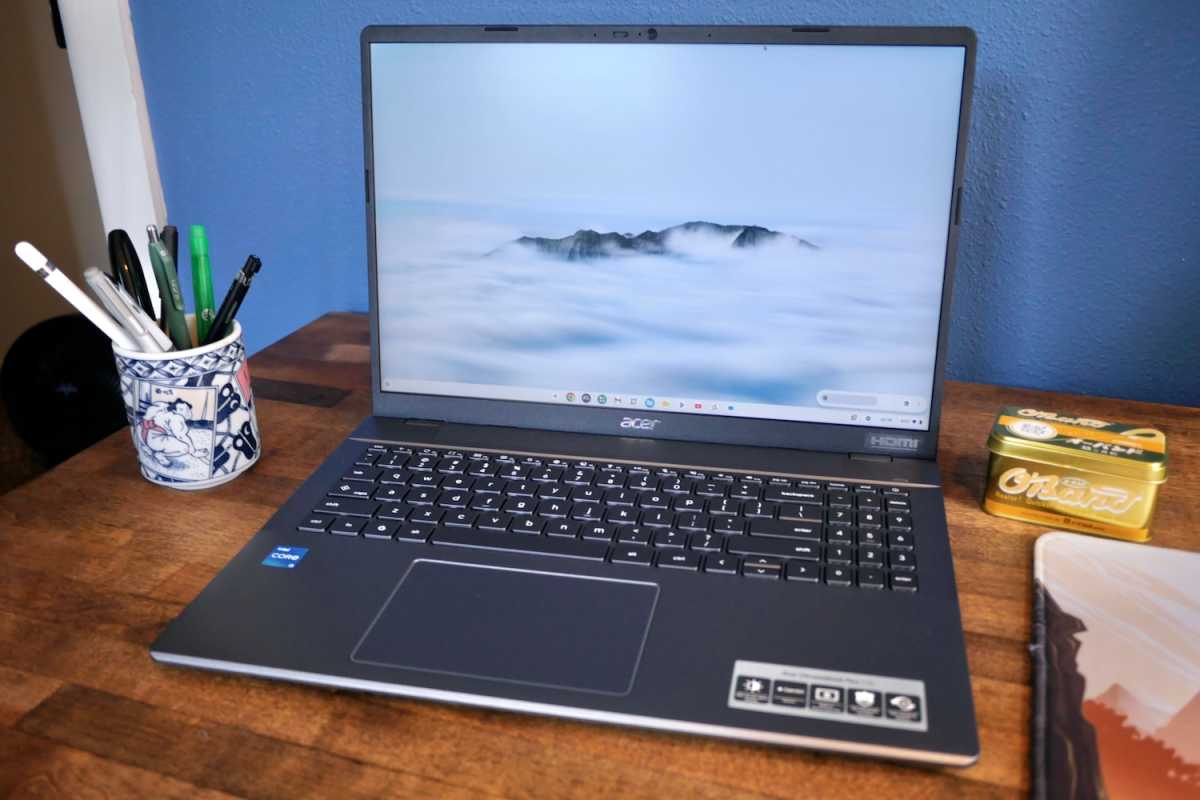
Every current Acer Chromebook Plus 516 has a 16-inch IPS widescreen display with 1,920 x 1,200 resolution. The display’s size and aspect ratio are notable for a Chromebook, as there are fewer 16-inch models available than in the Windows world. It provides a large, sharp canvas for multi-tasking between apps or browser windows.
The display has limits, however. Color performance is acceptable, but the display does look less saturated and vivid than what you’ll find from more expensive laptops. The display isn’t bright, either, with a listed maximum brightness of 300 nits (which I tested at up to 311 nits). And, like most IPS displays, contrast is obviously limited due to elevated black levels in dark portions of the image.
Audio quality is a weakness. The built-in speakers are clear but have no low-end and suffer an extremely timid maximum volume. I found I had to turn the speakers up to maximum to enjoy YouTube videos or listen to music. External speakers or headphones will be required for any serious listening.
Acer Chromebook Plus 516: Webcam, microphone, biometrics
The Acer Chromebook Plus 516 has a 1080p webcam capable of recording up to 60 frames per second. It includes a physical privacy shutter. Video quality is reasonably sharp but often looks grainy, even in moderate lighting, and I wasn’t over the moon with the camera’s color capture.
Microphone quality is better, as the dual-array microphones capture strong, clear dialogue. They are still clearly laptop microphones, as audio captured has a hollow and distant sound. Given the laptop’s price, though, they’re acceptable.
Biometric login is not available, though this is typical for most Chromebooks.
Acer Chromebook Plus 516: Connectivity
Foundry / Matthew Smith
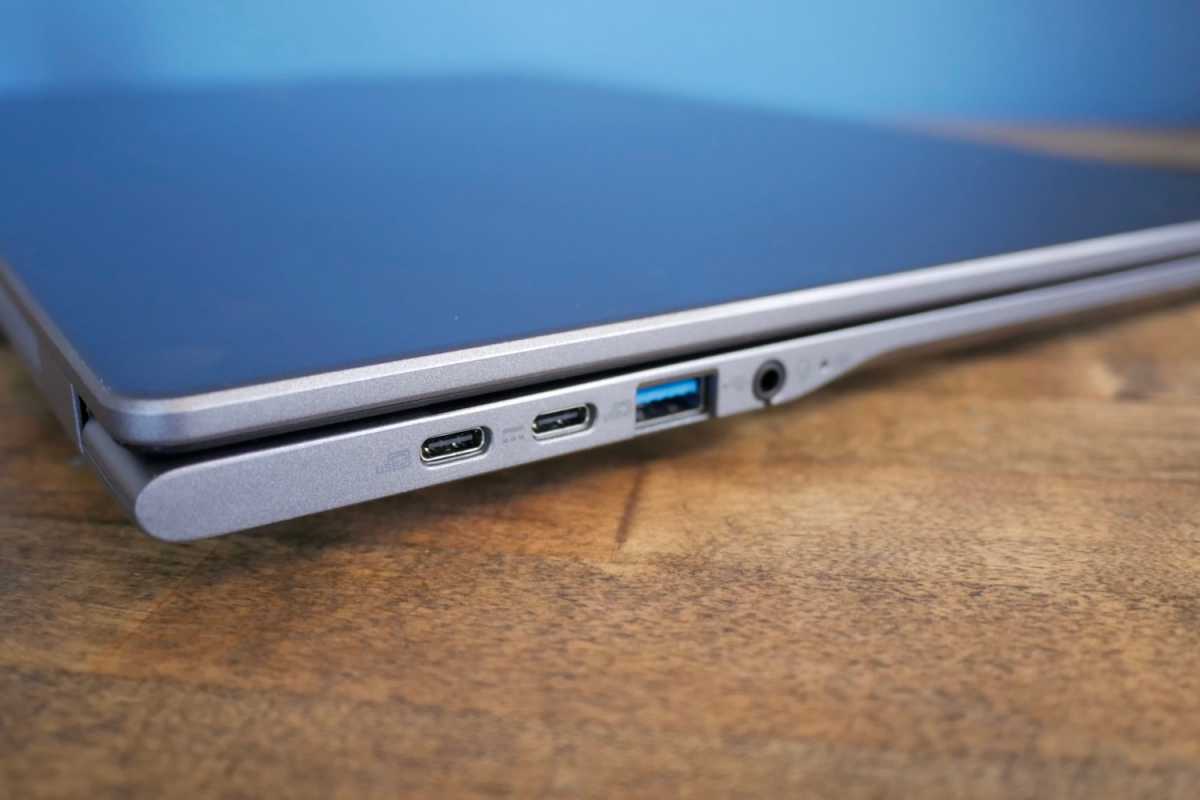
An impressive amount of connectivity lines the Acer Chromebook Plus 516’s flanks. It includes two USB-C 3.2 Gen 2 ports, two USB-A 3.2 Gen 1 ports, one HDMI 1.4, and a 3.5mm combo audio jack.
The USB-C ports also support DisplayPort and up to 65 watts of Power Delivery. Either port can be used to charge the laptop.
Acer’s decision to include a pair of USB-C ports and a pair of USB-A ports means you should be covered no matter the wired devices that you use. It’s also notable that the USB-C ports support up to 10 Gbps of data. While I imagine this won’t be a big deal for most users, it’s still preferable to a slower 5 Gbps connection.
Wireless connectivity is a bit less impressive, though good enough. The laptop supports Wi-Fi 6E and Bluetooth 5.3. Neither is the latest version of each standard, but they’re recent enough to be useful for the laptop’s lifespan.
Acer Chromebook Plus 516: Performance
The Acer Chromebook Plus 516 packs an Intel Core i3-1315U with six cores and a maximum Turbo Boost of up to 4.5GHz (though the base clock is just 1.2GHz). It’s flanked by 8GB of dual-channel LPDDR5 memory and 128GB of flash storage.
While the specs are nothing to write home about, the details matter. The Intel Core i3-1315U has the Raptor Lake CPU architecture with two performance cores and four efficient cores. That sets it apart from something like the Core i3-N305, which has the Alder Lake-N architecture with eight efficient cores.
This poses an interesting question. Is it better to have an octo-core chip that has only efficient cores, or is it better to pair a couple performance cores with four efficient cores?
- Speedometer 2.0: 206
- Speedometer 3.1: 21.5
- Basemark Web 3.0: 901
- Kraken: 434.1
- Jetstream 2: 298.66
The answer, for the most part, is that two performance cores with four efficient cores is the superior choice.
The Chromebook Plus 516 is faster than the Chromebook Plus 514, which I recently reviewed with the Core i3-N305 inside. The Core i3-1315U also defeats the Asus Chromebook Plus CX14 with Intel Core 3 N355.
The Acer Chromebook Plus 516 would be just another middling Chromebook, but it’s saved by two perks: the large display and the Intel Core i3 chip.
You’re only really going to see better performance from an Intel Core i5 or Core 5 chip, or from MediaTek’s Kompanio Ultra, which is relatively rare but found in a few Chromebooks such as the Lenovo Chromebook Plus 14.
Acer Chromebook Plus 516: Battery life and portability
The Acer Chromebook Plus 516 has a 53 watt-hour battery that promises up to 15.5 hours of video playback or 12.5 hours of web browsing. My experience using the laptop put me closer to the latter, with an estimated battery life of 11 hours in a mix of web browsing and document editing.
That’s not an amazing result, but it’s usable, and it’s at least on par with most Windows laptops in the same price range, which generally use older and less efficient chip architectures. The laptop lasts long enough to spend a work day on battery if you’re careful not to use it with the display at maximum brightness.
It’s also worth mention that, as with all Chromebooks, the consistency of your experience may be better than with Windows. That’s because there are not as many use cases for a Chromebook that place a significant burden on the CPU or integrated GPU and, with fewer apps installed overall, you’re less likely to have a background process quietly sipping the battery.
Acer Chromebook Plus 516: Conclusion
The Acer Chromebook Plus 516 would be just another middling Chromebook, but it’s saved by two perks: the large display and the Intel Core i3 chip. The large screen provides a great alternative to the often cramped 14-inch displays most Chromebooks ship with, and the Intel Core i3 processor is a significant upgrade over Chromebooks with lower-tier Intel hardware, as well as those with entry-level MediaTek Kompanio chips.
There are downsides. The Chromebook Plus 516’s design is boring, it offers just 128GB of flash storage, and its display could be more vivid. However, many competitors share these downsides.
Pricing seals the deal, as the Chromebook Plus 516 isn’t any more expensive than competitors with smaller displays and less capable CPUs. It might not be pretty, but the Chromebook Plus 516 is a good choice if you want a fast, functional Chromebook with lots of display real estate.