As to surcharges… At the time we were bringing this article up to date, SSD prices were soaring and availability shrinking — thanks in large part to the AI gold rush. Hence, the newly researched prices shown below will not match the older ones in the linked reviews.
The recommendations below represent the cream of the nearly three dozen PCIe 4.0 SSDs that we’ve reviewed, best suited for a variety of needs. Whether you want to upgrade or add more storage, there’s a PCIe 4.0 NVMe SSD for you. Read on to learn more, including what to look for.
Why you should trust PCWorld for PCIe 4.0 SSD reviews and buying advice: We’re not called PCWorld for nothing. Our reviewers have been testing PC hardware for decades. Our storage evaluations are exhaustive, testing the limits of every product — from performance benchmarks to the practicalities of regular use. As PC users ourselves, we know what makes a killer product stand out. Only the best SSDs have made our list of picks.
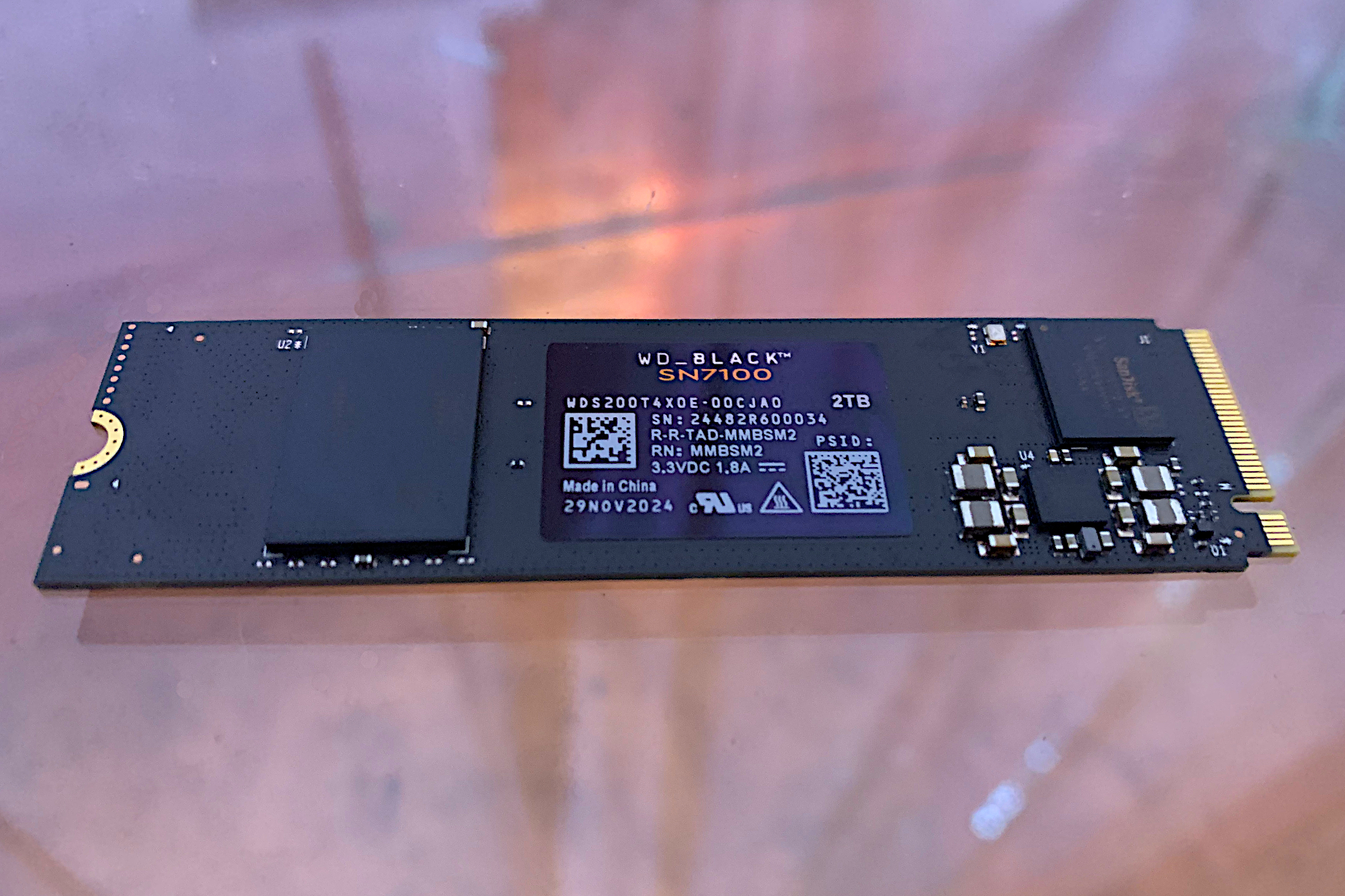
WD Black SN7100 SSD/SanDisk Optimux GX 7100 – Best PCIe 4.0 SSD
Pros
- Top-notch HMB performance
- Affordable
- Sexy name
Cons
- Slower random performance than DRAM designs
Price When Reviewed:
500GB: $60 I 1TB: $90 I 2TB: $140
Best Prices Today:

Who should buy the WD Black SN7100/Optimus GX 7100?
Those looking for top sequential performance for a bit less money should be all over the WD Black SN7100, which is still available under that name but will be sold as the SanDisk Optimux GX 7100 going forward. (SanDisk was acquired, then recently divested by WD.)
We were wowed by the 2TB SN7100’s host memory buffer (HMB) performance, though it was supplanted as number one by an extremely narrow margin by the Lexar Play 2280. However, unlike the latter, we were still able to find the Black SN7100 for sale online at the time of this writing, hence it’s our best of pick.
WD Black SN7100/SanDisk Optimus GX 7100: Further considerations
There’s a trade-off with HMB (host memory buffer) design SSDs, such as the SN7100. They use the host system’s memory for primary caching duties, which can actually result in slightly faster sequential transfers, but weaker random performance. In other words, DRAM drives offer significantly better random/4K file performance if that’s what you’re looking for.
Why might you want better random performance? For a slightly snappier OS experience, though this can be very hard to spot with the naked eye.
The Black SN7100 carries the industry standard five-year warranty / 600TBW rating (terabytes that can be written) per TB, and you’re looking at probably the best PCIe 4.0 SSD for average users as well as gamers.
Read our full
WD Black SN7100 review
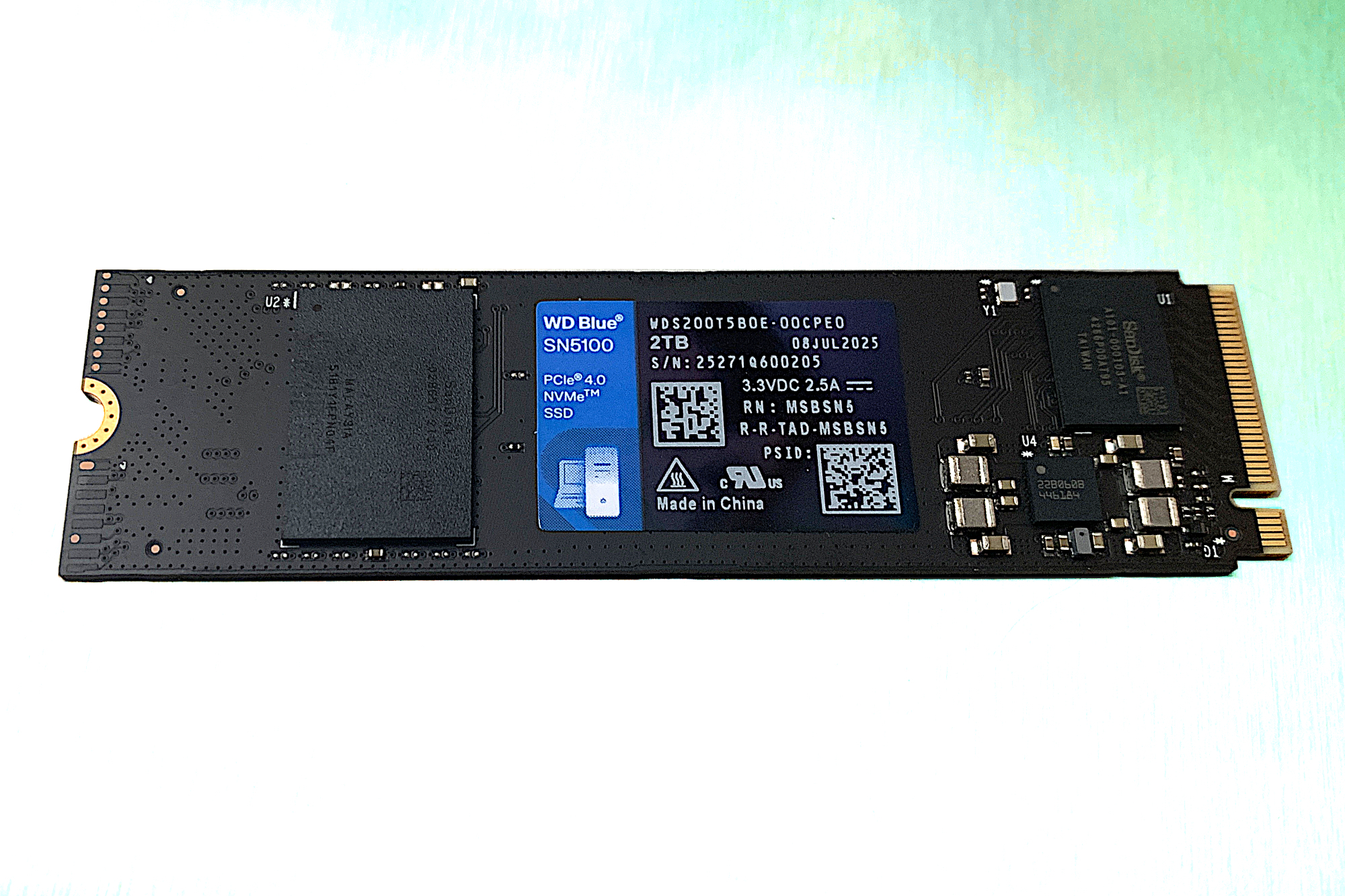
WD SN5100/SanDisk Optimus 5100 – Best budget PCIe 4.0 SSD
Pros
- Very good PCIe 4.0 performer for most workloads
- Single-sided design fits in just about any 2280 slot
- Reputable vendor
Cons
- QLC slows down during very long writes
Price When Reviewed:
500GB: $55 I 1TB: $80 I 2TB: $143 I 4TB: $300
Best Prices Today:
99% off original price$136.99

$149.49
Who should buy the WD Blue SN5100/SanDisk Optimus 5100?
It’s hard to describe any SSD these days as “budget,” but you will currently save quite a few bucks with this DRAM-less (HMB/Host Memory Buffer) design. Once available at 2TB for $150, that drive is now $285. Thanks, OpenAI. That said, the SN5100, now remonikered as the SanDisk Optimus 5100, is still available which can’t be said for a lot of the competition.
The WD Blue SN5100 is the successor to our former bargain pick — the WD Blue SN5000. The newer drive does better in most tests, most markedly in sustained/sequential throughput. At the moment, the pricing is exactly the same, so we say go with the faster of the two.
WD Blue SN5100/SanDisk Optimus 5100: Further considerations
In our testing, the Blue SN5100 ranked third among all the HMB SSDs we’ve tested — and was first by a large margin writing our 450GB file. You lose nothing in sequential performance these days with HMB.
The drive sports a five-year warranty limited by a TBW rating (terabytes that may be written) of 600TBW per 1TB of capacity.
Read our full
WD Blue SN5100 review
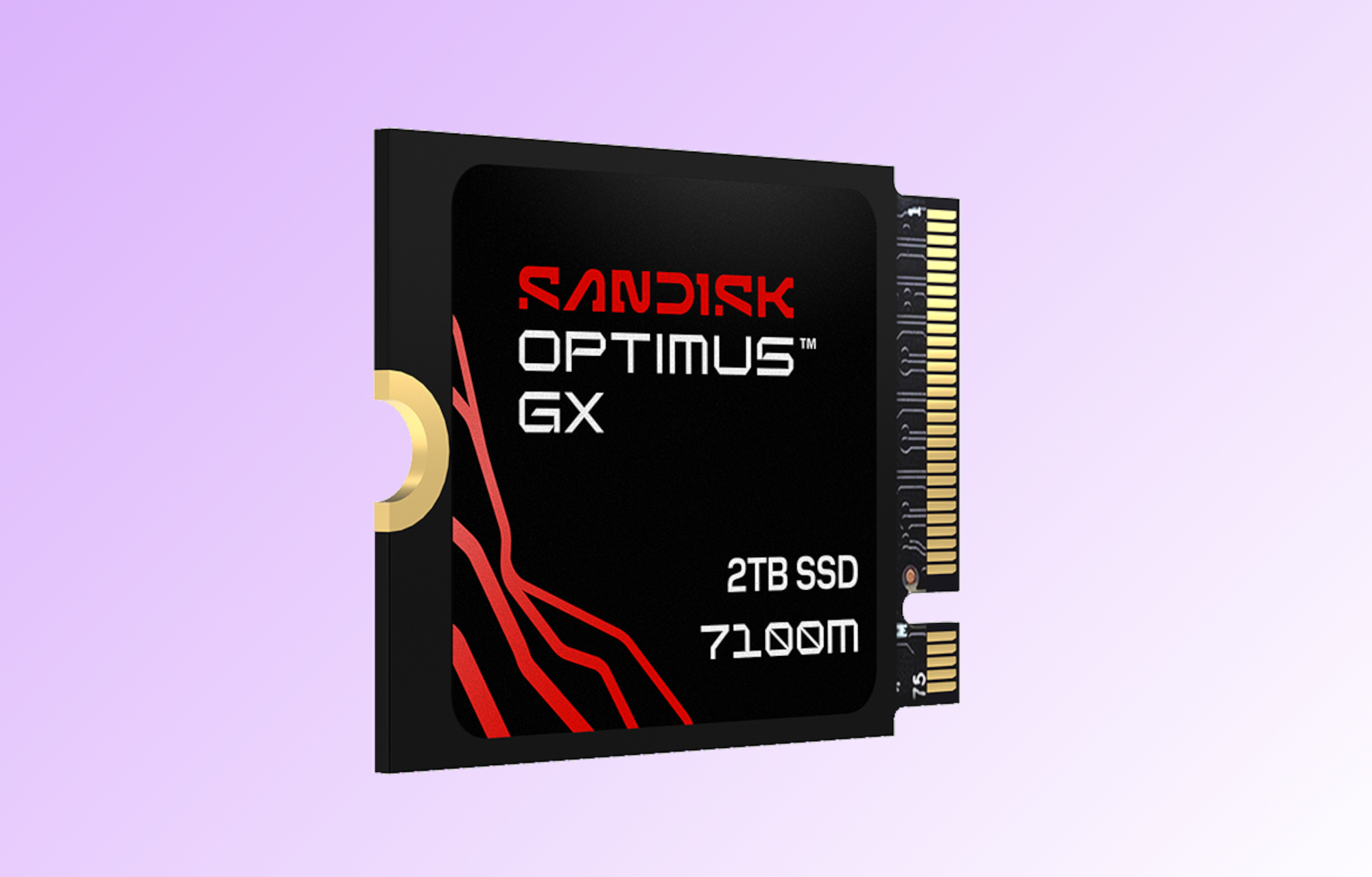
SanDisk Optimus GX 7100M NVMe SSD – Best PCIe 4.0 SSD for Steam Deck
Pros
- The fastest PCIe 4.0 SSD I’ve tested to date
- Especially excellent 4K performance
- 2230 form factor fits handheld gaming devices
Price When Reviewed:
1TB: $230 I 2TB: $450
Best Prices Today:
99% off original price$229.99
$252.34

$260.99

$449.99

$599.99
Who should buy the Sandisk Optimus GX 7100M?
For gaming handheld owners, the Optimus GX 7100M is a win-win. Naturally, it’s the correct 2230 form factor that handhelds such as the Steam Deck require. But the GX 7100M stomps the short-body competition with exceptional performance.
We’re talking the fastest 2230 SSD we’ve tested — nay, the fastest PCIe 4.0 SSD of any size we’ve tested. The fact that it’s particularly dominant in 4K performance is noteworthy given that the GX 7100M is an HMB (host memory buffer) design, which historically has been relatively weak with 4K.
Sandisk Optimus GX 7100M: Further considerations
Okay, yeah, this SSD is pretty pricey. For instance, it’s currently about $20 more than the 1TB version of the Crucial P310 — our previous pick for the Steam Deck — and over $100 more than the 2TB version of the Crucial P310. That’s a steep premium.
That being said, if you want the absolute fastest 2230 SSD for your gaming handheld, the GX 7100M is it. If you can find it for less than MSRP — which seems likely to happen over time — all the better!
Read our full
SanDisk Optimus GX 7100M NVMe SSD review
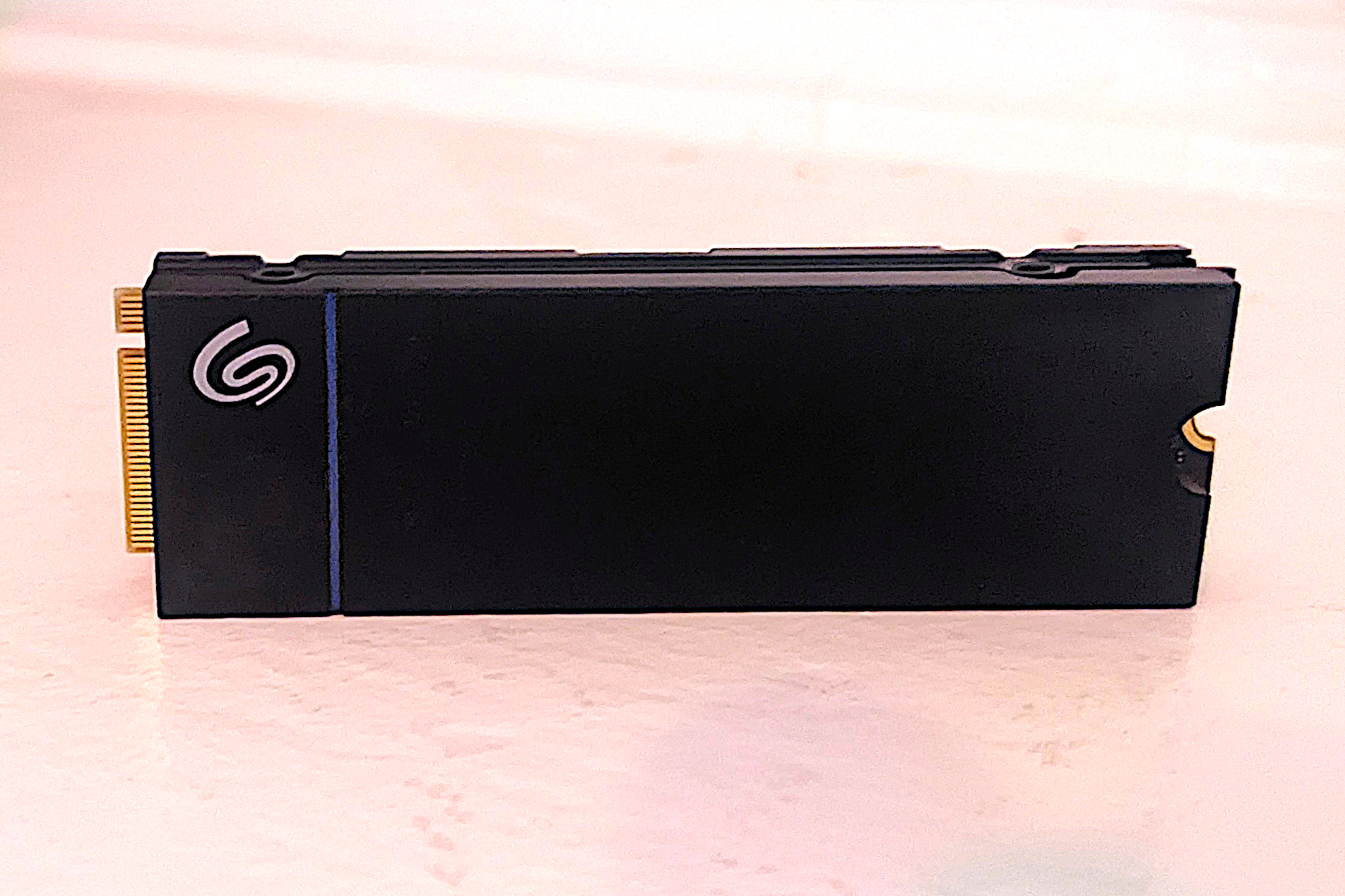
Seagate Game Drive – Best PCIe 4.0 SSD for PS5
Pros
- Very good overall performance
- Excellent 4K performance
- Low-profile heatsink
- Twice the TBW rating of the competition
Cons
- A bit pricey
- No 4TB model
Price When Reviewed:
1TB: $100 I 2TB: $150
Best Prices Today:

99% off original price$169.99
$269.98
$429.99
Who should buy the Seagate Game Drive PS5 NVMe SSD?
The Seagate Game Drive PS5 NVMe SSD is a PCIe 4.0 NVMe SSD aimed specifically at next-gen game consoles — the PS5 in particular. It doesn’t disappoint, using DRAM for primary caching duties, which is almost essential to wring top performance out of Sony’s console system.
The PS5 doesn’t support HMB, so without DRAM SSD you’re relying exclusively on an HMB SSD’s slower secondary caching. The Game Drive ships in 1TB and 2TB capacities, so you’ll have plenty of space to store all of your games. Note that when I checked recently (March 2026), this drive was still available, but in short supply.
Seagate Game Drive PS5 NVMe SSD: Further considerations
While the Seagate Game Drive is optimized for a PS5, it’s perfectly viable with any computing device with a PCIe M.2 2280 slot. It did remarkably well in our performance testing, earning the spot as the second-fastest PCIe 4.0 SSD to date with random ops. Seagate provides a generous five-year warranty with the drive and it has an astounding 1,275TBW rating — more than double the industry norm. PS5 owners simply can’t go wrong with the Seagate Game Drive.
Read our full
Seagate Game Drive review
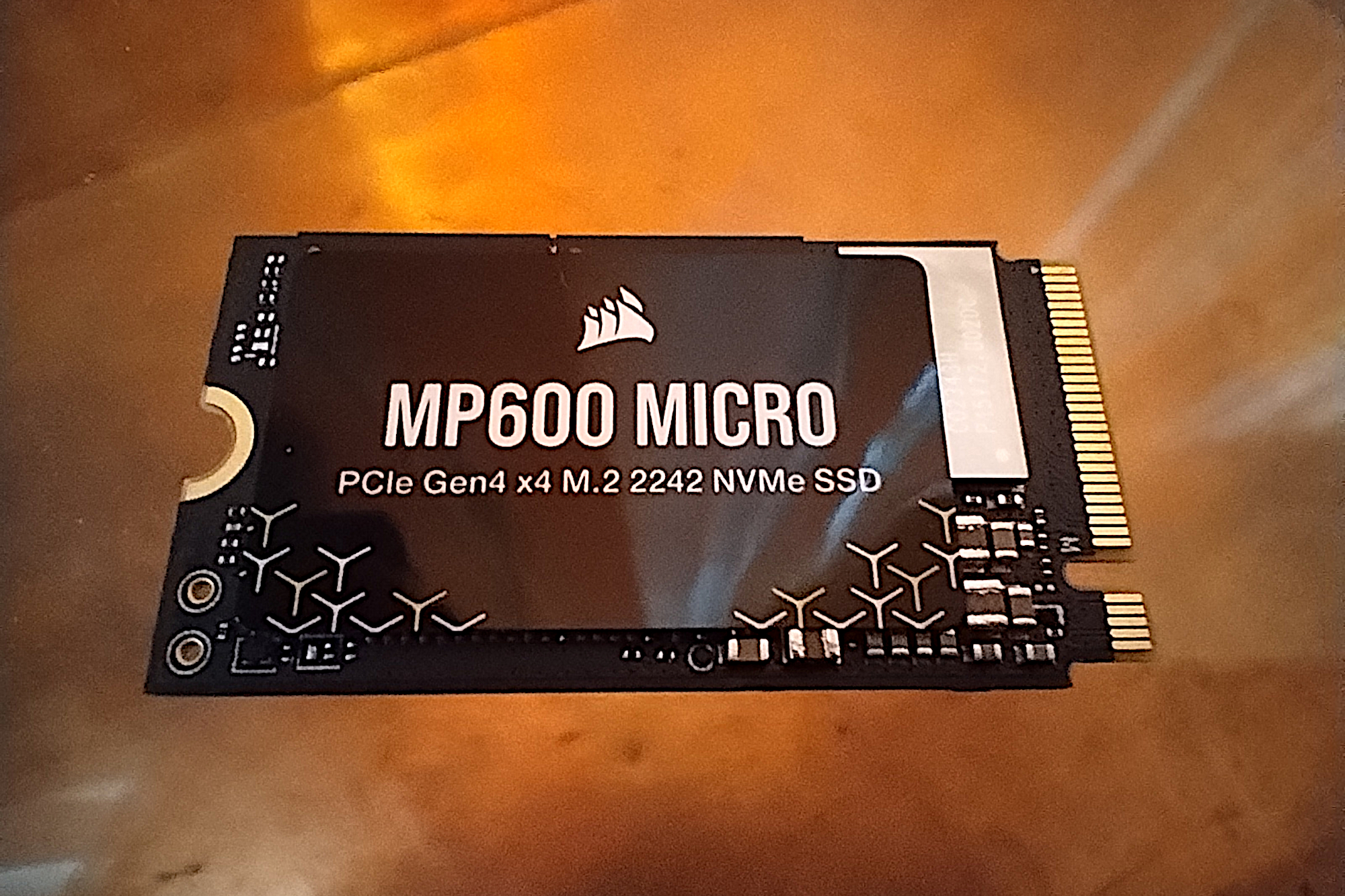
Corsair MP600 Micro – Best 2242 form-factor SSD
Pros
- Direct fit for Lenovo 2242 M.2 slots
- Good performance
- Priced affordably
Price When Reviewed:
1TB: $99.99
Best Prices Today:
$804.99
Who should buy the Corsair MP600 Micro?
The Corsair MP600 Micro fills a niche for devices that can accommodate an SSD that’s larger than the 2230 form factor used by handheld gaming consoles, but can’t accept a standard 2280 modules that are used in most PCs and laptops. We’re talking about the 2242 form factor — meaning 22mm wide by 42mm long.
Corsair MP600 Micro: Further considerations
Lenovo started the 2242 trend with its Legion Go and Thinkpad portables and there are now respectable storage upgrade options — the best of which is the Corsair MP600 Micro.
The MP600 Micro isn’t the fastest PCIe 4.0 SSD we’ve tested, but it was the fastest 2242 type and turned in a performance that compared well against many 2280 SSDs.
Read our full
Corsair MP600 Micro review
Other notable PCIe 4.0 SSD reviews
- Orico OS5: This drive is marketed for the PS5, but uses a non-supported HMB design.
- Teamgroup T-Create C47: Stands out in super-long writes.
- Lexar NQ780: Makes a very good showing in a field of stiff competition.
- Orico IG740-Pro: Fast enough, decently affordable SSD that ships with some nice-to-have extras.
- PNY CS2342: A 2230 small form-factor SSD sized for Steam Deck, which performs very well with light workloads.
- Teamgroup MP44Q: A great everyday performer.
- Addlink A93/S93: A solid-performing PCIe 4.0, DRAM-less NVMe SSD that might save you a few bucks. But the A93 with its heatsink faces heavy competition from many similarly priced and often faster SSDs.
- WD SN850X 8TB SSD: Far faster than the previously tested 2TB version, but currently you’ll pay a staggering premium for it.
- 990 EVO Plus: An update to Samsung’s 990 EVO hybrid drive that can use either the PCIe 4.0 or PCIe 5.0 interface — although the latter is limited to PCIe 4.0’s theoretical bandwidth.
- T-Force G50: This drive should be on your short list. It’s a relatively inexpensive, solid performing PCIe 4.0 drive for everyday tasks.
- Kingston NV3: Proof that DRAM-less drives — those that use a Host Memory Buffer (HMB) as cache — can offer competitive performance.
- Sabrent Rocket Nano 2242: Features a smaller form factor (22mm x 42mm) that was tailor-made for Lenovo’s Legion Go and Thinkpads — but can also be used in a standard slot as well.
How PCWorld tests PCIe 4.0 SSDs
Drive tests for most of the drives listed above utilized Windows 11, 64-bit running on an X790 (PCIe 4.0/5.0) motherboard/i5-12400 CPU combo with two Kingston Fury 32GB DDR5 4800MHz modules (64GB of memory total). Both 20Gbps USB and Thunderbolt 4 are integrated to the back panel and Intel CPU/GPU graphics are used. The 48GB transfer tests utilize an ImDisk RAM disk taking up 58GB of the 64GB of total memory. The 450GB file is transferred from a 2TB Samsung 990 Pro which also runs the OS.
Newer SSDs were tested with Windows 11 24H2, 64-bit running off of a PCIe 4.0 Samsung 990 Pro in an WiFi (PCIe 4.0/5.0) motherboard. The CPU is a Core Ultra i5 225 feeding/fed by two modules (128GB of memory total). Both 20Gbps USB and Thunderbolt 5 are integrated and Intel CPU/GPU graphics are used. SSDs involved in the test are mounted in either a HighPoint 7604A 16x 4-slot PCIe 5.0 RAID adapter card or a single-slot Asus ROG M.2 PCIe 5.0 adapter.
We run the CrystalDiskMark 8, AS SSD 2, and ATTO 4 synthetic benchmarks to find the storage device’s potential performance, then a series of 48GB and 450GB transfers tests using Windows Explorer drag-and-drop to show what you’ll see under Window, as well as the far faster FastCopy to show what’s possible. A two-drive 25GBps RAID 0 array on the HighPoint 7604A 16x PCIe 5.0 adapter card is used as the secondary source/destination.
Each test is performed on a newly formatted and TRIM’d drive so the results are optimal. Note that in normal use, as a drive fills up, performance may decrease due to less NAND for secondary caching, as well as other factors. This can be less of a factor with the current crop of SSDs with far faster late-generation NAND.
Caveat: The performance numbers shown apply only to the drive we were shipped and to the capacity tested. SSD performance can and will vary by capacity due to more or fewer chips to shotgun reads/writes across and the amount of NAND available for secondary caching. Vendors also occasionally swap components. If you ever notice a large discrepancy between the performance you experience and that which we report, by all means, let us know.
To learn more about our testing methodology see PCWorld’s article on how we test internal SSDs.
Who curated this article
Jon L. Jacobi was around when computing meant flipping switches, and has witnessed storage morph from punch cards and tape to solid state drives. He’s been using and testing HDDs, SATA SSDs, and NVMe SSDs for PCWorld for more than two decades. To paraphrase a well-known commercial, you might say he’s seen a thing or two.
How to choose the best PCIe 4.0 SSD
There are a few things to look out for when purchasing a PCIe 4.0 NVMe SSD, but most importantly you’ll want to focus on capacity, price, and warranty length. Three-year warranties are standard with bargain drives, but nicer models are generally guaranteed for up to five years.
A good indicator of expected longevity is an SSD’s TBW (terabytes written) rating which mitigates the warranty period like the miles in an automobile warranty. This is the number of terabytes the vendor thinks you’ll be able to write before it runs out of extra (overprovisioned) cells to replace worn ones. This is an equation based on the type of NAND being used, but also incorporates financial concerns. I.e., the cost of replacing the drive should it not last as long the rating.
Unlike the early days of SSDs and NAND, modern drives won’t generally wear out with normal consumer usage, as Tech Report tested and proved years ago with a grueling endurance test. We’re talking petabytes of writes in many cases. That said, QLC NAND generally carries a lower TBW rating than TLC NAND.