The best way to get going is to start small — with a focus on a few core Tab-da features:
1. The tab switcher
Tab-da’s centerpiece, so to speak, is the simple yet robust OS-like tab switcher it adds into the browser arena. Just like you how you hit Alt-Tab to move among programs in Windows, you hit Ctrl, Shift, and the left or right arrow key with Tab-da in your browser — and, well, ta-da:
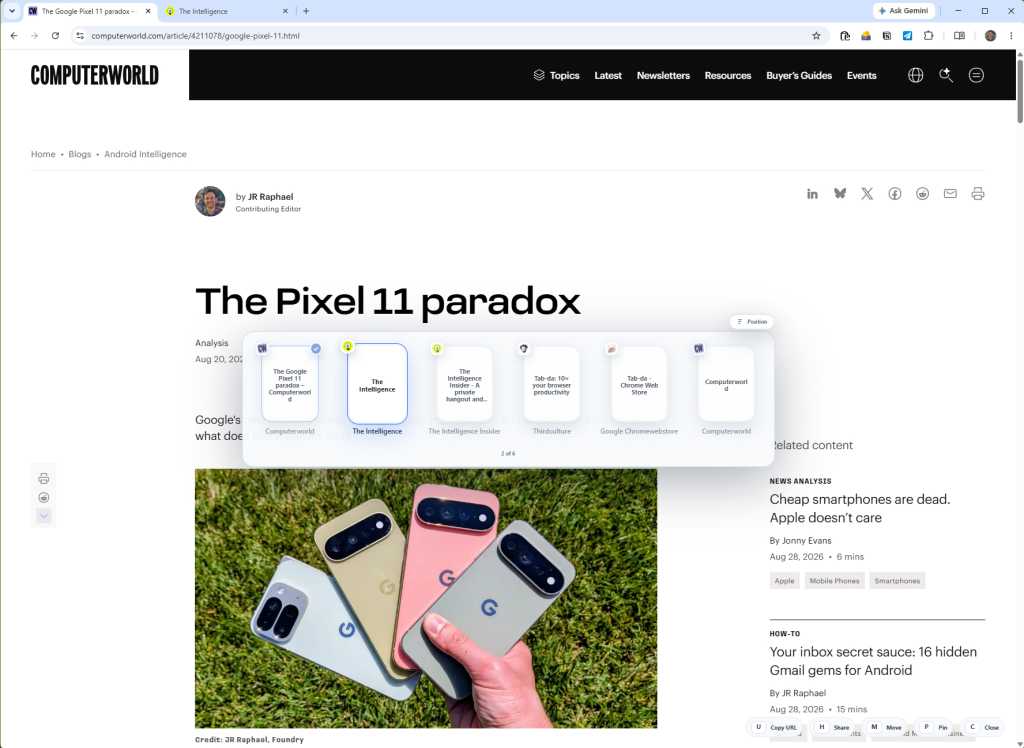
JR Raphael, Foundry
You can zip between all of your open browser tabs as if they were apps or processes on your computer — ’cause for all intents and purposes when working these days, they really are. And now, at long last, they can act like it.