Amazon’s October Prime Day is one of the best opportunities for shoppers to score great deals on Thunderbolt docks and their cousins, USB-C hubs before the holiday season kicks off in earnest. I should know — I’ve been tracking them for years and years!
Laptop docking stations, Thunderbolt docks, and USB-C hubs offer an opportunity to connect a variety of peripherals to your laptop — even adding new ports your notebook may lack. Nothing against other retailers, but Amazon has hosted the best deals on all three categories over the past few years. It’s where I’d expect to find most of the deals during its October Prime Day deals (also known as Amazon’s Prime Big Deal Days, running Oct. 6 and 7) and before.
Deals at a glance
- Best budget docking station: Ugreen Revodok NVMe Docking Station, 100W charging, $59.99 ($20 off)
- Best budget Thunderbolt docking station: Amazon Basics Thunderbolt 4 Docking Station, 85W charging, $102.33 ($46.60 off)
- Best mainstream Thunderbolt docking station: Ugreen Thunderbolt 4 Revodok Max, 96W charging, $229.99 ($79 off)
- Best mainstream Thunderbolt docking station, runner-up: Wavlink Thunderbolt 4 Dock, 96W charging, $189.99 ($10 off)
- Best mainstream USB-C docking station: Ugreen 14-in-1 USB-C Docking Station, 100W charging, $79.99 ($30 off)
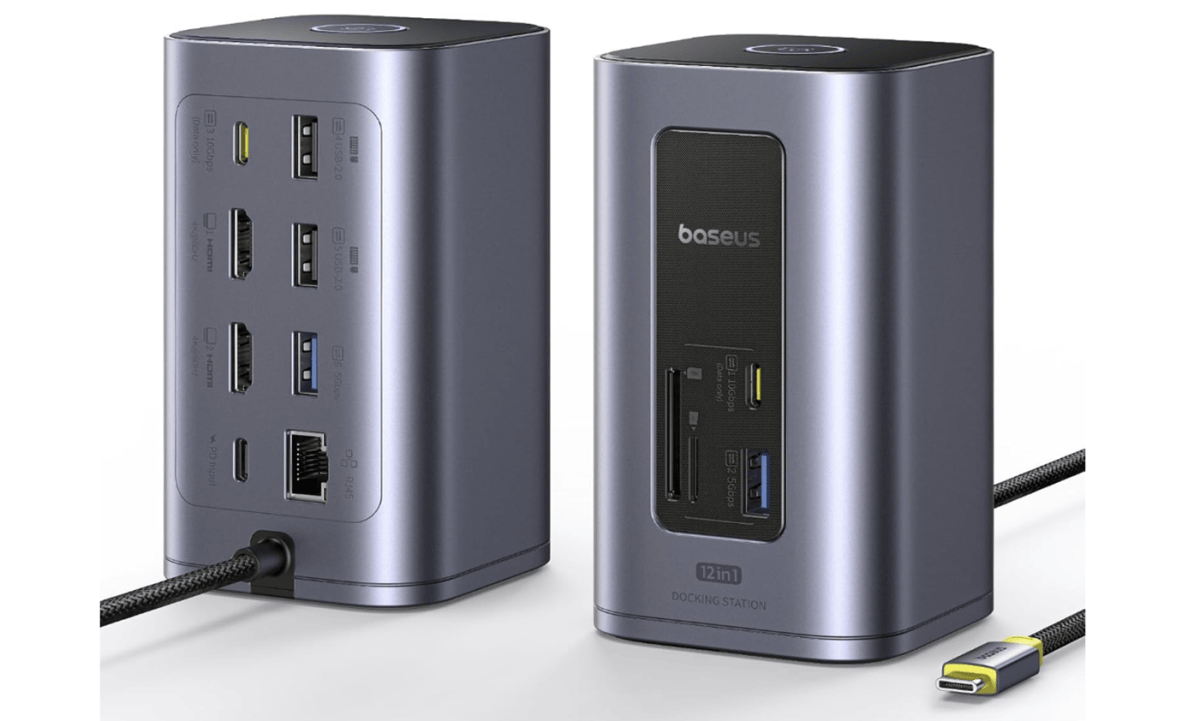
- Best mainstream USB-C docking station, runner-up: Baseus SpaceMate Nomos Air, $79.99 ($20 off)
- Best premium docking station: Wavlink Thunderbolt 5 Dock, 140W charging, $219.99
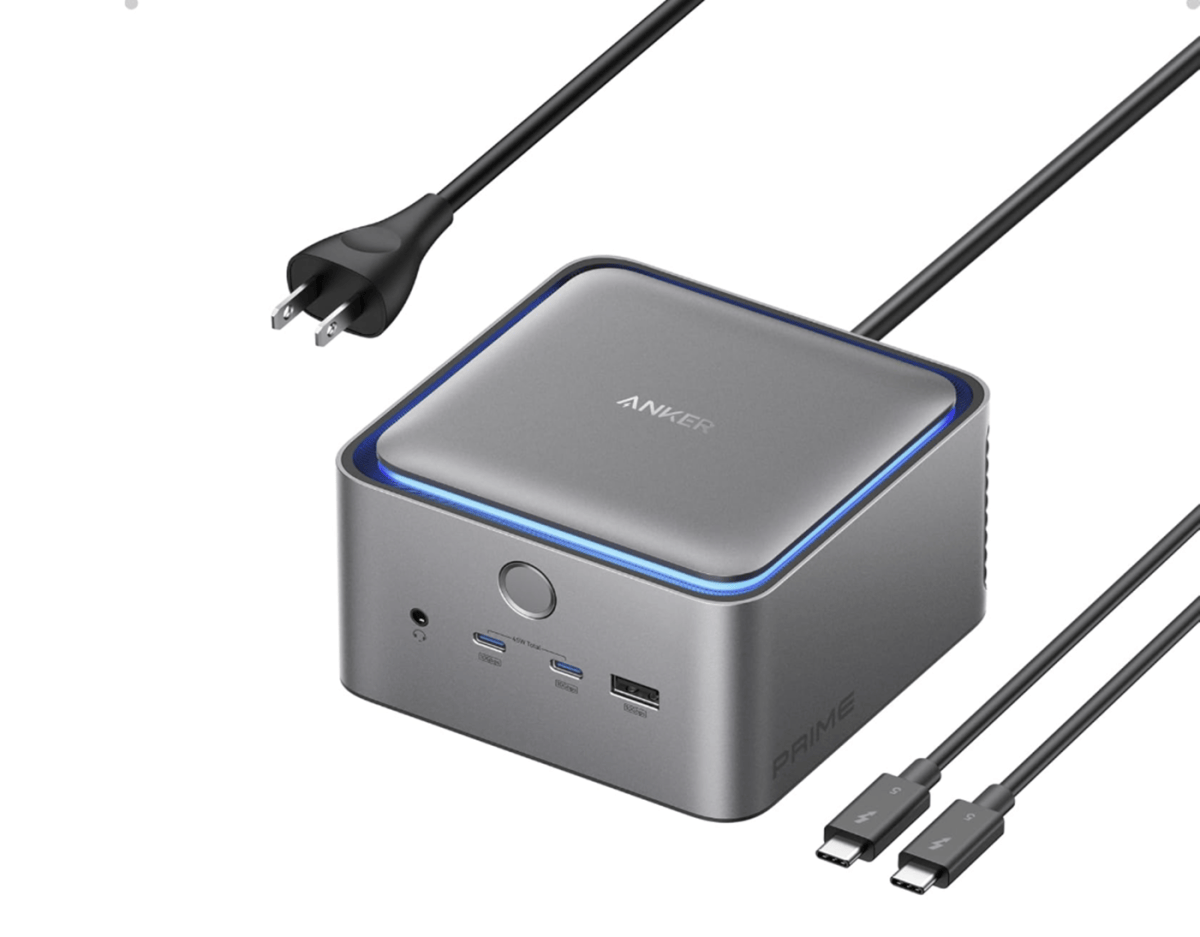
- Best premium docking station, runner-up: Anker Prime TB5 Docking Station, 140W charging, $349.99 ($50 off)
When I look for a deal, I have an idea of what a docking station should cost, based upon my extensive history of reviewing docking stations. I then compare it against the feature set the dock offers, as well as the historical price of the item as listed on Amazon and on pricing comparison sites. Note that I’m looking to save you money — if there’s an affordable dock that offers a better value at a regular price, I’m going to recommend it versus another, more expensive dock that’s on sale.
Below you’ll find the best deals I found, along with an explanation of why you should buy them. If you’re uncertain whether you need a Thunderbolt dock or USB-C dock, see the FAQ at the bottom of this article. Be sure to check out PCWorld’s best Prime Day deals, too!
Best budget docking station deal: Ugreen Revodok NVMe Docking Station, $59.99 ($20 off at Amazon)
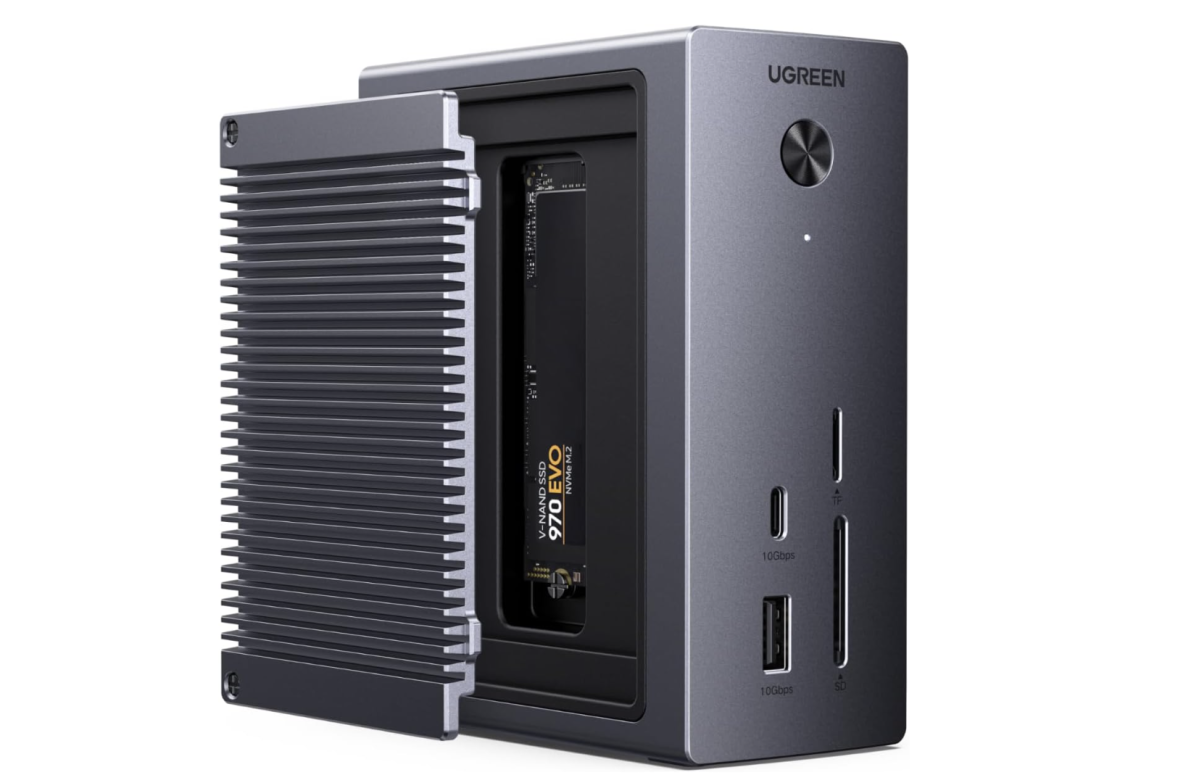
Who is this for? If you’re a budget buyer who doesn’t need to connect more than one external monitor, this one’s for you. USB-C hubs and dongles flop all over your desk; this USB-C docking station simply takes that functionality and builds it into a nice compact little docking station. The plus is an SSD slot that can serve as handy local storage. Keep in mind that this dock cuts a few corners; you’ll need to provide your own USB-C power supply (up to 100W, but any USB charger will do) and your own SSD. Otherwise, there’s a USB-C and a USB-A port, HDMI, Ethernet, and a card reader.
Why is this deal good? This dock started off at its $79.99 list and has steadily decreased since then. USB-C hubs can fall into the $30 range or so, but I’d pay a few bucks extra for a nice vertical docking station like this. Oh, and you’ll probably see a lot of Ugreen in these deals — I’ve reviewed a lot of Ugreen docks, and they’re a solid budget brand.
Get Ugreen’s Revodok NVMe Docking Station for $59.99 on Amazon
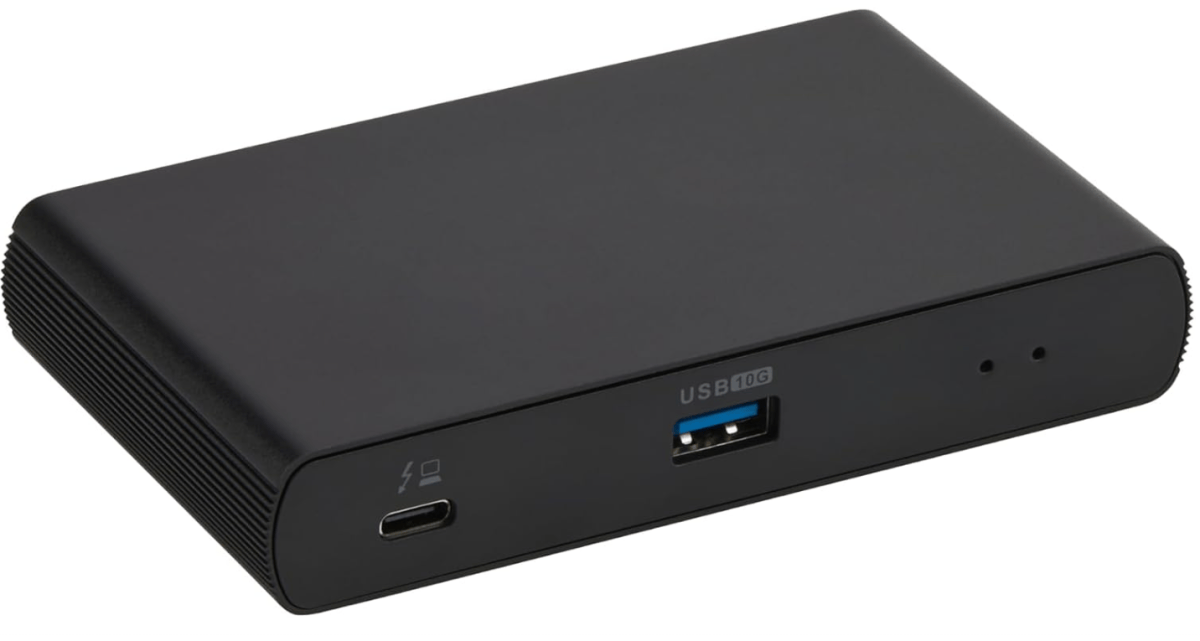
Best budget Thunderbolt docking station: Amazon Basics Thunderbolt 4 Docking Station, $102.33 ($46.60 off at Amazon)
Amazon
Who is this for? Amazon’s Basics dock works best for people who want a minimal, affordable dock for connecting to multiple monitors. Note that you’ll have to supply the display cables yourself (you’ll find deals on those lower in this story) and there’s just one legacy USB-A port. On the other hand, there’s an extra Thunderbolt 4 port for further port expansion.
Why is this deal good? This is an affordable dock on a solid sale before Amazon’s October Prime Day kicks in. I’m not a huge fan of the dock’s configuration, as it feels like you’ll have to plow some of the savings back into cables or a USB-C hub to add some more ports. Even doing so, however, won’t cost more than the dock will at regular price.
Get the Amazon Basics Thunderbolt Dock for $102.33 at Amazon
Best mainstream Thunderbolt dock deal: Ugreen Thunderbolt 4 Revodok Max, 13-in-1, $229.99 ($79 off at Amazon)
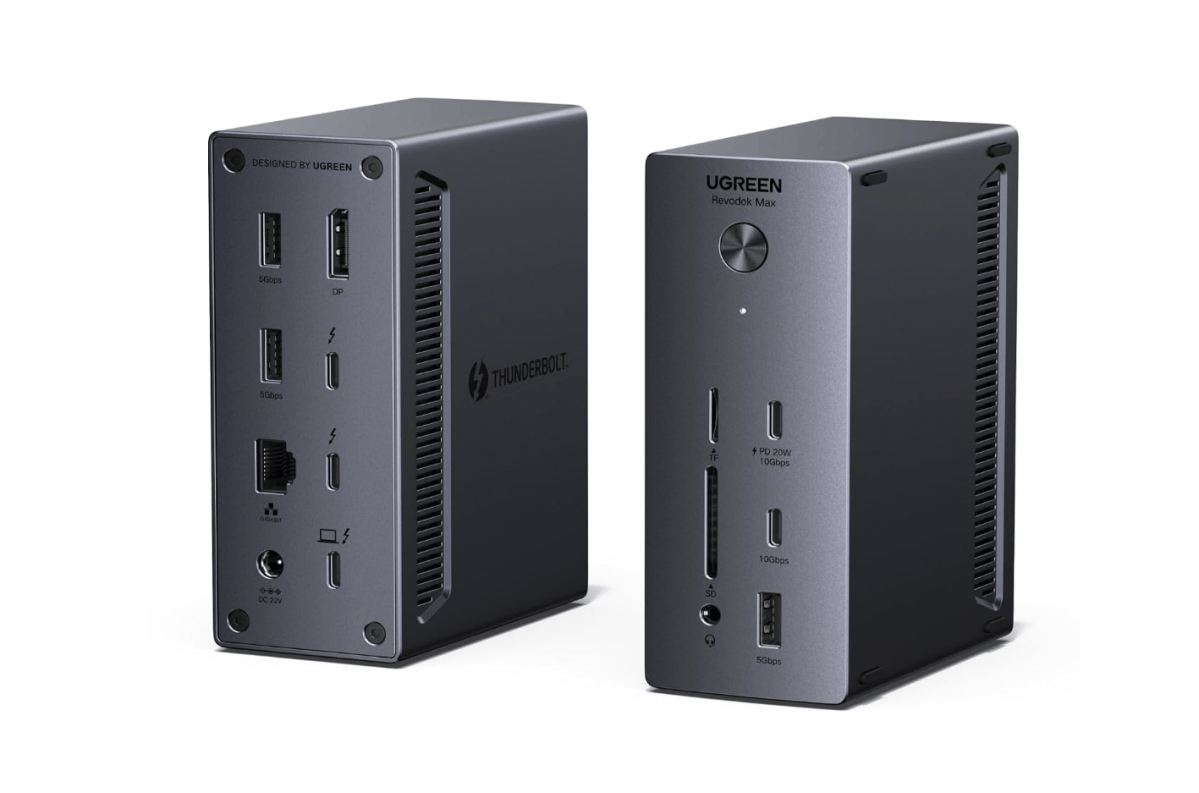
Who is this for? Ugreen makes a number of very similar Thunderbolt 4 docks, but I’m almost positive that this is the Ugreen Revodok Max 213 dock I reviewed two years ago. If it is — and I think it is — it was terrific, just overpriced at an MSRP of $299.99. It only includes one dedicated display port, so you may need to invest in a cable or two. (Deals further down in this story.) It also includes 96W of host charging, which is great.
Why is this deal good? Again, this dock was overpriced at its original MSRP, but the lower $229.99 price is much more in line with what a mainstream Thunderbolt 4 dock should cost. You could even call this a premium dock, which makes the deal even better.
Get Ugreen’s Thunderbolt 4 dock for $229.99 at Amazon
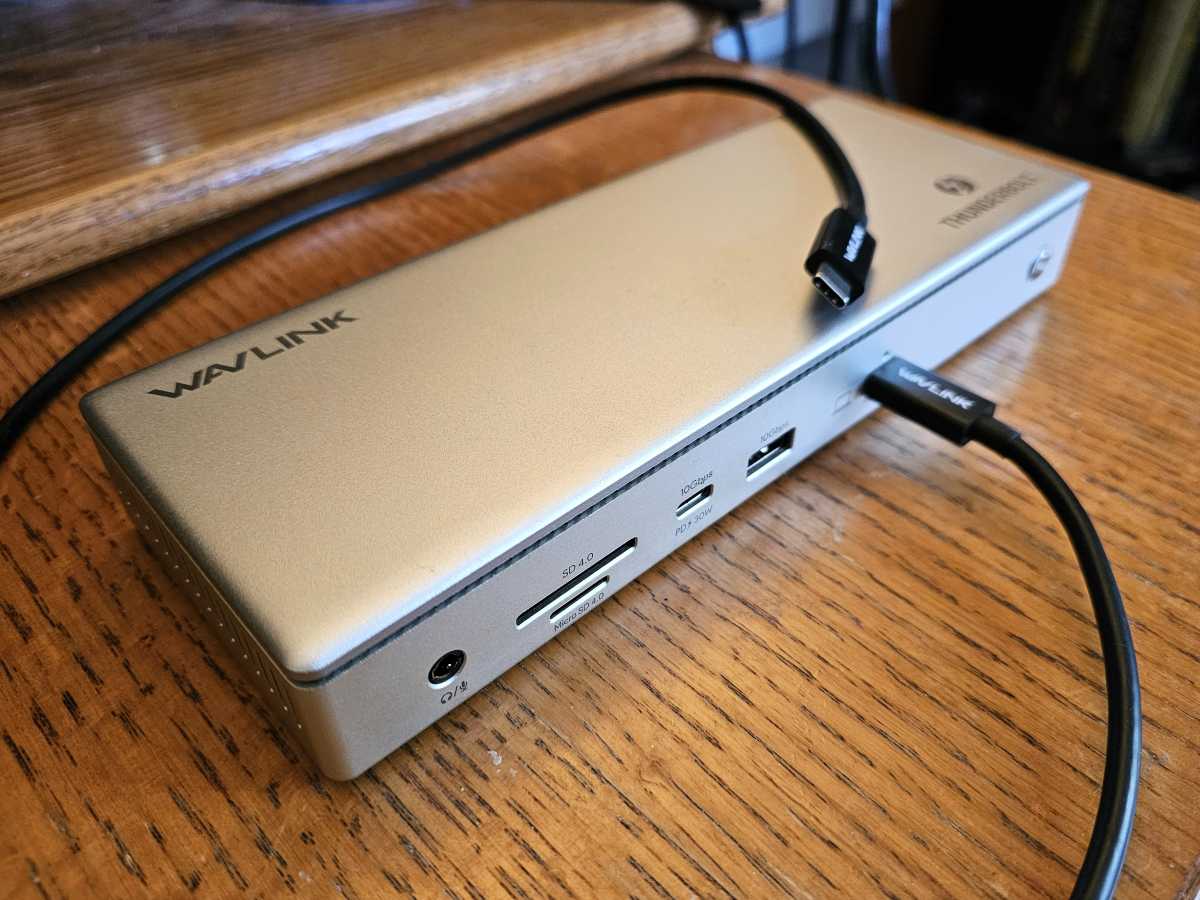
Best mainstream Thunderbolt dock deal, runner-up: Wavlink Thunderbolt 4 Dock, $189.99 ($10 off at Amazon)
Mark Hachman / IDG
Who is this for? This is a great mainstream dock at an outstanding price, and I’d recommend it for the vast majority of users who own a Thunderbolt docking station. This dock has a 30W USB-C charging port on the front, and another USB-C port (Thunderbolt 4) on the back which can be used for charging or display. But there’s also a pair of dedicated HDMI ports, eliminating the need for specific adapter cables. I’ve personally reviewed this dock, and found it to be solid, albeit with a few quirks.
Why is this deal good? I tend to expect Thunderbolt docks to hover around $200 or so. Amazon charged a lower price for Prime Day, and this dock has touched $175 before. Still, I’m in the camp that believes that this dock offers a solid value, even if the actual discount isn’t as eye-popping as it once was.
Get Wavlink’s Thunderbolt 4 Dock for $189.99 at Amazon
Best mainstream USB-C docking station deal: Ugreen 14-in-1 USB-C Docking Station: $79.99 ($60 off at Amazon)
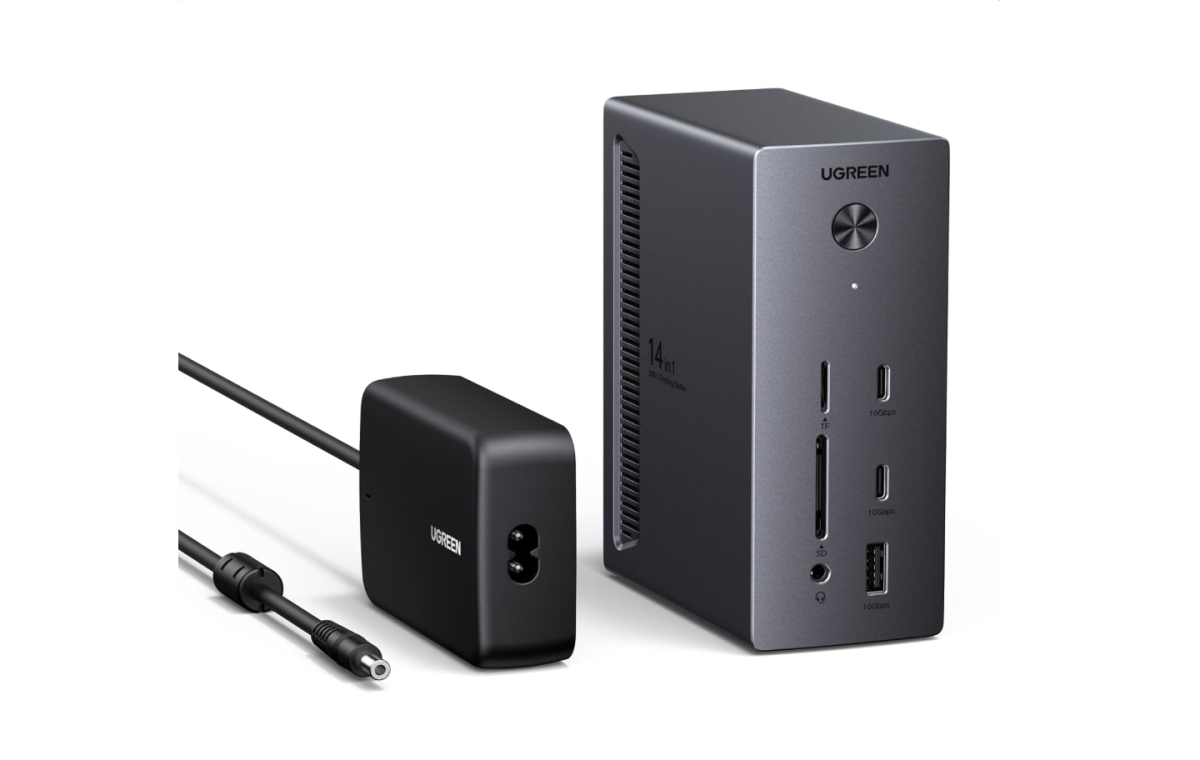
Who is this for? If you don’t need the full power of a Thunderbolt dock, this Ugreen 14-in-1 docking station offers a ton of functionality in a more accessible USB-C format: three display ports (two HDMI, one DisplayPort), plus 140W charging via a 27W charger output and 100W upstream to the laptop dock. In addition, there’s an SD/TF card reader as well as a pair of USB-C ports and a USB-A port.
Why is this deal good? The lowest price this dock hit in the last year was $73, but Amazon and Ugreen were charging $120 for most of the year.
Get the Ugreen 14-in-1 USB-C Docking Station for $79.99 at Amazon
Best mainstream USB-C docking station deal, runner-up: Baseus SpaceMate Nomos Air: $79.99 ($20 off at Amazon)
Amazon / Baseus
Who is this for? As the name suggests, the SpaceMate emphasizes a clean, compact design. The SpaceMate Nomos builds on the original SpaceMate design, which, honestly, I didn’t love. Nevertheless, the original Spacemate $199.99 dock is priced at $99.99 today, and the Nomos is even less. You gotta like that trend.
In its favor, though, the Nomos goes back to the basics: two display ports and a smart array of other I/O ports, too. There is a catch: though the dock supports 95W charging, it does not ship with its own (USB-C) charger. You’ll have to buy or supply your own.
Why is this deal good? I rank this below the Ugreen since you’ll have to supply your own charger, but otherwise this is an affordable USB-C docking station that’s on a slight sale.
Get the Baseus Spacemate Dock for $79.99 at Amazon
Best premium docking station deal: Wavlink 12-in-1 Thunderbolt 5 Dock: $219 at Amazon
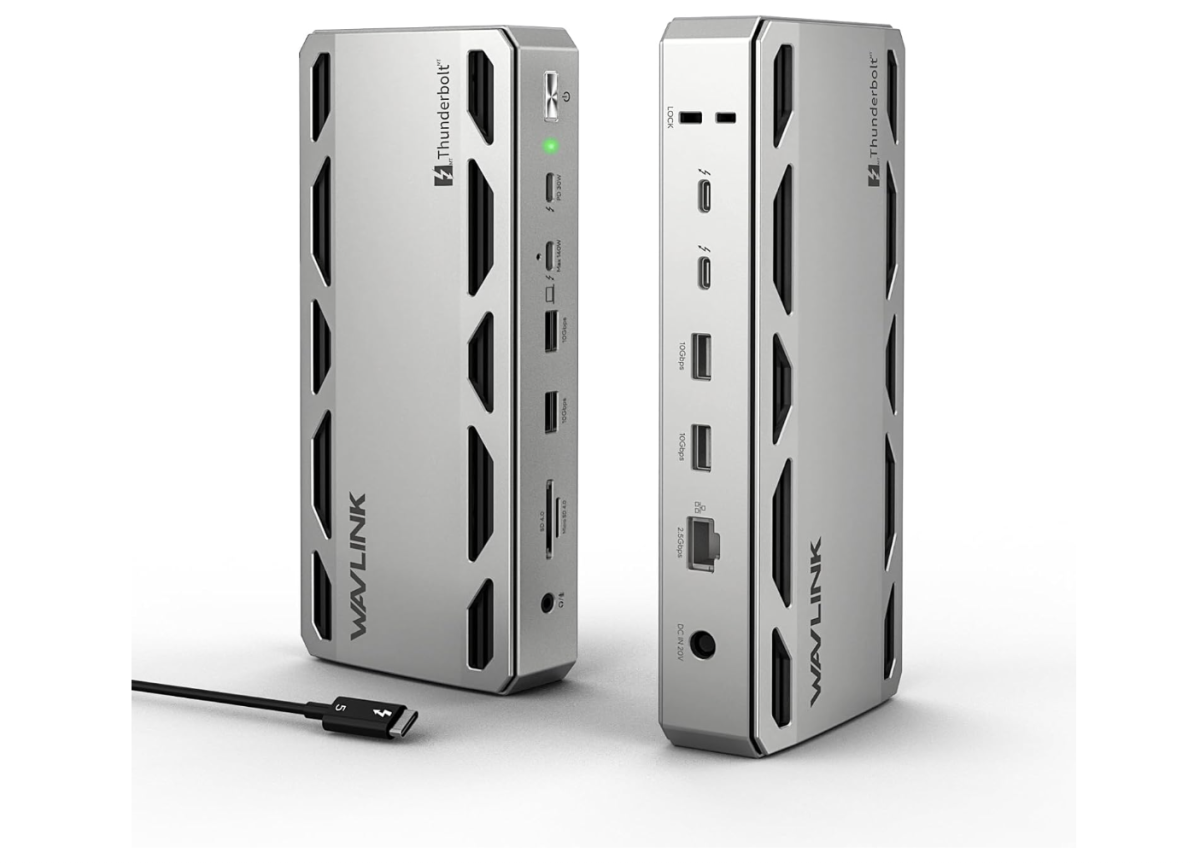
Who is this for? The Apple Mac natively supports Thunderbolt 5, but several Windows gaming laptops do too, and a TB5 dock can future-proof your setup as well as provide a connection to a high-speed single display, if your laptop also supports Thunderbolt 5. This dock doesn’t provide a dedicated display connection, but it’s discounted substantially less than other rival TB5 docks. (Check the list of cables below for upgrade options.) This dock has three Thunderbolt connections, 140W of charging power to the host, and a number of USB-A ports.
Why is this deal good? This was the best Thunderbolt 5 dock deal for Prime Day. At this point, I think it represents the best value for a TB5 dock during October Prime Day. I typically expect a TB5 dock to be priced above $250 and even closer to $300. The discount might be absent, but the sale price is solid.
Get Wavlink’s Thunderbolt 5 dock for $219 at Amazon
Best premium docking station deal, runner-up: Anker Prime TB5 Docking Station, 14-in-1, $349.99 at Amazon
Amazon / Anker
Who is this for? Consider this a premium Thunderbolt 5 dock for the subset of Windows gaming laptops that include a Thunderbolt 5 port. I haven’t reviewed this dock myself, though Amazon’s customers say that this dock delivers exceptional performance.
Why is this deal good? This deal was a tossup between Macworld’s favorite, the Plugable Thunderbolt 5 Dock, priced identically at $349.95. I chose Anker’s because of the company’s willingness to adjust price (hopefully downward!) and its solid reviews. (Plugable is a well-respected name, though, as well.)
Get the Anker Prime TB5 Docking Station for $349.99 at Amazon
Don’t forget dock cables, too
Some docking stations include dedicated display ports, so your display’s HDMI or DisplayPort cable can plug right in. Others don’t, and you’ll need to pair your ports to what the dock offers. Even if your display and dock both support direct USB-C/Thunderbolt connections, chances are that cables won’t be included. Here’s some quick suggestions on what to buy if you need them.
Most Thunderbolt 4 docks support up to two 4K displays at 60Hz. If your display supports both DisplayPort and HDMI, it doesn’t really matter which port you use.
- For a USB-C (Thunderbolt) connection on the dock to an HDMI input on your display: buy these 6-foot Uantin cables for $8.99 for October Prime Day.
- For a USB-C (Thunderbolt) connection on the dock to a DisplayPort input on your display, buy these 6-foot Benfei cables for $7.68, 15% off for October Prime Day.
- For a direct USB-C to USB-C connection, Amazon’s own Basics cables work just fine. They’re just $13.49 with no October Prime Day discount.
If you’d like cables that support Thunderbolt 5, those options are also available for slightly more:
Other great October Prime Day deals
These aren’t the only October Prime Day deals being tracked by the PCWorld team. If you’re looking to supercharge your home setup with the juiciest tech sales, hit the links for only the best expert-curated picks we’ve found.
FAQ
Why should I buy a USB-C hub or Thunderbolt docking station?
Laptops have generally begun replacing all of the legacy ports (the boxy USB-A plug, HDMI, SD card slots, and more) with generic USB-C ports. That’s fine, but what if you have a wired printer or mouse or external SSD? You’ll need to connect it to your laptop, and you might need the right physical port connector.
If you have a fast external SSD or hard drive, the external throughput will certainly help you get the most out of your peripheral. And if you want to connect multiple displays, you’ll need a USB-C hub (and preferably a docking station) with support for two display connectors.
How do I know whether to buy a USB-C hub or a Thunderbolt docking station?
USB-C hubs and Thunderbolt docks use the same physical USB-C connection. A USB-C port (and USB-C hub or dongle) use a basic 10Gbps connection, while a Thunderbolt port increases the throughput to 40Gbps. Ideally, you should see a small “lightning bolt” icon signal a Thunderbolt port, while an unmarked port may be just a generic USB-C port.
Manufacturers, though, aren’t forced to label their ports. Your best bet is to haul out your laptop’s manual and check.
Thunderbolt docks will only work with a Thunderbolt connection. You can buy a USB-C hub or dongle and connect it to a Thunderbolt port, but it will only run at the 10Gbps speed.
USB-C hubs, dongles, and docking stations: what’s the difference?
I use hubs and dongles interchangeably to describe the small devices that hang off your USB-C port with a short cable. A docking station is generally large and heavy enough that it will remain on your desk. Virtually all Thunderbolt devices are large enough to be considered docking stations.
You can buy USB-C docking stations that lack Thunderbolt connections, but those are a bit rarer. A docking station also usually includes a charger so you can use it instead of your laptop charger. I also associate a docking station as something that resides on your desk, all the time.
My laptop has USB4, not Thunderbolt. Can I use a Thunderbolt dock?
USB4 and Thunderbolt 4 are functionally the same. Intel refuses to certify non-Intel platforms like AMD’s Ryzen for Thunderbolt, and the Copilot+ PCs from Microsoft powered by Qualcomm Snapdragon X Elite chips are in the same boat. Those two PC platforms use USB4 docking stations instead.
USB-C hubs work with basically anything with a USB-C port on it. Don’t worry about those at all.
How do I know whether to buy Thunderbolt 3, 4, or 5?
Thunderbolt 3 docking stations have been largely phased out, though you’ll need to hunt one down if your laptop is equipped with Thunderbolt 3. Otherwise, Thunderbolt 4 is the default standard, while Thunderbolt 5 is reserved for Macs and some Windows gaming laptops.
You can buy a Thunderbolt 5 dock if your laptop supports just Thunderbolt 4, but you won’t see the full benefits of it until your laptop supports Thunderbolt 5, too. Put another way, Thunderbolt 5 supports up to 80GB/s and in some cases 120GB/s data throughput. A Thunderbolt 4 laptop connected to a Thunderbolt 5 dock will transfer data at Thunderbolt 4 (40GB/s) speeds.
On the other hand, you’ll need both pieces (a dock and laptop) to support TB5, so upgrading the dock during a Prime Day sale in anticipation of upgrading your laptop down the road isn’t a bad idea.
Some of these docks have had bad reviews on shopping sites. Why?
While Macs adopted Thunderbolt first, some of the M1-based Macs couldn’t keep up with Intel Thunderbolt controllers used by Windows PCs, and the Apple MacOS experience suffered as a result. If you see a negative comment, try and determine if it’s a Windows user making it. The experience may be totally different. With Apple’s adoption of Thunderbolt 5, however, some of those complaints have gone away.
Are the best Thunderbolt dock and USB-C dongle October Prime Day deals at Amazon?
Historically, yes. I check other sites, but over the past few years Amazon has consistently offered the best deals on these two product categories. That’s not always the case; Best Buy, for example, is often very competitive in Chromebooks.