Read on to learn more, then see our roundup of the best external SSDs and best Thunderbolt docks for comparison.
What are the Orico TB5’s features?
The TB5 is compact, measuring approximately 6.7-inches wide, by 3.5-inches deep, by 1.35-inches tall. The hub/dock/NVMe enclosure controlled by Intel’s JHL9480 weighs around 15 ounces including the NVMe SSD.
I must say, I was impressed with the location and access to the TB5’s single PCIe 4.0 M.2 NVMe port. It’s on the bottom of the unit (see the image below), walled off by a magnetically secured access plate. You can pry the plate off with a finger, yet it’s not going anywhere unless you want it to.
I was slightly perplexed to see that the SSD retaining screw wasn’t already in place — but sure enough, there was one in a mini-baggie in the box. Kind of a waste of plastic in my book, but what the heck.
As the TB5 is primarily a hub/dock, it makes sense to list all the ports that it provides. On the back are the power jack, full-sized HDMI and DP ports, the upstream (PC) Thunderbolt 5 port, a single downstream Thunderbolt 5 port, a 2.5GbE (Ethernet) port, and a headphone jack.
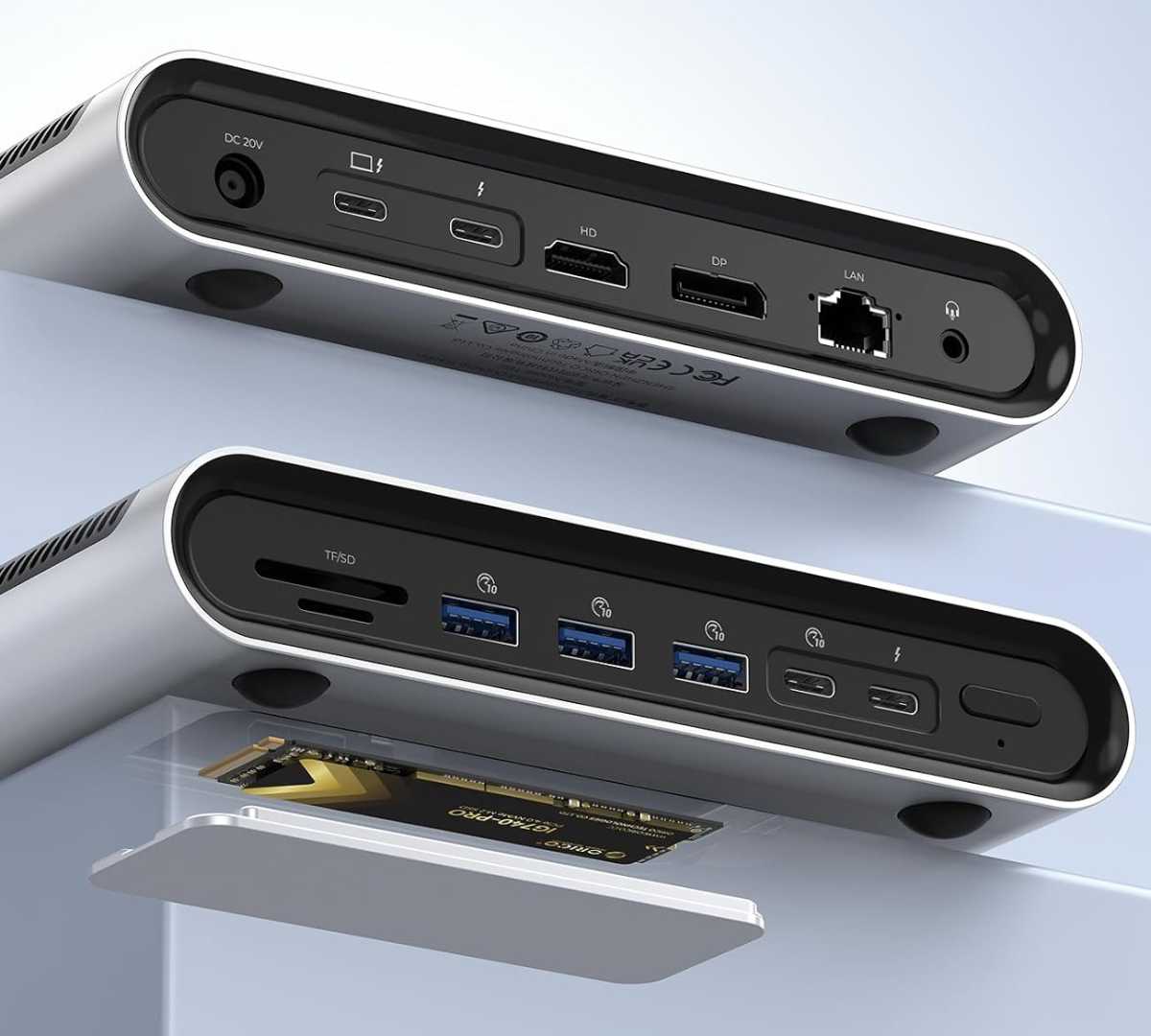
The front is home to SD and TF 4.0 card slots, four 10Gbps USB ports (three Type-A, one Type-C), a second downstream Thunderbolt 5 port, and the power button. Personally, I find the front/back allotment of the ports fits my needs perfectly, with a major caveat that I’ll discuss in a bit. It’s a matter of taste, but I like the USB on the front.