Why you should trust PCWorld for monitor reviews and buying advice: It’s in our name! PCWorld has been covering PCs since 1983. That includes dozens of monitors every year, from all the top brands. All of our recommendations have been tested hands-on and vetted by our expert reviewers, who’ve applied not only performance benchmarks but rigorous usability standards.
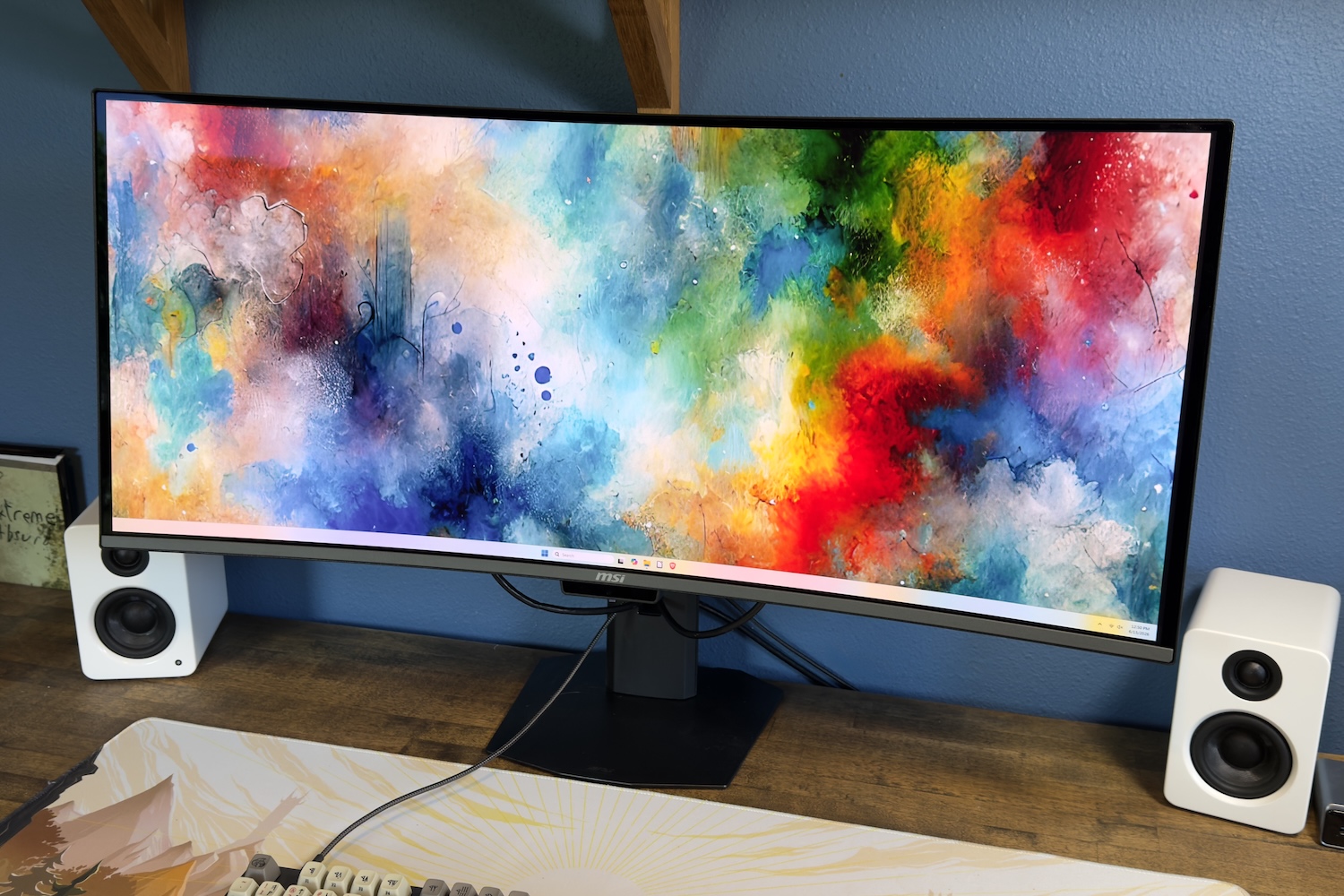
MSI MPG 341CQR – Best ultrawide monitor
Pros
- Useful design with small stand and ergonomic adjustment
- Includes USB-C with up to 98 watts of Power Delivery
- Wide range of image quality adjustments
- Great image quality in SDR and HDR
Cons
- Not the most attractive design
- 3440×1440 resolution is adequate, but not sharp
- HDR brightness is only competitive in some situations
Best Prices Today:

$899.99
Who should buy the MSI MPG 341CQR QD-OLED X36?
The MSI MPG 341CQR QD-OLED X36 earns our top ultrawide recommendation because it handles almost everything well for under $1,000. The 5th-generation Samsung tandem QD-OLED panel produces vibrant, accurate color and infinite contrast at a 360Hz refresh rate. That’s a combination that handles competitive gaming, creative work, and everyday productivity well.
Connectivity is also strong, and the USB-C port with 98 watts of Power Delivery is the feature that pushes it over the edge. Plug in a laptop and you get video, data, and charging through a single cable. That’s a convenience that’s still not guaranteed on ultrawide monitors at this price.
MSI MPG 341CQR QD-OLED X36: Further considerations
The main caveat is pixel density. With 3440×1440 resolution across 34 inches, you’re looking at roughly 110 PPI, which is noticeably softer than a 4K display. The monitor also ships without speakers. Nearly all 34-inch ultrawide monitors share these downsides, though, so they’re not much of a disadvantage.
Read our full
MSI MPG 341CQR review
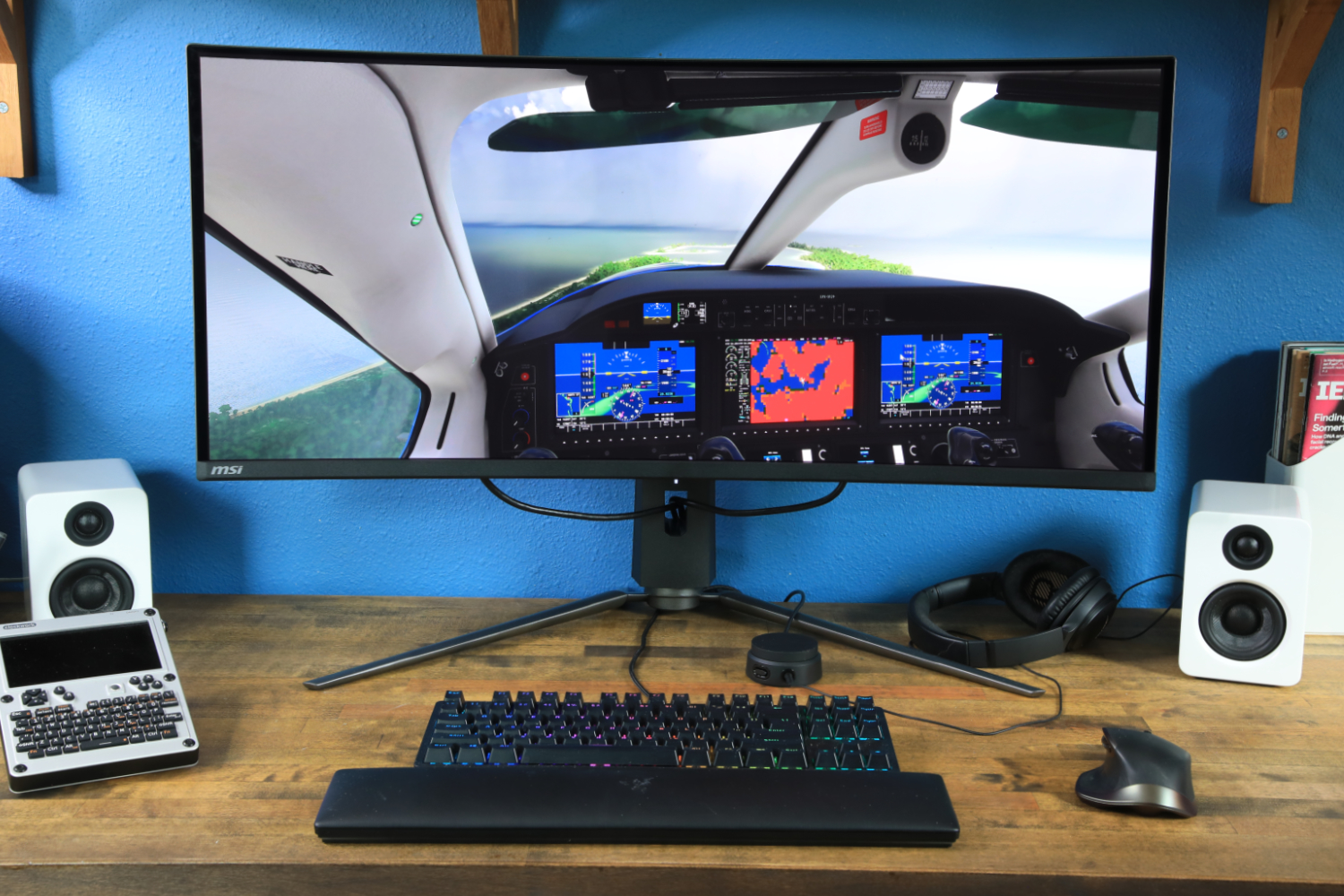
MSI MPG 341CQPX – Best ultrawide for gaming
Pros
- USB-C power with 98 watts of Power Delivery
- Great color performance
- Higher HDR peak brightness than some peers
- 240Hz refresh rate and outstanding motion clarity
Cons
- Stand is too large
- Works with FreeSync and G-Sync, but lacks certification
- SDR brightness is mediocre
Price When Reviewed:
$899.99
Best Prices Today:
Who should buy the MSI 341CQPX?
While our pick for best ultrawide overall above is designed with gaming in mind, we actually think the MSI MPG 341CQPX is superior for that singular activity. This 34-inch QD-OLED display has a panoramic 21:9 aspect ratio that pulls you deeper into your favorite games. It’s especially excellent for games that lean on immersion (like simulation titles) or that show a lot of information on-screen at once (like MMORPGs and strategy games).
The MSI 341CQPX has a Samsung QD-OLED display that delivers vibrant colors and stunning contrast. The monitor handles both SDR and HDR content well. The 240Hz refresh rate, meanwhile, offers ultra-crisp motion clarity. It supports the VESA Adaptive Sync standard and will work with both AMD FreeSync and Nvidia G-Sync.
MSI 341CQPX: Further considerations
While the MPG 341CQPX is a great ultrawide for gaming, it’s practical for day-to-day productivity and can work well with many home office setups. It has a USB-C port with 98 watts of Power Delivery, which means it can power your laptop and handle video over a single cord.
The monitor does have a couple flaws. The stand is larger than it needs to be and will feel cramped on a small desk. There’s also no RGB-LED lighting on the back of the panel, which is common on competitive gaming ultrawides.
Pricing excuses these nitpicks, though. Available for $890 or less at some online retailers, the MPG 341CQPX is not much more expensive than older QD-OLED ultrawide monitors, like the Alienware AW3423DW, with a lower refresh rate and no (or more limited) USB-C. The MPG 341CQPX’s price is more than reasonable given is advantages over its predecessors.
Read our full
MSI MPG 341CQPX review
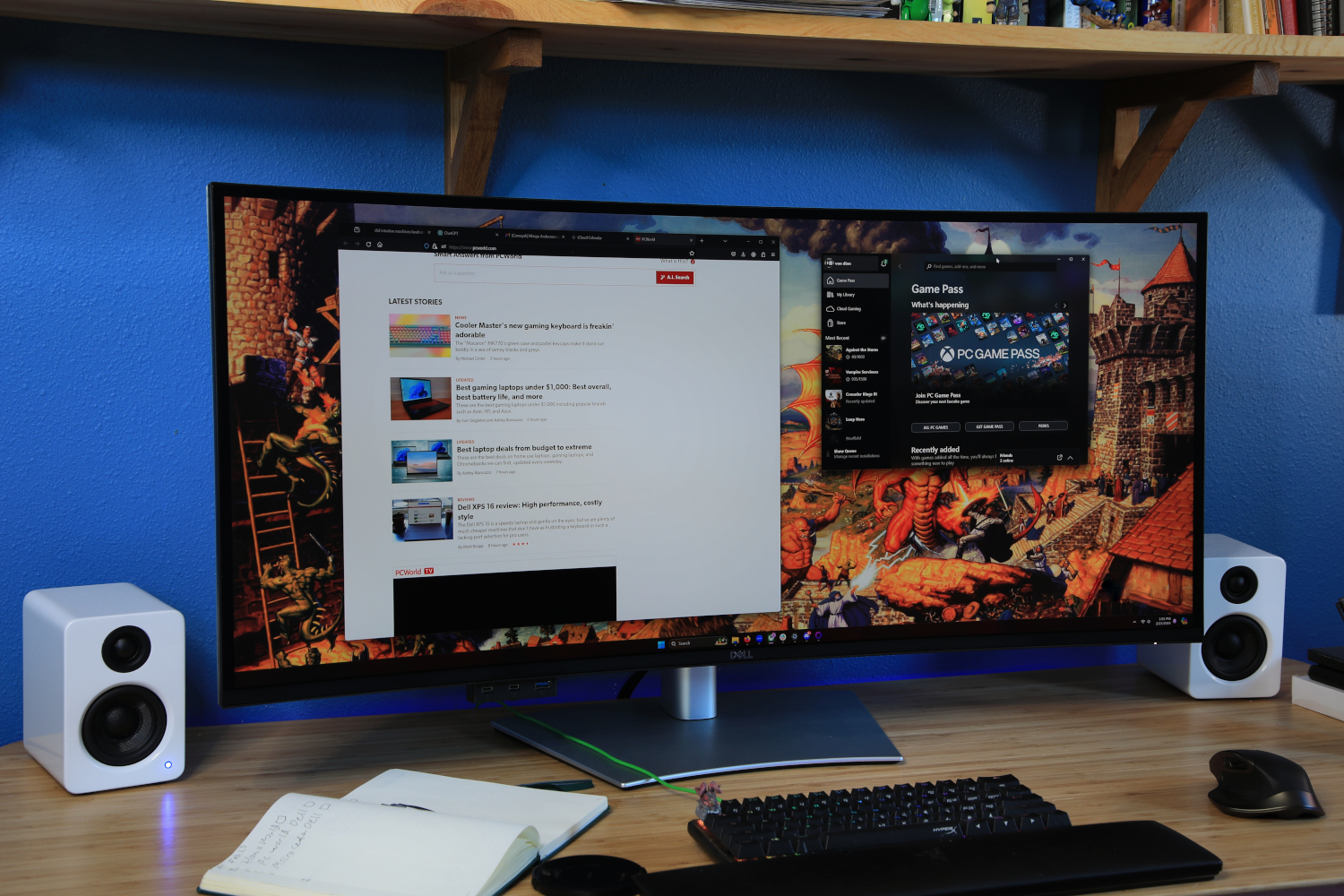
Dell U4025QW – Best 5K ultrawide monitor
Pros
- Sharp, vibrant, color-accurate 5K display
- Incredible connectivity including Thunderbolt, Ethernet
- Long list of menu options and features
- 120Hz refresh rate is impressive at this resolution
Cons
- Stand is wobbly and hard to adjust
- Contrast ratio remains far short of OLED competitors
- HDR doesn’t look its best
- Extremely expensive
Price When Reviewed:
$2,399.99
Best Prices Today:

40% off original price$1,424.99

$1424.99

$1445
$1499.99

$2399.99
Who should buy the Dell Ultrasharp U4025QW?
This is the monitor for people who want a big, sharp monitor to serve as the focal point for a desktop command center. This excellent ultrawide monitor has a vast 40-inch display and 5K resolution that ensures every detail is sharp and defined. But it’s not just about its size and clarity; it’s packed with features, too.
Visually, the U4025QW is a treat, offering unparalleled sharpness and an expansive workspace that enhances productivity and elevates entertainment. The monitor’s impressive 120Hz refresh rate is a rare find at this resolution, ensuring smooth motion on the Windows desktop and in games. It even has an IPS Black display panel, which improves contrast and delivers a more realistic, immersive image.
The U4025QW’s connectivity is extensive. It has Thunderbolt, Ethernet, HDMI, and DisplayPort, as well as a USB hub that includes multiple downstream USB-A and USB-C ports. The monitor’s menu options and settings provide significant image quality control as well as useful features like picture-in-picture and picture-by-picture modes.
Dell Ultrasharp U4025QW: Further considerations
The monitor’s stand isn’t as robust as it should be, and while the contrast ratio of IPS Black is commendable, it can’t rival OLED. But the most serious downside is the price, which soars close to $2,000. Still, given its size, image quality, and connectivity, this do-everything display can pack a lot of productivity on a single screen.
Read our full
Dell U4025QW review
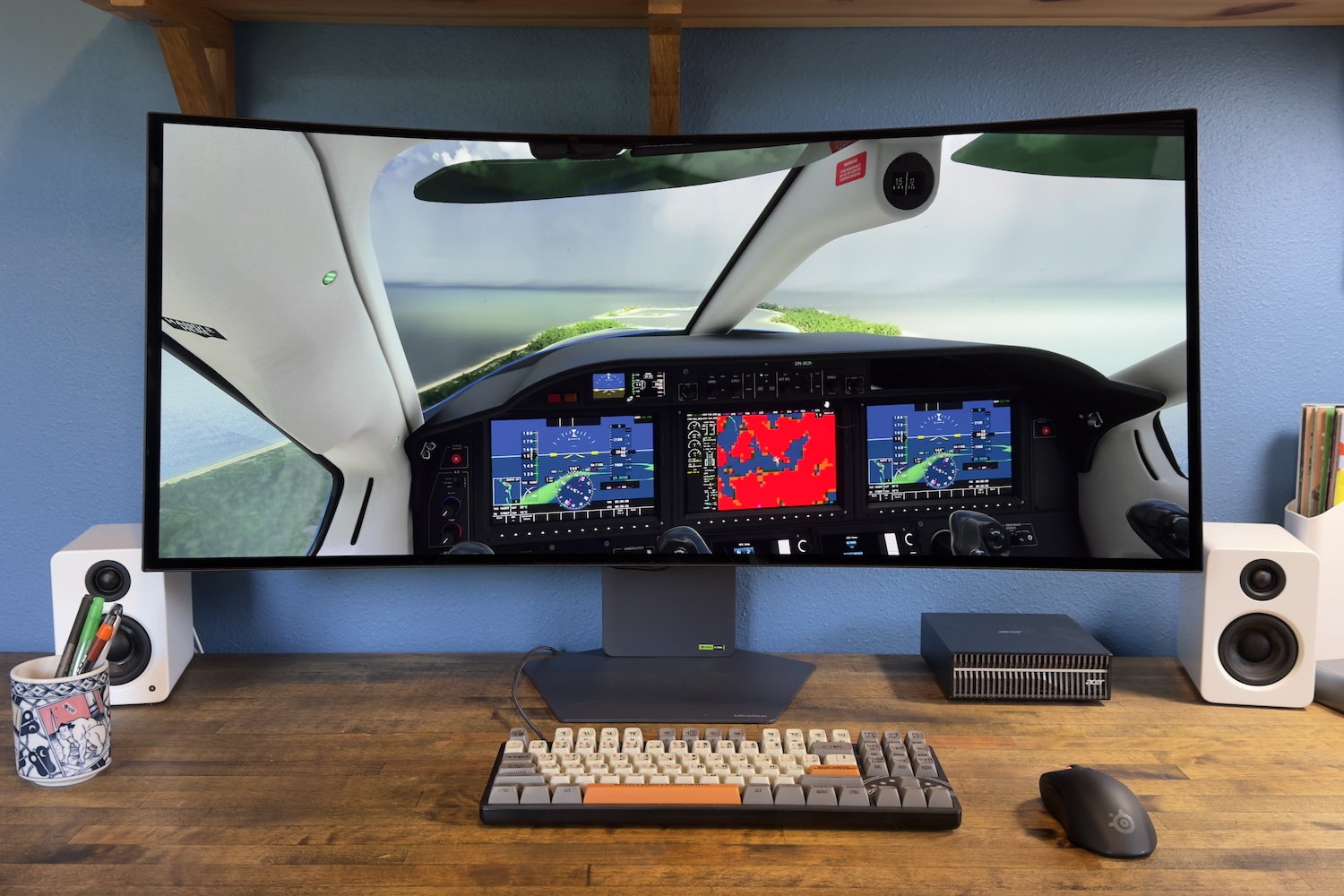
LG Ultragear Evo GX9 – Best big-screen gaming monitor
Pros
- Immersive 39-inch display size
- Functional design and compact stand
- Extremely sharp 39-inch ultrawide panel
- Great contrast and color gamut
- HDR brightness beats most rivals
Cons
- Lacking features found on competitors like RGB sync and presence detection
- AI upscaling and scene optimization offer little benefit
- Expensive at MSRP
Price When Reviewed:
1799.99
Best Prices Today:
25% off original price$1,349.99
$1499.99

$1599.99
$1799.99
Who should buy the LG Ultragear Evo GX9 (39GX950B-B)
The LG Ultragear Evo GX9 is the best big-screen curved gaming monitor for anyone who wants an immersive, razor-sharp image.
The monitor’s 39-inch 5K2K (5120×2160) tandem WOLED panel is the headliner. At 143 pixels per inch, it’s meaningfully sharper than the 110 PPI you receive from a typical 34-inch ultrawide with 3440×1440 resolution. The GX9 also has OLED’s excellent contrast ratio and wide color gamut (at 99 percent DCI-P3). This adds up to an image that looks great in both SDR and HDR games. HDR performance is a strength, as the monitor’s HDR is brighter than most competitors.
Connectivity is solid for the monitor’s use case, too. It has two HDMI 2.1 ports, one DisplayPort 2.1, and a USB-C input with 90 watts of Power Delivery. These ports cover most multi-device setups comfortably. The 1500R curve is moderate by ultrawide standards and shouldn’t be an obstacle for most users.
LG Ultragear Evo GX9 (39GX950B-B): Further considerations
The GX9’s $1,799.99 MSRP is its biggest flaw, as its feature set doesn’t entirely justify it. The monitor has several AI features that attempt to enhance image and audio quality, but they offer little benefit. The refresh rate tops out at 165Hz at native resolution, as well. While this is understandable given the monitor’s high resolution, smaller OLED monitors will provide better motion clarity. The GX9 has a dual-mode 330Hz refresh rate, but it requires dropping the resolution to 2560×1080, which doesn’t look great on a monitor this large.
These downsides may take the GX9 out of contention for some shoppers, but for others they’ll prove no obstacle. The monitor is ideal for racing and flight sims, MMORPGs, or any other game that rewards more display real estate. Shoppers happy to splurge for a better experience should strongly consider this monitor instead of a smaller 34-inch alternative.
Read our full
LG Ultragear Evo 39GX950B-B review
Other widescreen monitors we like
- Acer Predator X34 X0: A Mini-LED monitor that delivers a vivid picture and good contrast for less than $500.
- Dell Pro 34 Plus USB-C: A decent choice if you want an ultrawide with lots of connectivity but the monitor’s image quality fails to impress.
- BenQ PD2730S: Will call to creative professionals with its 5K display, but some will find its connectivity and special features just as alluring as its eye-catching image.
- HP Omen Transcend 32: Pricey even for a 32-inch 4K OLED monitor, but makes up for that with great USB-C connectivity and top-tier SDR image quality.
How PCWorld tests monitors
PCWorld’s team of staff and freelance reviewers conduct in-depth testing to compare monitors across a wide range of categories and price points. We test dozens of monitors each year to find the best pick for every category and price point.
Our testing uses a Datacolor Spyder X2 Ultra color calibration tool. It delivers objective, unbiased measurements for a wide range of metrics including brightness, contrast, color gamut, color accuracy, color temperature, and gamma. Results are recorded and logged for future comparison. This allows our experts to easily compare many monitors at once and eliminates subjective bias from the results.
To learn more about our testing methodology see how we test monitors at PCWorld.
Who curated this article?
Matthew S. Smith is a freelance technology journalist with 15 years of experience reviewing consumer electronics, including a wide array of computer monitors. In addition to the work he does for PCWorld, Matthew also contributes to Wired, Digital Trends, Reviewed, Lifewire, and other technology publications.
What to look for in an ultrawide monitor
Ultrawide monitors are a favorite of PC enthusiasts, but remain a niche within the larger monitor market. This leaves shoppers with fewer options. Most ultrawide monitors have a 34-inch panel with a resolution of 3440×1440, and similar connectivity.
Still, these monitors can differ in several key areas. Here’s what to look for.
Panel type is a big deal
Ultrawide monitors offer less choice in some regards but that script is flipped when it comes to panel type. Ultrawide monitors come in a variety of panel types: IPS, VA, and OLED.
IPS panels are common in mid-range and premium ultrawide monitors. This panel type delivers great color performance, high maximum brightness, superb sharpness, and good motion performance. It’s weak in contrast, however, which can disappoint when viewing TV shows or movies.
VA panels are typically a budget option, though some are found in premium ultrawide monitors. They have better contrast than IPS panels and deliver similar color performance and brightness—however, budget VA panels tend to be merely okay in these areas. Most VA panels fall short in motion performance and may look blurry when playing fast-paced games.