Then I spotted it: Redragon. Redragon, if you were a person (or perhaps a dragon?) instead of a budget accessory maker, I could kiss you. The company has made a few of these, but they were generally missing the features I needed. No longer.
Meet the Redragon K776-WL, sometimes styled as the “Grind 39” according to the box in which it arrived. It’s one-handed, with a semi-standard layout for a QWERTY keyboard, so your muscle memory needs no adjustment. It’s wireless, both 2.4GHz with a slim USB-A dongle and Bluetooth. It recharges with USB-C. It’s programmable, with an admittedly ugly but functional Windows driver. And it’s hot-swap. We’ve covered all the bases.
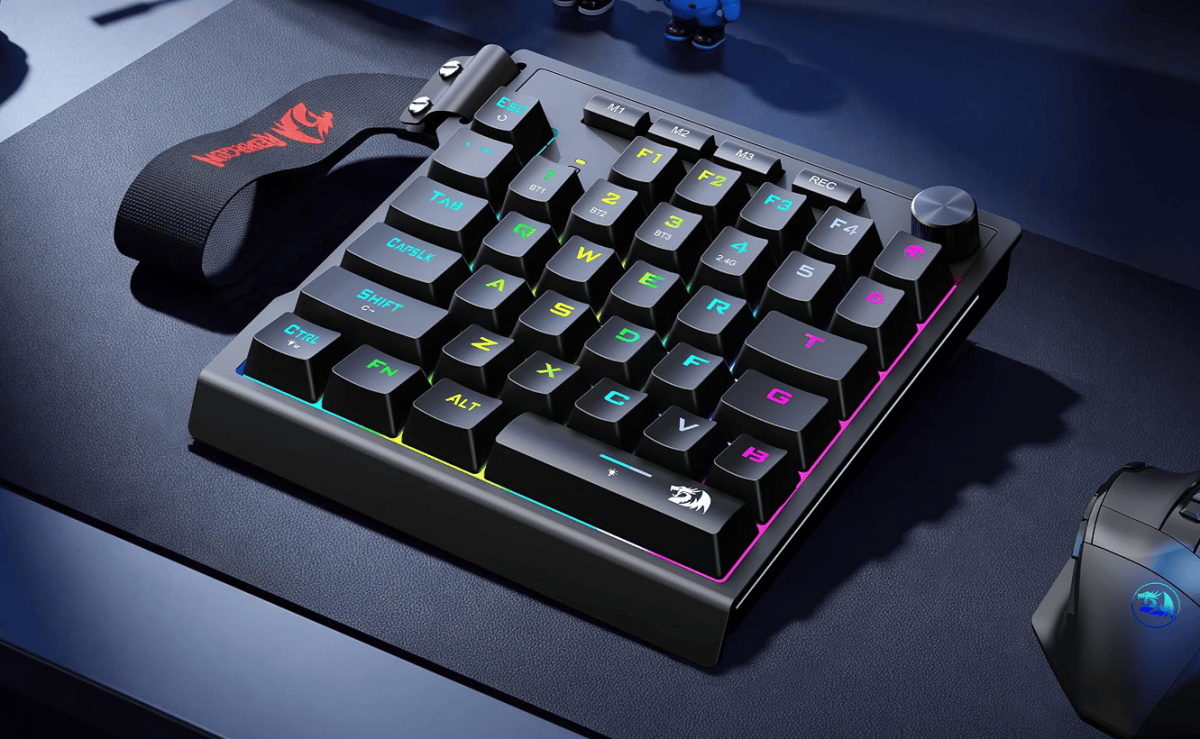
Redragon
Once I procured this little fella for just forty US dollars, I proceeded to customize it, like a teenager who wants to impress people with a bone-stock 2004 Honda Civic. I replaced the switches with my favorite for gaming, Kailh’s BOX Heavy Yellow, a linear design with a reinforced stem and stiffer springs, since I tend to bottom out. I moved the keycaps over from my previous one-handed project, which was based on a GameSir device (now apparently discontinued?) intended for the Nintendo Switch. Note the metal WASD keycaps, a HyperX add-on, to differentiate them from the lower-profile XDA keycaps around them.
The keycaps are the one true sore spot on this little board. The package comes with all-matching keycaps, obviously. But the small spacebar, the T and G keys, and the tilde key are all non-standard sizes. I couldn’t find printed keycaps that matched them, so I replaced them with black generic options, found here. And sadly there’s no easy-to-find space bar that fits, so I swapped in the one from Magee, which is slightly less annoying. I also swapped out the rotary dial with a slightly chunkier one from the Magee design.
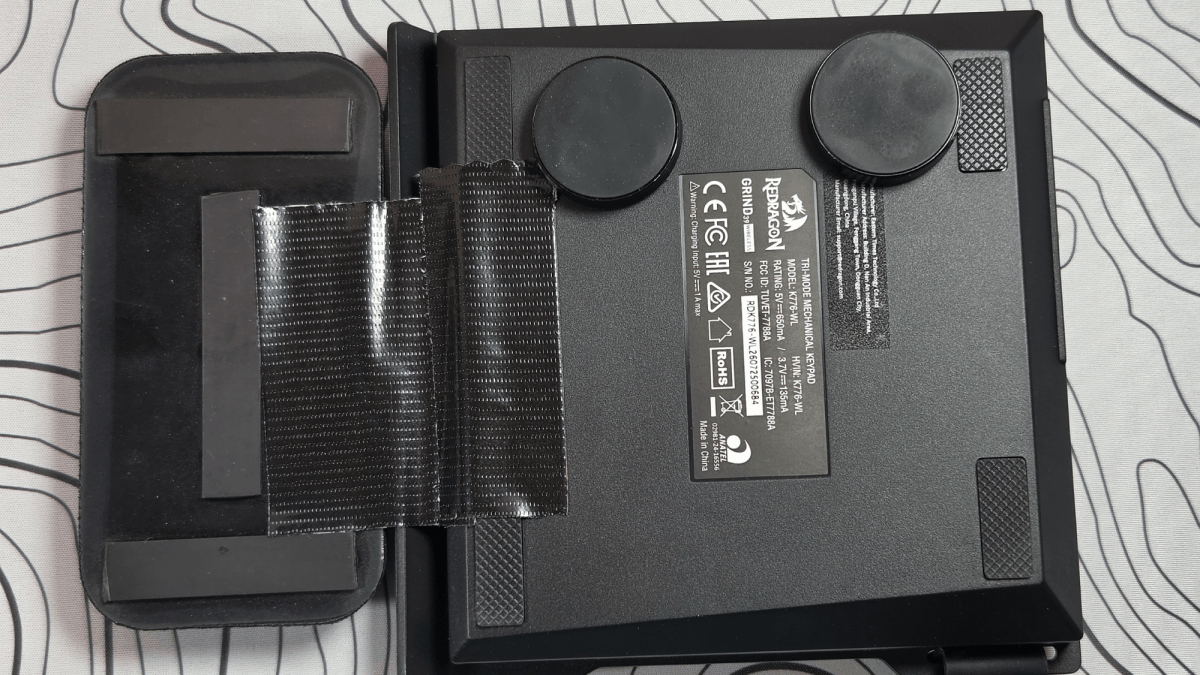
Michael Crider/Foundry
Next I added my favorite wrist rest, elegantly secured with Gorilla Tape. I moved over the “tenting” feet that I previously had stuck to the GameSir, which add a bit of cant height for slightly better ergonomics. These are chunky and also magnetic, so now it sticks to my PC tower under my desk, for easy storage. I attached the included strap, just for fun. And that’s it. My perfect — or perfect enough — one-handed keypad is complete.
The improvements over my previous hacked-together design are USB-C charging, hot-swap switches, a programmable layout (that don’t require a somewhat sketchy Android app), and I suppose RGB lighting. And I’ll point out that I got it for exactly half the price of the latest version of the Razer Tartarus, which is wired and doesn’t use mechanical switches.