Samsung is officially detailing its Gallery app’s move to Google storage today. Back in September, we told you about Gallery’s cloud sync switching to Google Photos right after direct OneDrive sync ended on September 30.
Gallery sync with Google storage has started on select Galaxy phones and tablets running One UI 9 and will expand in phases, though it may not be available in some markets. It uses your existing Google storage, so you get the same 15GB for free shared with Gmail, Google Drive, and Google Photos, with more space available through Google One subscriptions. Samsung Gallery sync doesn’t come with any extra storage allowance of its own, so how much you can use depends on how much of that space is already taken.
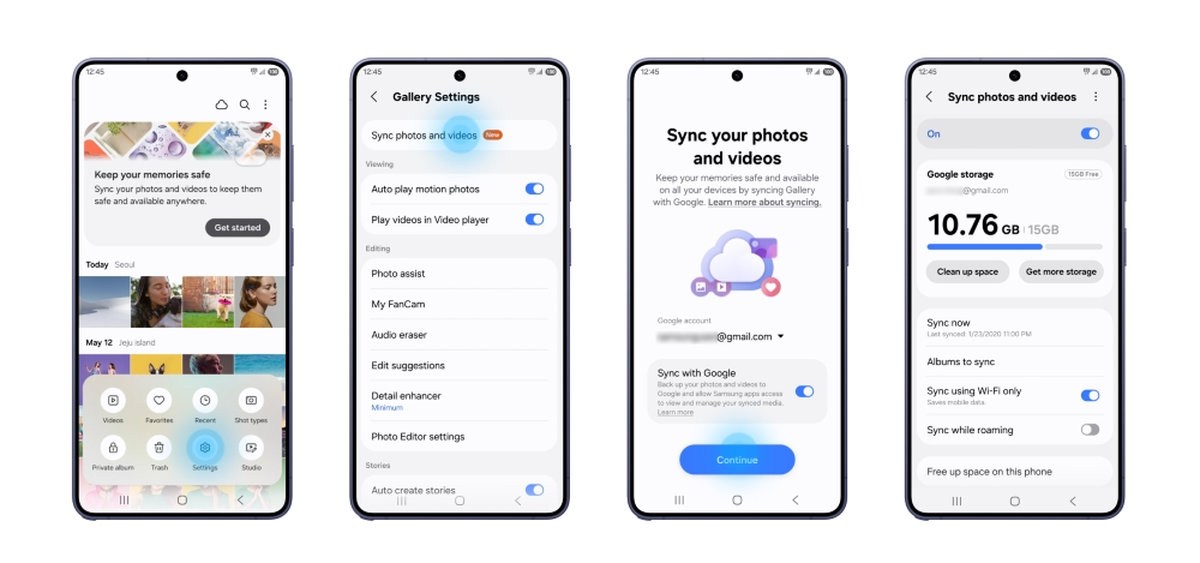
At launch, Samsung’s Gallery only shows items synced through the app after you enable it, so your existing Google Photos library won’t appear automatically. Samsung’s wording suggests that could change down the line. Files previously synced to OneDrive remain accessible in Microsoft’s app or website.
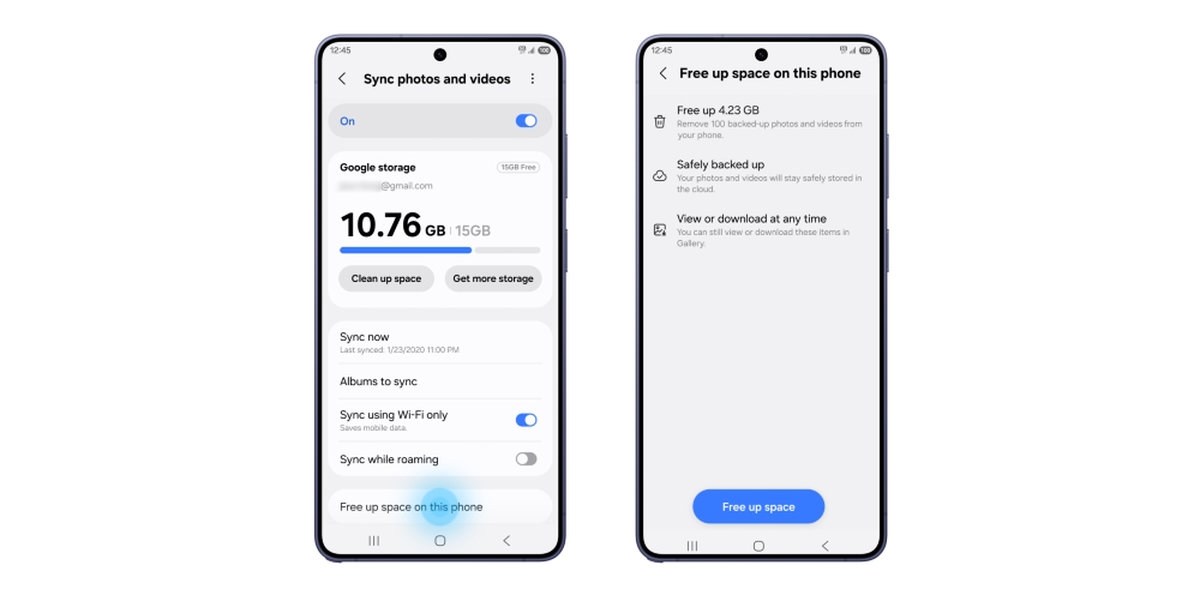
There’s also a new “Free up space” feature, which removes synced originals from your device while leaving thumbnails in Gallery. And on a new Galaxy device, turning on sync with the same Samsung and Google accounts connected shows previews of your library, and you can download an original file when you need it.