
Garmin has just announced three new cycling products in a rare mid-October cycling-focused drop. This includes the new Garmin Edge 1060 flagship cycling GPS, the Garmin Edge Explore 3/3 Plus cycling GPS, and the Tacx Nera smart trainer. But for this post, I’m going to focus on the new Edge 1060.
The new Edge 1060 got what is best described as ‘upgrades around the Edges’. It’s got a slimmed-down case, added an internal microphone for voice control and voice messaging, some new USB-C port features (and location), as well as some new routing-related features. Plus there’s a boatload of smaller enhancements, like tweaks to Strava Live Segments, the structured Workout Player, and more.
The best part is a number of these software changes are coming back to the Edge x50 series (550/850/1050), and some of them also to the Edge x40 series too. I’ll detail all of that in a post tomorrow after I finish getting everything a bit more structured.
With that, let’s simply dive right into things.
What’s New:
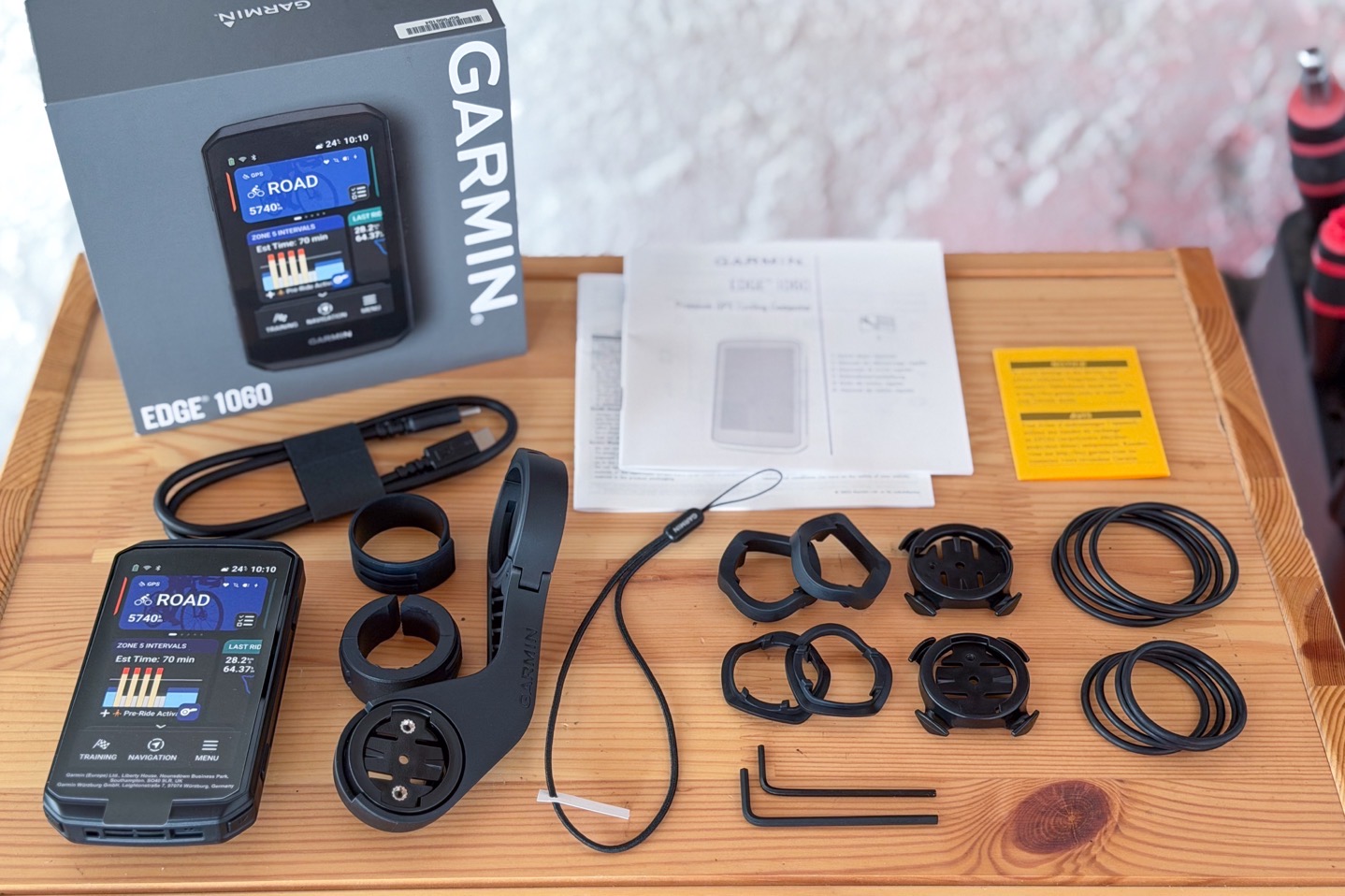
The Edge 1060 takes the core guts of the Edge 1050 (including the bright display, bike bell, speaker, battery life, etc.) and puts it in a smaller/lighter case, while adding in a microphone and a number of other software features. This does not feel like a major step forward for the Edge series, yet at the same time, it does bring the device in line with other voice features found on recent Garmin Fenix & Forerunner units.
Here’s what’s changed:
– Added 4 physical buttons (now 7 in total, matching Edge 550/850)
– Added microphone (already had full speaker)
– Added voice control
– Added voice messaging (via Garmin Messenger app)
– Added support for Garmin Messenger app
– Added Ride Readiness Checklist
– Added additional route details for on-device created routes (elevation graph, expected time, etc.)
– Added Free Flow Routing (routes with less slow/stop & go bits)
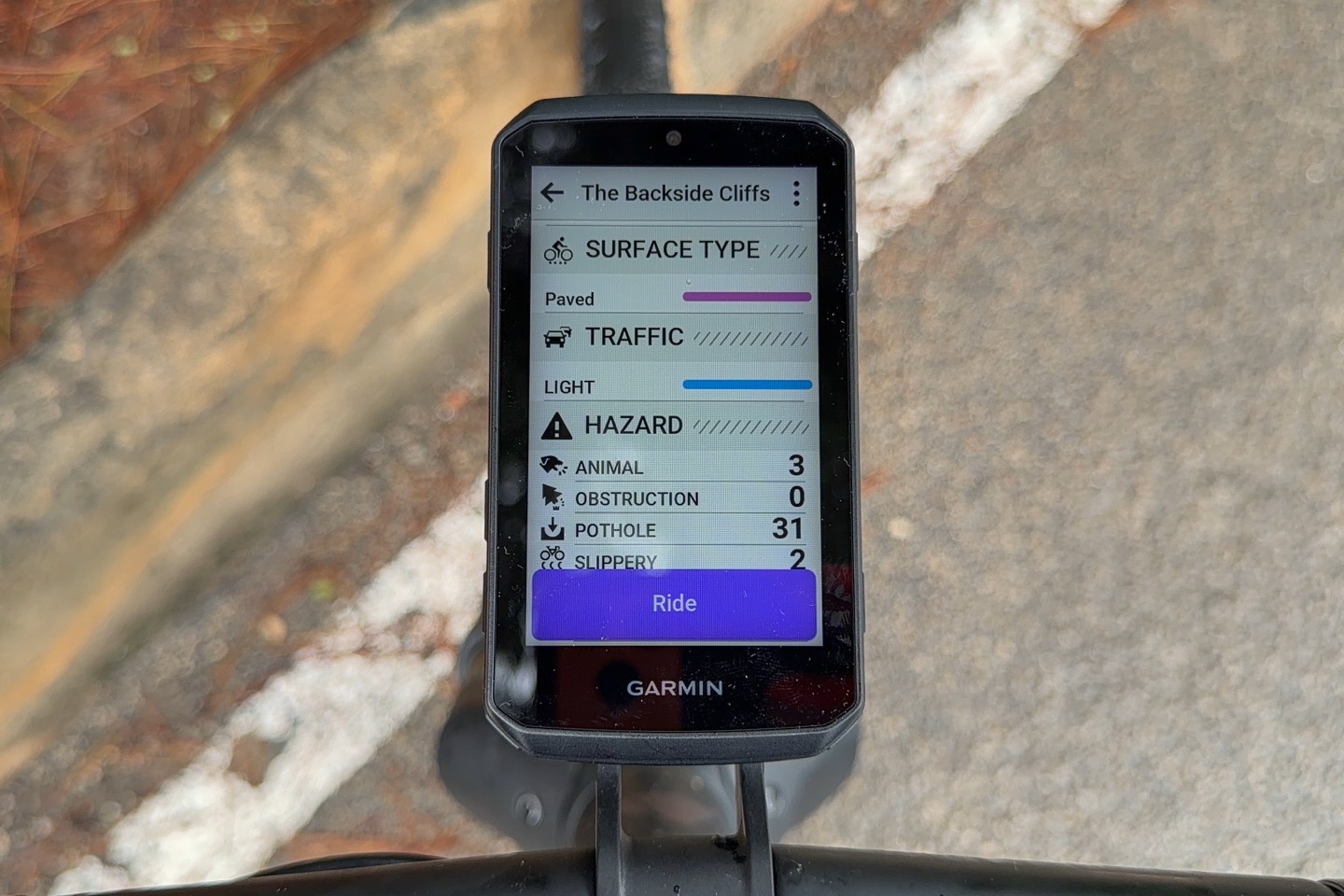
– Added Route Preview Metrics (Closure, Hazards, Traffic, etc.)
– Added Up Ahead Points of Interest (POI) both on route, and off-route
– Adding Google POI transfer to Edge for Android (iPhone already has), on November 3rd
– Added QWERTY keyboard
– Added predictive text when typing on said keyboard
– Added GroupRide feature to broadcast group ride if in group of other Edge users
– Added alternate data field feature
– Redesigned Workout Page to allow for collapsible portions
– Redesigned Strava Live Segments page for collapsible portions
– Redesigned Strava Live Segments page for competitor icons on map & elevation profile
– Now allows Strava Live Segments on *any* route (not just Strava Routes)
– Adding GarminLink for seamless watch heart rate broadcast (Q1 2027)
– Adding Carbon Savings feature to show benefits of bike commuting (Q1 2027)
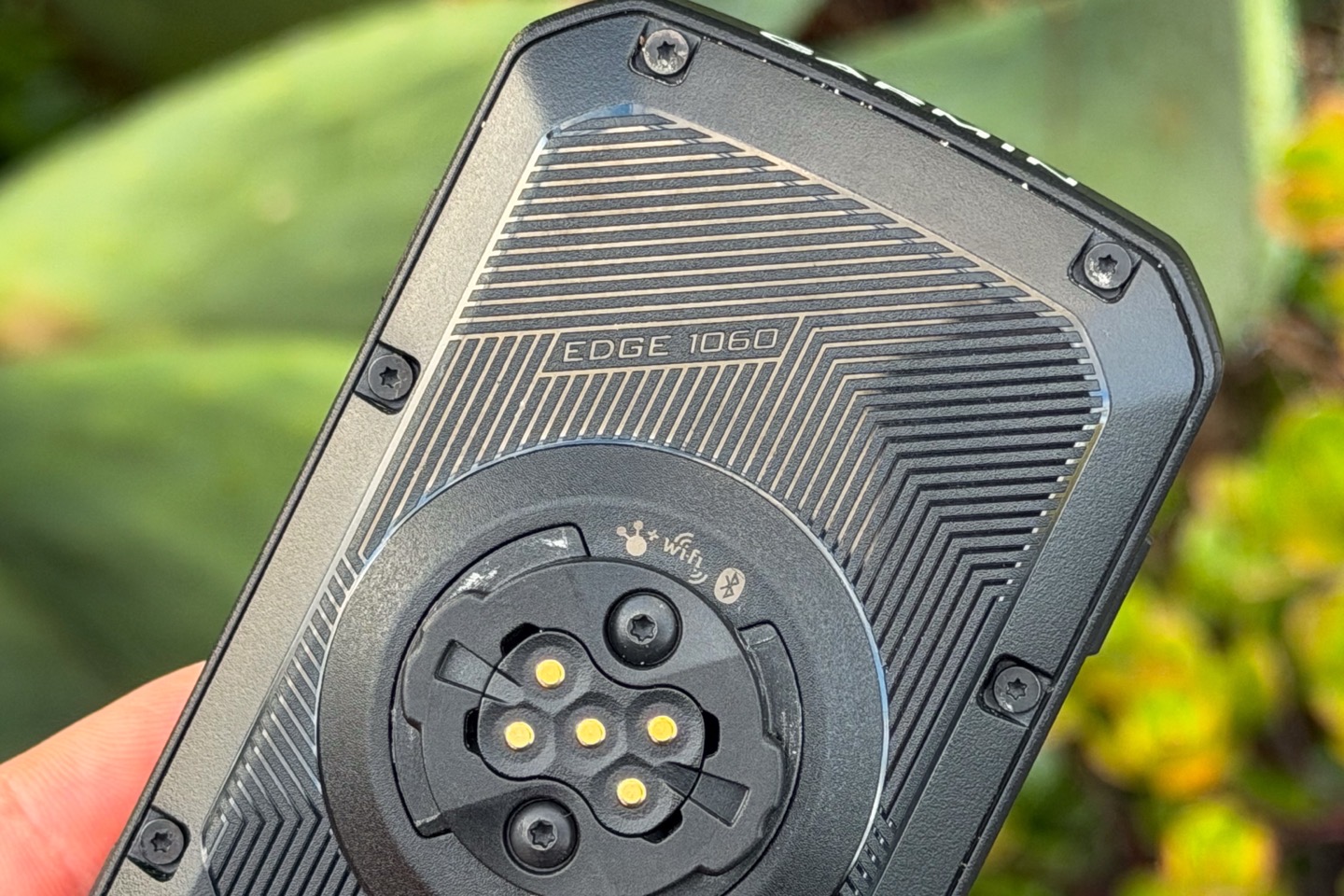
– Moved USB-C charging port from back/end to underside (makes it easier to charge while riding)
– Added Reserve Charging Feature
– Decreased weight from 161g to 142g
– Decreased case/bezel size: Now 58.5 x 107 x 16.3 mm (was 60.2 x 118.5 x 16.3 mm)
– Moved speaker location for better audio to the bottom (previous charging port area)
– Tweaked backlight design to have more even distribution
– Same 3.5” LCD display as before
– Same 480x800px display resolution (1,000nits)
– Same 64GB internal storage
– Same 20 hours battery life & 60 hours battery saver mode as before
– Still power charging mount connector compatible
– Same IPX7 waterproofing as before
– Price increased from $699 to $799
I’m a little bit surprised to see the price increase there. While Garmin has increased prices on many devices over the last 2-3 years, the general Garmin trend for 2026 was actually not increasing prices. Most products stayed the same this year. I suppose it is worthwhile noting that back when the Edge 1050 came out, it actually saw a price reduction (from $749 for the previous-gen Edge 1040 Solar, down to $699 for the newer Edge 1050). So I could see some logic in that this is finally keeping up with things. I guess.
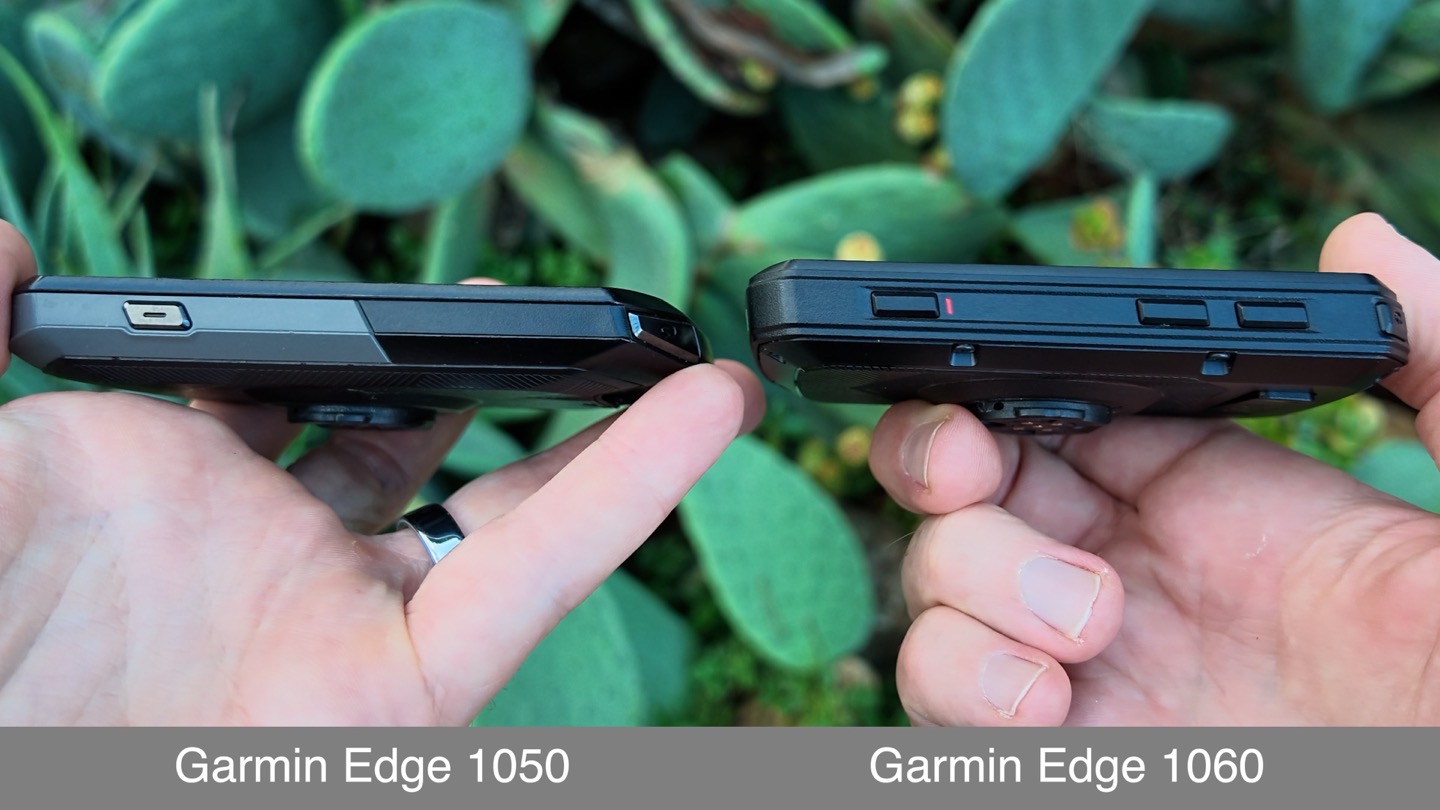
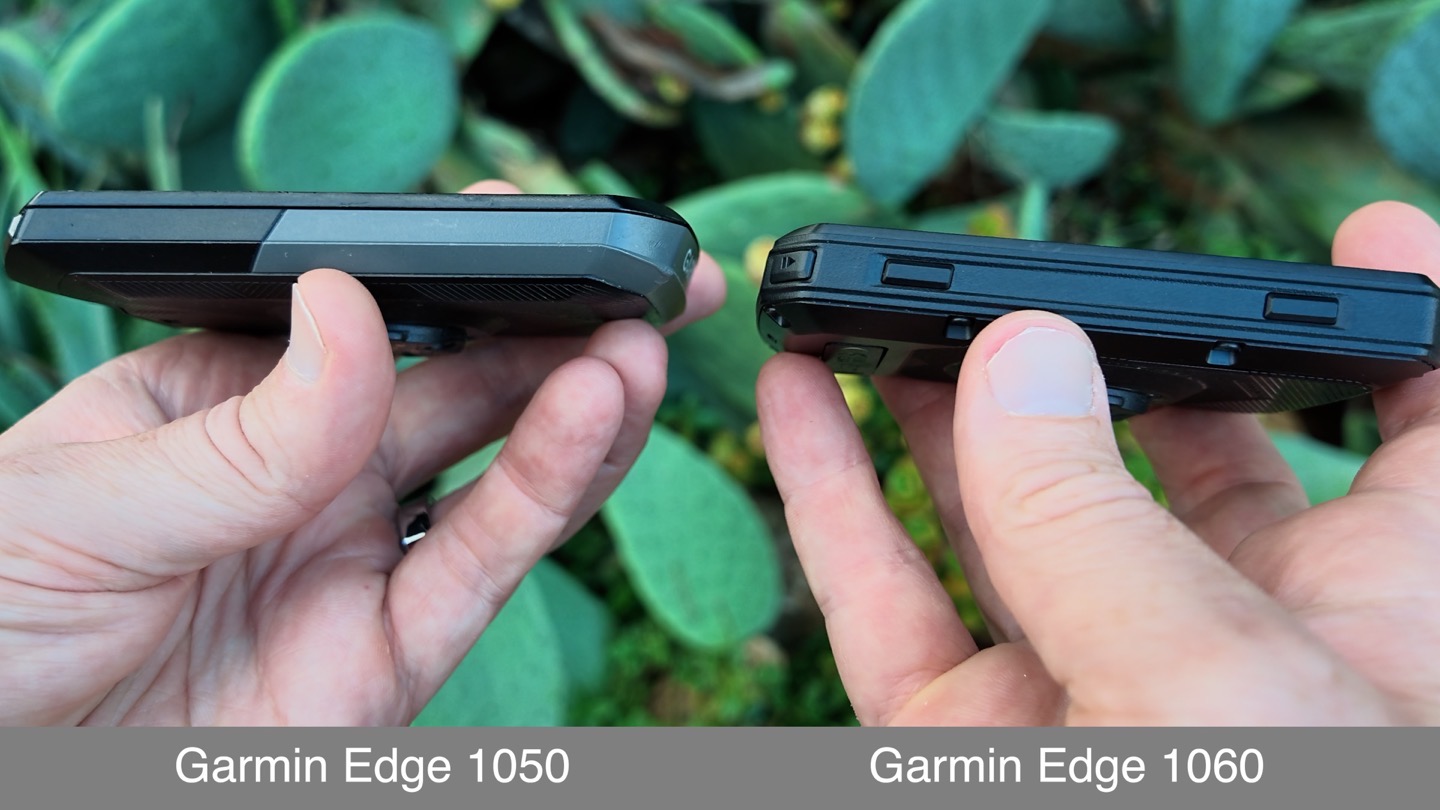
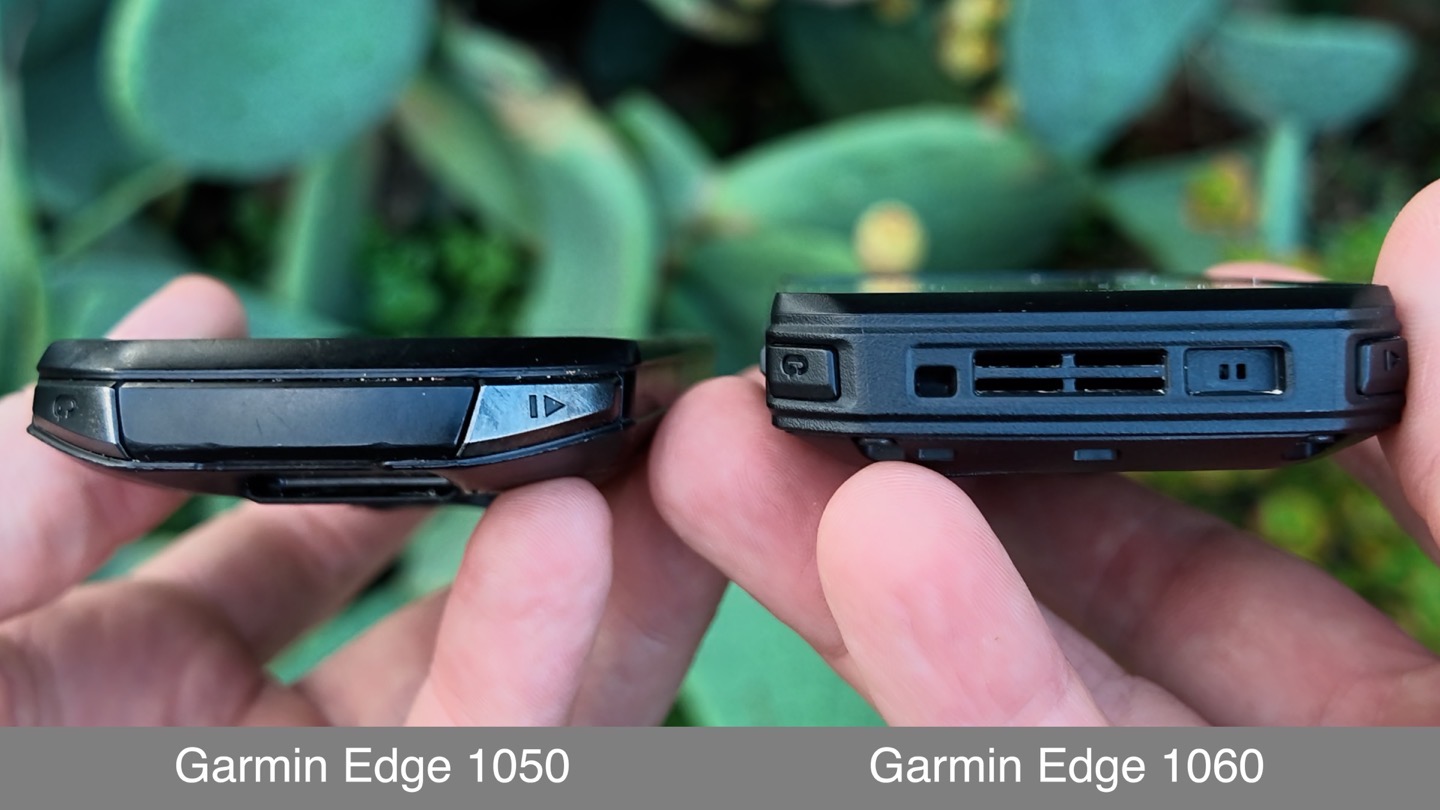
Now, for lack of anywhere else to put it below, I just want to briefly note the extra 4 buttons. This matches the Edge 550/850, which have 7 buttons, and allows you to do *anything* either via buttons or touch. This is much appreciated, and I’m glad we’re seeing the comeback in buttons across the board from numerous companies.
Here’s the left side:
Here’s the right side:
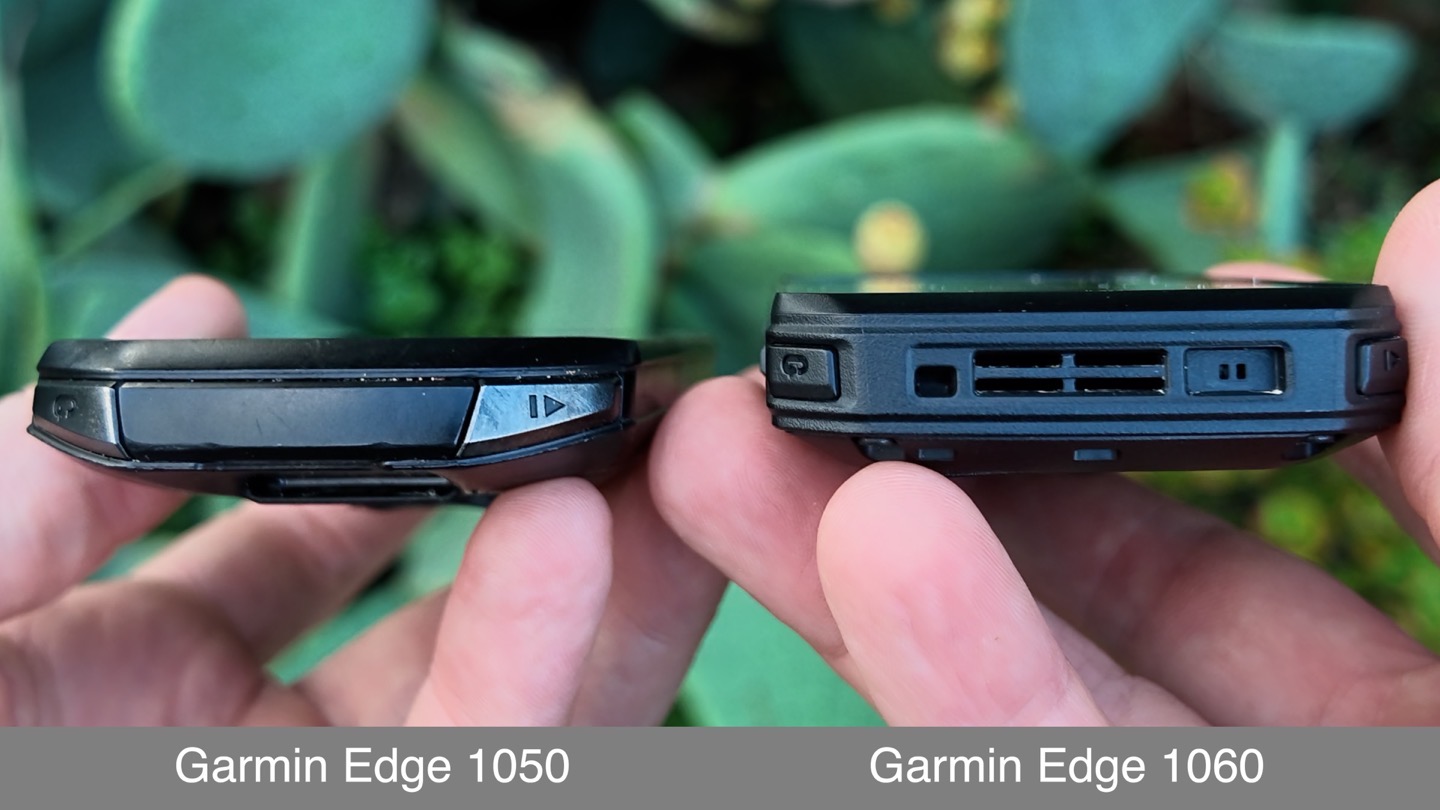
And here’s the end, though, these buttons got slightly smaller, but now do sit more on the edge, which should make them easier to hit with gloves and a tight-fitting Edge out-front mount.
With that, let’s dive into the new features.
The Voice Features:
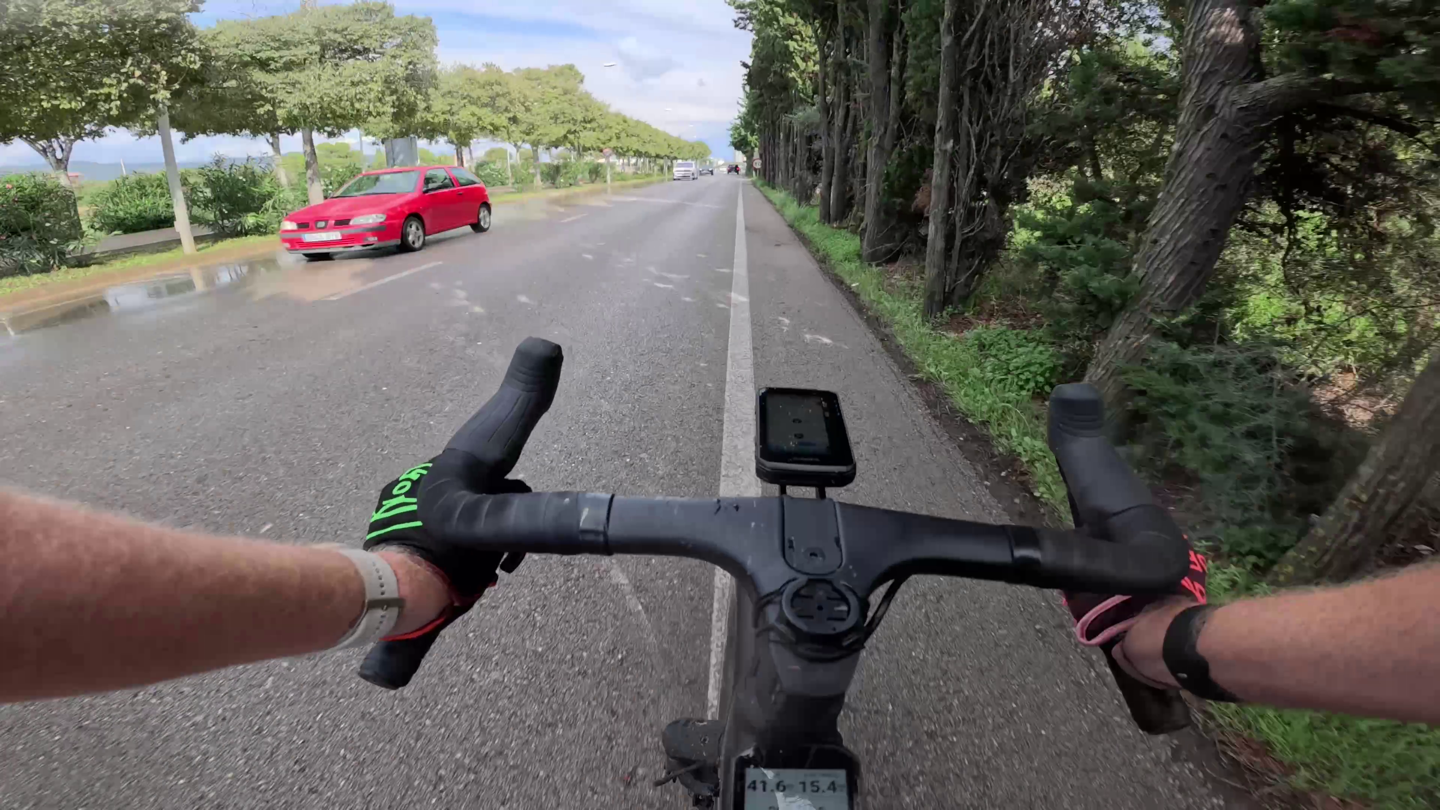
(Above: Me hands-free sending a voice message that I’m going to be late to a meeting, while riding as fast/hard as I can to not be late for said meeting.)
Now, as I’ve said countless times here before on all assortments of wearables – I don’t tend to like voice-control wearables. I just don’t see the value of it most of the time. Especially for wrist-based things, where I can grab my phone far faster in almost all cases (the only real exception is something like surfing, but…I don’t surf).
Still, let’s look at what Garmin is doing here to see if it makes any sense. With that new microphone, they’ve basically added two main features:
– Added voice control
– Added voice messaging (via Garmin Messenger app)
Remembering that there’s already a loudspeaker there from the Edge 1050, and that they already brought in the voice prompts (e.g., telling you to ‘Turn Left’, etc.). So this is all about you talking to your unit; your unit already was talking to you. Note that, technically speaking, the speaker remains the same, but is now moved down to the bottom of the unit where the charging port used to be. The microphone sits to the left of that.
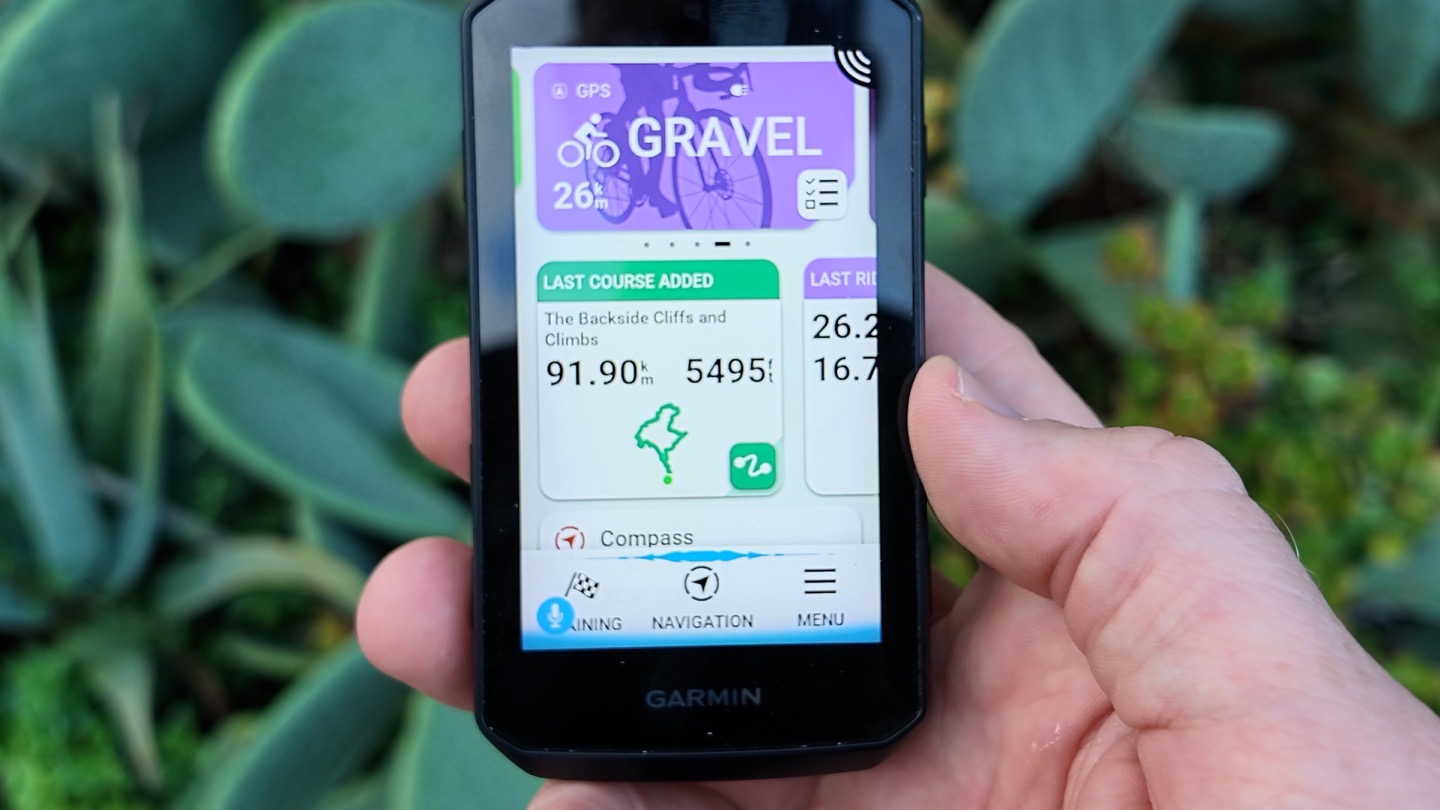
So, starting off with when it comes to voice control, you’ll say “OK Garmin”, followed by whatever your quest (or question) is. There’s a surprising number of things it’ll respond to, albeit zero of them I can seem to remember mid-ride. Still, over time you’ll use the ones you use, and occasionally learn new ones.
At speeds up to about 50KPH, on both roadway (with rain) and gravel (with splashing water), it never missed responding to a single ‘OK Garmin’. Though whether it fully understood my question was a different matter. Most of the time, if it subsequently ignored me, it was because I phrased something differently than it expected. You’ll know whether or not it detects the ‘OK Garmin’ as it’ll have the little blue squiggly audio thing pop up at the bottom:
Now, with the voice control sorted, then we move into voice messages. This allows you to send someone a voice message purely hands-free. No touching of anything is required. You’ll say “OK Garmin, send a Voice Message to Des”, and boom, it opens up this page to send a voice message to Des. It waits about 2-3 seconds before it starts recording:
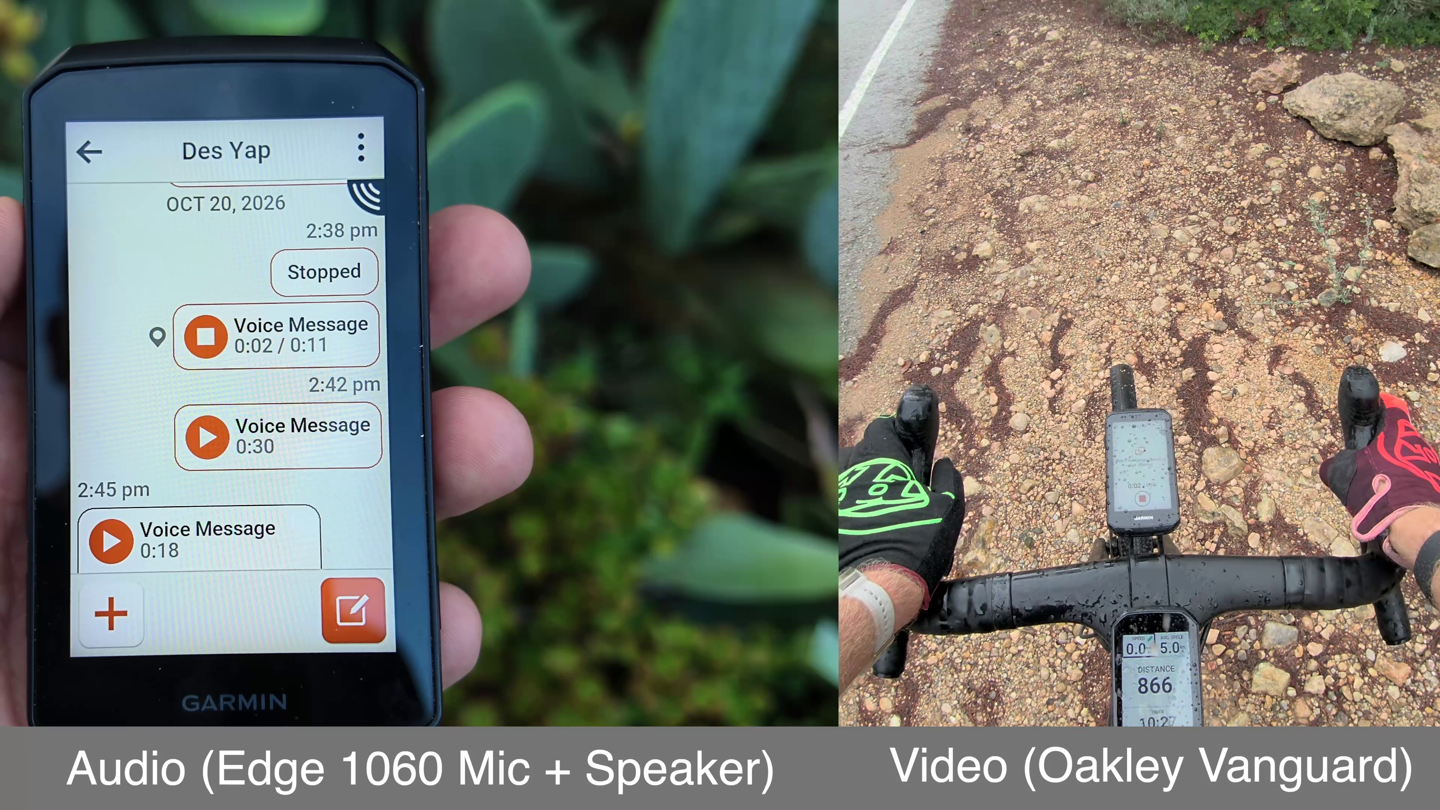
From there, you can send a 30-second voice message. At the end of which, you’ve got 10 seconds to either cancel it (manually), or simply let it fly (it’ll send automatically). Again, the goal here is being hands-free.
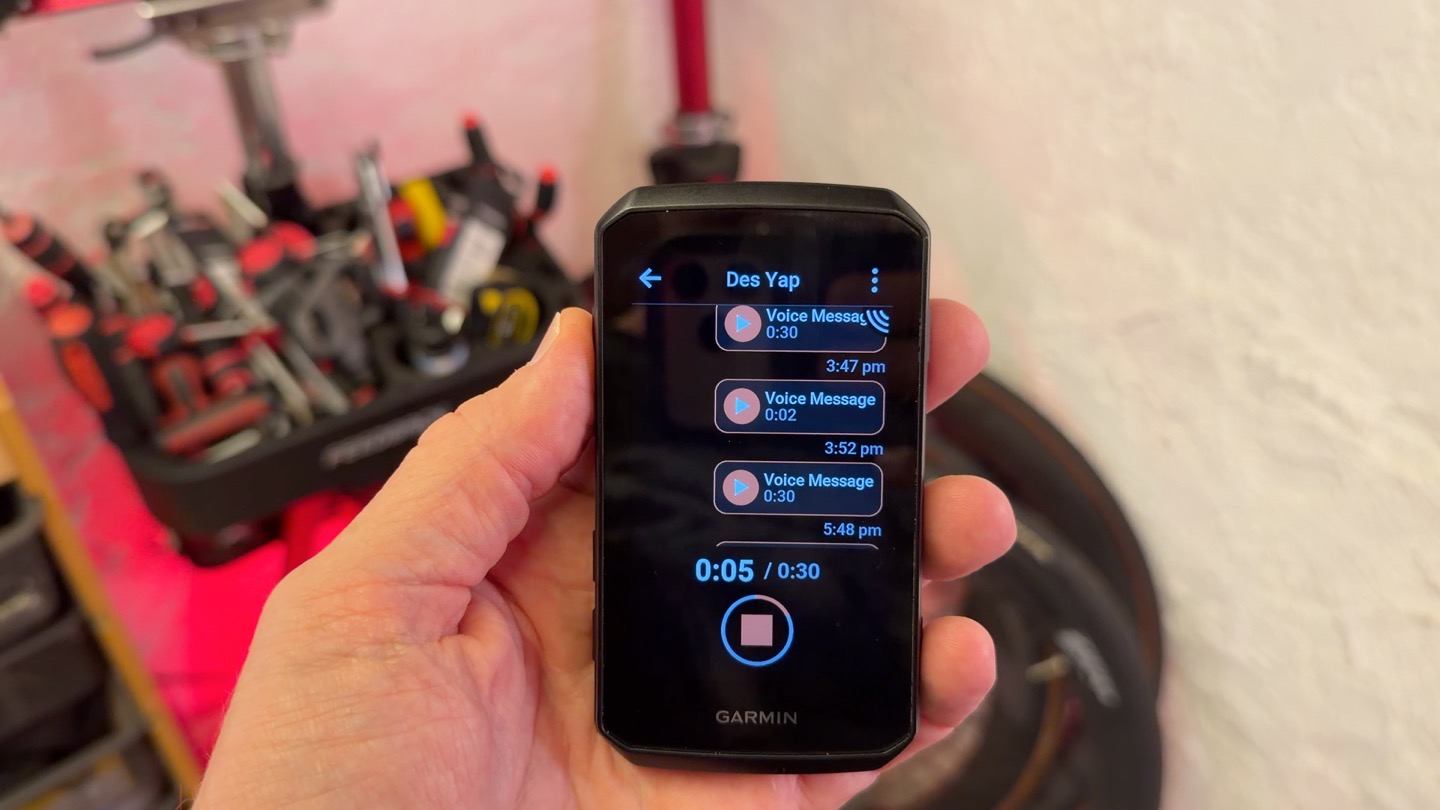
If, however, the speaker is triggered (e.g., a radar alert or navigation prompt), it’ll pause the recording. This can be a bit annoying in heavy traffic, making it a bit tricky to successfully finish recording a voice message. Otherwise, it worked flawlessly. The only slight downside is there isn’t a way to hands-free end a message earlier than the 30 seconds. You can certainly tap the screen, but hands-free today, you’re sending a 30-second message otherwise.
Also note that if you want to use your hands, you can assign a shifter button (like SRAM bonus buttons), or simply long-hold the lower left button to access voice control.
Once all that’s sorted, the message is sent via the Garmin Messenger app. The same Garmin Messenger as all their other devices use (e.g., inReach, Fenix, MARQ, etc.) for sending and receiving both cellular and satellite messages. This means the person on the other end must have the Garmin Messenger app. There’s no ability to tie in to either iOS or Android native messaging at this time.
What’s cool here, though, is that the Garmin Messenger platform will automatically transcribe things as well. So you can see this transcription for any voice messages sent to you (they’ll also play audibly, but that was very tough to hear while riding). And then on the other side, your recipient will see a transcription of your message. Note that you can play back the messages you receive (on your Edge 1060) via headphones from your phone instead. You cannot use your headphones/helmet/glasses Bluetooth mic, though to record messages.
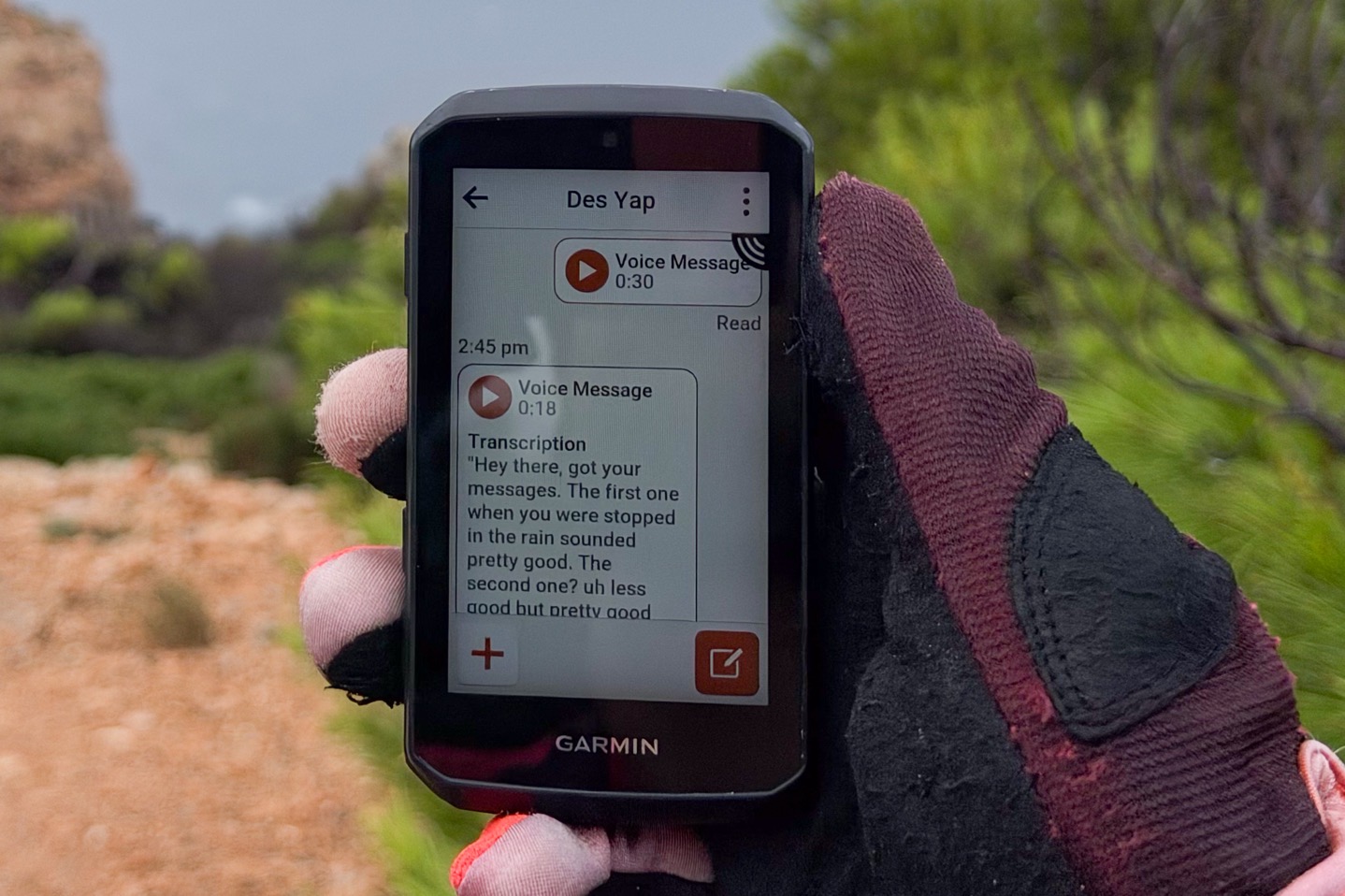
Now, in the video I show three different speeds (0kph – standing still, 20MPH/30KPH on gravel, and 30MPH/50KPH on roadway) with you hearing the raw/original audio from the unit. In all three cases, it was pretty understandable in the recording, though slightly harder at the highest speed (with rain) to make out every word.
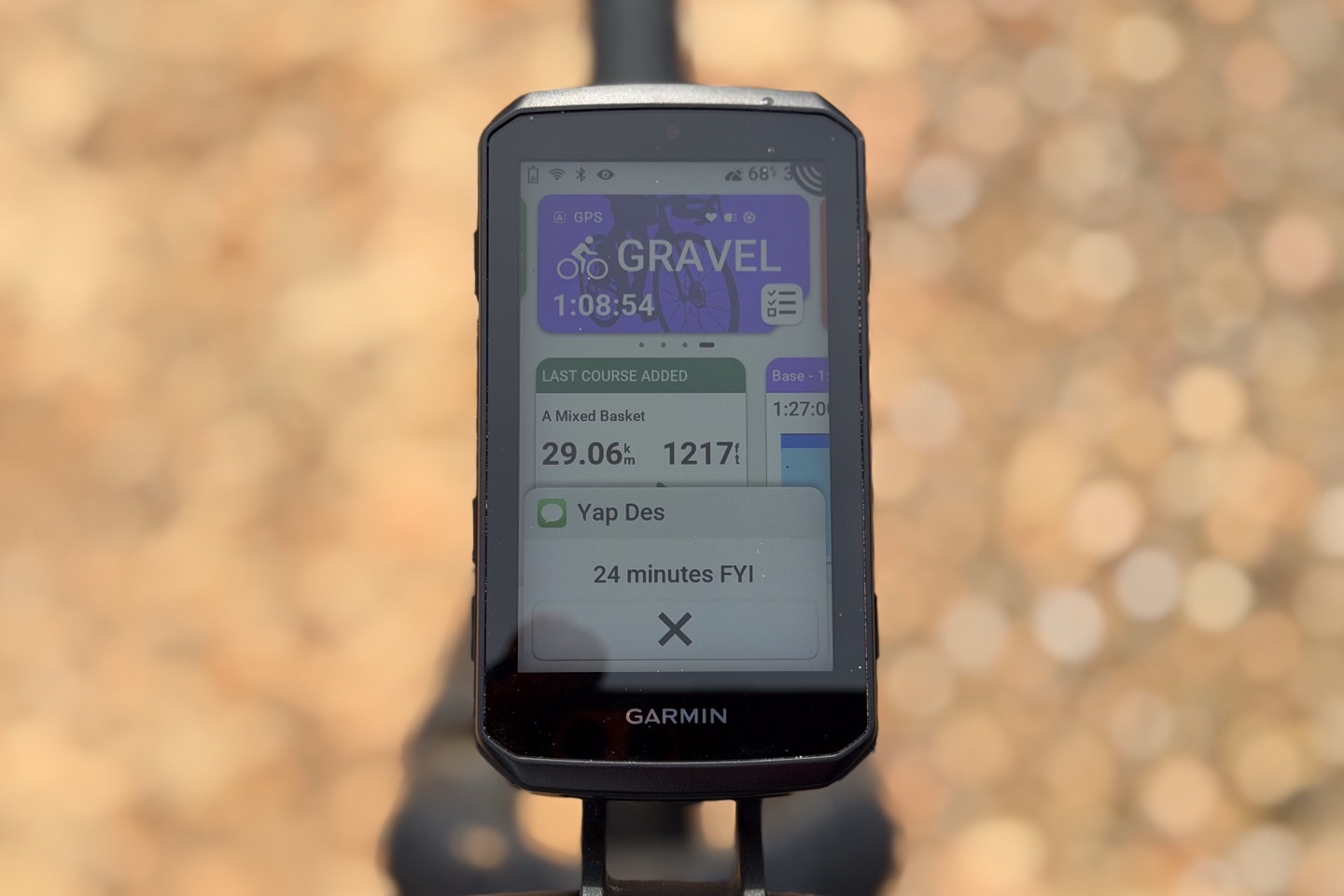
Ironically, it was as I was rushing back to a conference call with the Garmin Edge team that I found this feature most useful. DesFit had texted me to remind me of the meeting as I was definitely not close to home, so I was able to send him back a voice message while riding my ass off, to say I might be 3-4 minutes late. Super handy use of it.
New Navigation & Data Page Features:
Next, there are a few new navigation tidbits that I want to briefly cover. First, is you can now see details about the route as you load the course, pulled in real-time from Garmin Connect, including hazards, traffic, closures, etc.
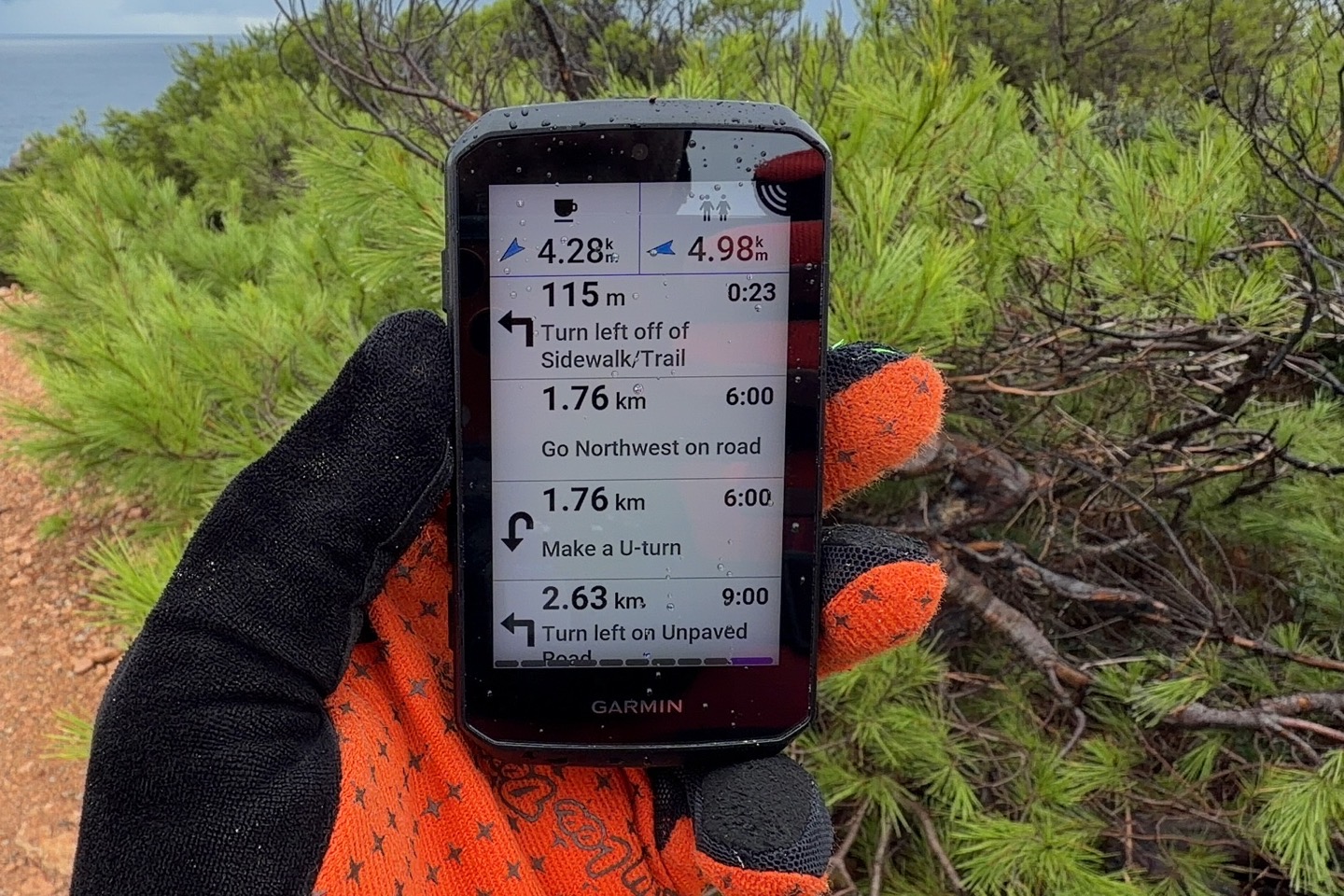
Then, once out on the course, it’ll show you nearby POIs (points of interest), such as cafes or toilets. You can configure your two favorite categories to show above the map page, like you see here. These will be POIs on your specific route.
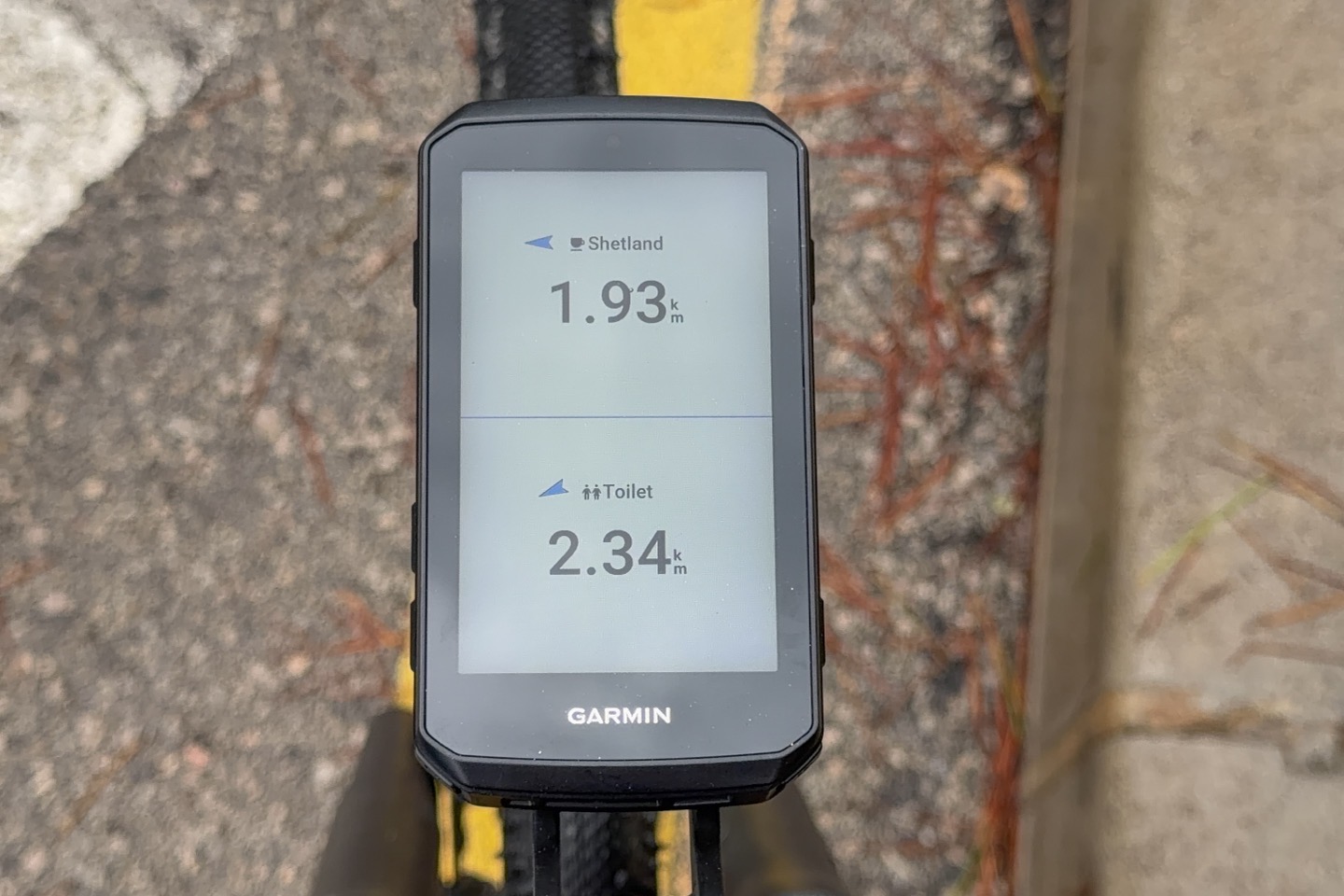
If you aren’t riding a route, it’ll just show the two categories as a dedicated page (which you can disable).
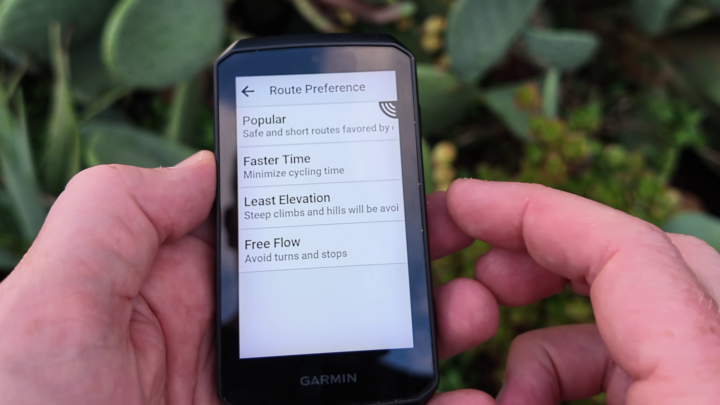
Next, when it comes to routing, there’s a new ‘Free Flow’ routing option that’s designed to minimize stop-and-go type routes. This routing option looks at more than just distance and heatmap/popularity data, but also looks at Garmin Connect activity data (from billions of activities) and calculates the average cyclist speeds relative to the expected cyclist speeds over that stretch of roadway. Meaning, if the roadway has a 30KPH limit, yet cyclists’ average segement/section speeds are far below it with frequent stops, that indicates it’s likely to have lots of traffic lights or junctions that slow down cyclists. This option lets you skip those routes for more ‘clean’ routes.
Next, when it comes to structured workouts and Strava Live segments, both features have been updated to allow for collapsible sections, allowing you to remove pieces you don’t want (or minimize them):
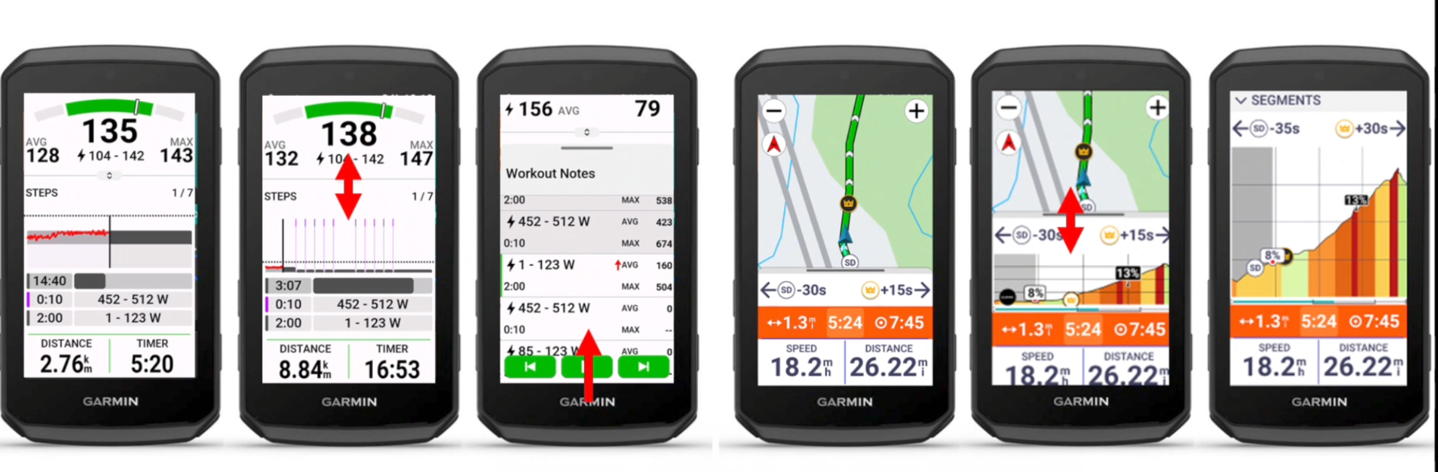
And then for Strava Live Segments, they’ve added icons on both the map and elevation profile of the things you’re chasing (e.g. KOM). Further, and this is a biggie – they’ve now enabled Strava Live Segments on *ANY* route, regardless of source. Previously, if you had a Komoot route, for example, you couldn’t see Strava Live Segments. Now you can. Finally!
Lastly, there are alternate data fields. The idea here being if you’ve got data fields with power meter data in them, but then ride a bike without a power meter, it’ll swap out those power meter fields for something else:
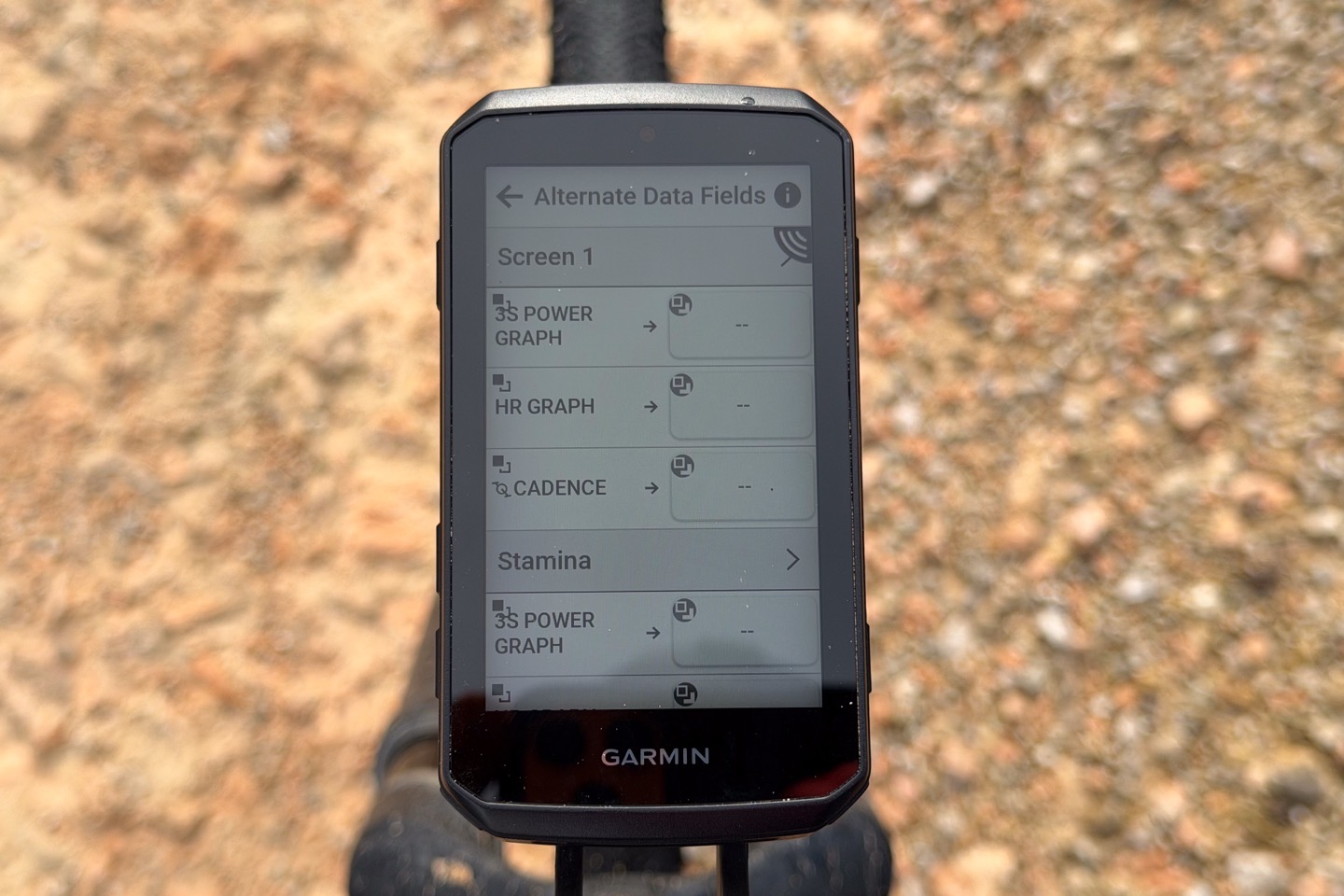
Personally, I’d just use a different ride profile, but I can see how folks might find this a good alternative as well. To each their own.
General Ride Tidbits:
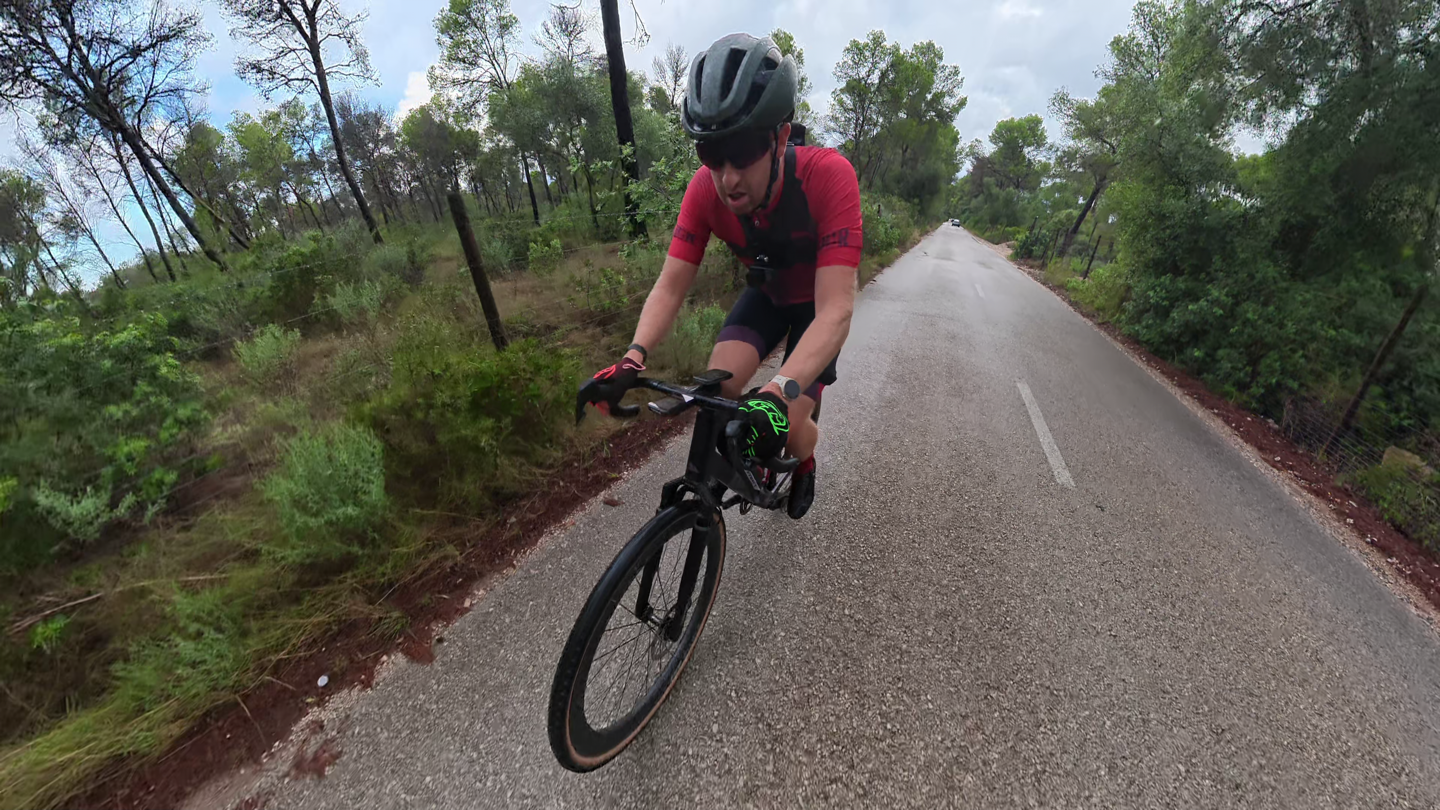
Now, I’ll dive into a full in-depth review here shortly, after some longer rides. The crazy southern Spain rainstorms and such you’ve undoubtedly heard/seen about in the news are finally starting to pass, and I’ve got some nice long rides planned from tomorrow. Though, I don’t expect much of concern here, since this is largely a minor update to the Edge 1050 in terms of features. Meaning, I expect things like battery and GPS to be identical to before, since the battery and GPS haven’t changed.
Nonetheless, heading out for a ride today, both split on-road and off-road on some gravel/MTB terrain (in the rain), the unit pretty much felt just like the Edge 1050 with a few new tweaks. And of course, there’s nothing wrong with that; that’s not only Garmin’s flagship device, but is widely considered the best bike computer in the market.
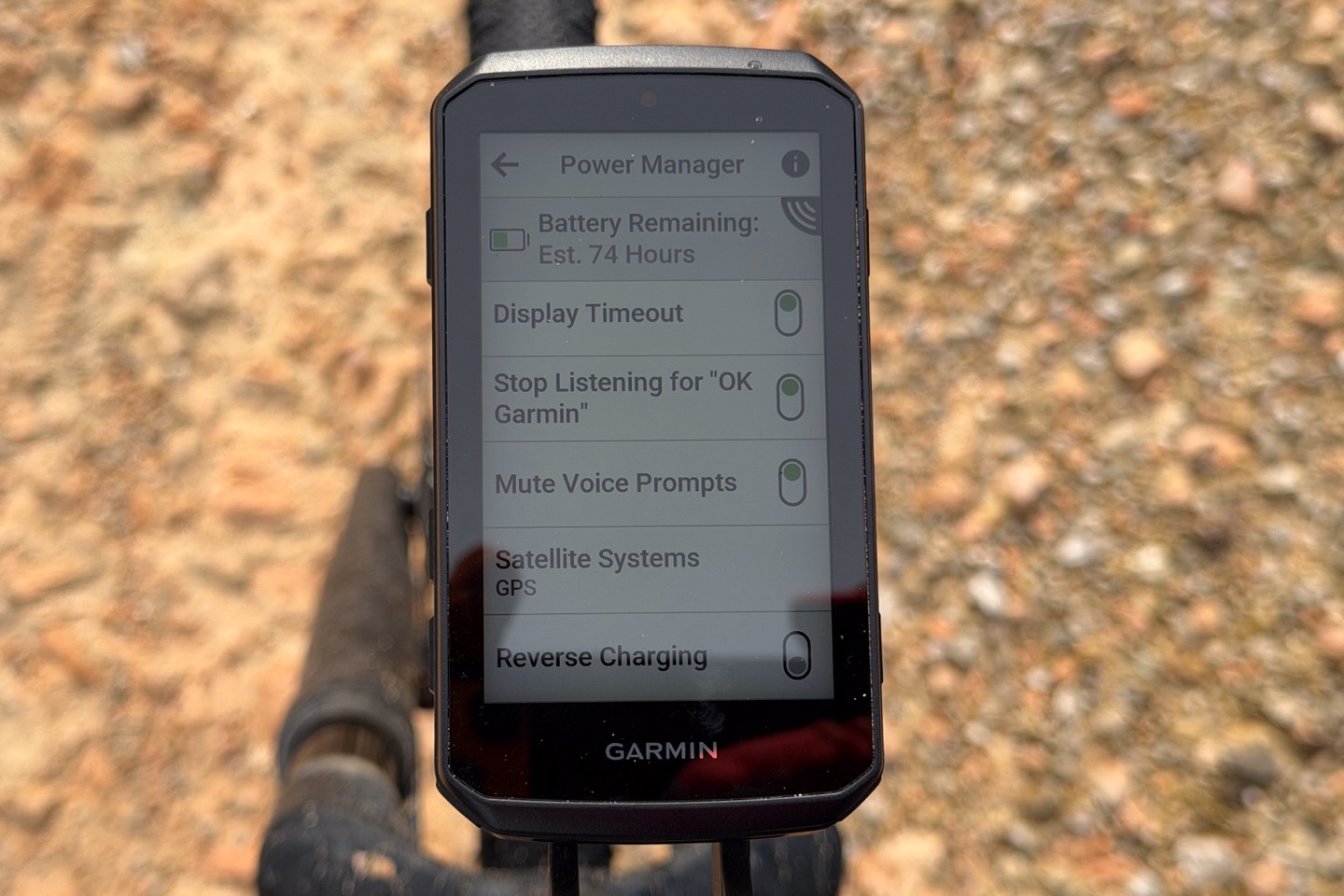
In terms of all the core bits there from the past, like the bike bell (by far the loudest on the market), routing and navigation (the deepest), and just general basics like sensor connectivity – it’s all just as before. Though, I will say it’s slightly annoying that when it comes to migrating your sensors over from past devices (which it of course supports), you get penalized for being on all Garmin’s latest sensors (e.g., Rally pedals and HRM-600). Those require deletion and re-pairing because of the secure Bluetooth channel. Whereas my Quarq power meter ‘just worked’. So, I stayed with the Quarq for this ride. This is an area where I continue to think Garmin has either over-engineered their secure Bluetooth choices, or over-legal-team’d it. Nobody else has these issues.
But again, all of these things worked as expected. I’ve got a longer ride tomorrow where I’ll dig into the battery burn in more depth, plus things like the Strava Live Segments with non-Strava Routes.
Wrap-Up:
If you step back for a second and look at the larger set of Garmin features across all Garmin devices, it’s interesting to see the commonality starting to set in more than ever before on these ’smart’ features. Things like voice features, messenger integration, and predictive type-ahead text, etc. I’m a touch bit surprised we didn’t see an Edge 1060 Pro inReach model or something this time around, with satellite connectivity in it. After all, Garmin’s investor goal is to increase subscription revenue. To me, that’d have made the $100 price increase a bit more palatable.
At the same time, as noted before, the prior flagship Edge 1050 didn’t see a price increase, but rather a price drop from the previous flagship Edge 1040 Solar before it (from $749 in 2022). So in many ways, this was the ‘last’ of the Garmin products to finally get a price increase – despite almost every 2026 Garmin product launch seeing prices stay constant (following 2025’s hot-mess disaster of a pricing increase bonfire). Of course, we’ve seen other companies test these higher waters in recent weeks, and it won’t be the last company this week either. Whether or not consumers buy at these prices remains to be seen.
Either way, I’ve got more testing to come on this unit and an in-depth review – so stay tuned for that, and of course, stay tuned for the Tacx Nera and the Garmin Edge Explorer 3 series. I actually think the Explorer 3 & 3 Plus units will be the hidden sweet spot for many people now, especially with the increase in features they got. Sadly, I think the naming scheme still struggles to attract the core cycling audience for whatever reason. But that’s a separate post.
With that – thanks for reading!
FOUND THIS POST USEFUL? SUPPORT THE SITE!
Hopefully, you found this post useful. The website is really a labor of love, so please consider becoming a DC RAINMAKER Supporter. This gets you an ad-free experience, and access to our (mostly) bi-monthly behind-the-scenes video series of “Shed Talkin’”.
Support DCRainMaker – Shop on Amazon
Otherwise, perhaps consider using the below link if shopping on Amazon. As an Amazon Associate, I earn from qualifying purchases. It doesn’t cost you anything extra, but your purchases help support this website a lot. It could simply be buying toilet paper, or this pizza oven we use and love.